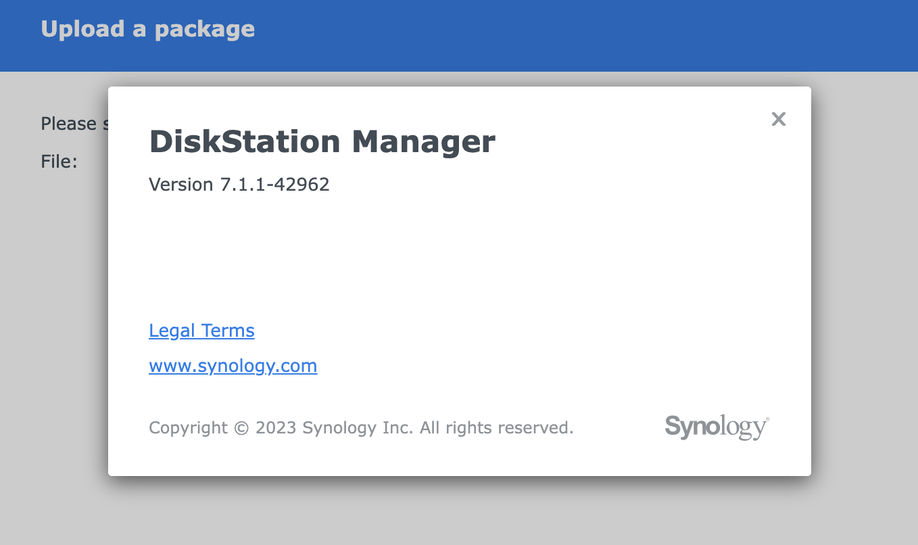
Server Version#: 7.1.1-42962
Player Version#: 1.32.8.7639-7000
Hi,
My Plex suddenly stopped working. No media is showing in any of the players. So I decided to upgrade my DSM to the latest and Plex media server as well. The problem still didn’t get fixed
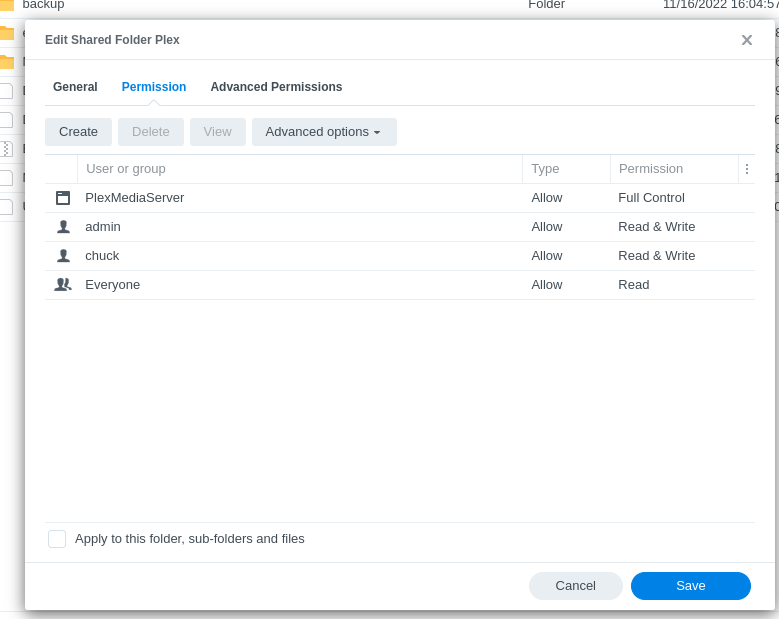
I’ve noticed when I try to create a new Library, I cannot select the folders. I can only choose the shared folder, which is named “Videos” under “Volume 1” and that’s it, I cannot go deeper and select specific folders. I’ve checked the permissions and Plex has the permission to read/write
I tried reaching out to Synology as this could be a permission issue, but they were of no help because my question involved a 3rd party software.
The problem with the “Videos” shared folder has existed since DSM 5.
Synology products claim ownership and often reset any permissions you grant there
Before we go about solving this, Do you still have all your server metadata (Library / Application Support / Plex Media Server) in the Plex share or did it migrate to its new home for DSM 7 in (PlexMediaServer/AppData/Plex Media Server) ?
Here’s the instructions. (a lot of what I’m writing is already spelled out in the FAQ)
Stop Plex
Uninstall the DSM 7 Plex app — choose the DELETE option
– It will empty the new PlexMediaServer shared folder and make it ready.
– We are deleting it because it’s rogue. We want the package installer to move all your existing data to DSM 7 as it installs again (it does this by default)
Now, starting with “Scenario 2”, scroll down and you’ll see where you grant Administration (ALL), Read(ALL), and Write(ALL) permission to “This folder, sub-folders, and files” for EVERYTHING in the Plex shared folder (where your existing metadata is)
This will take time to complete – dependent on how much media you have indexed.
It’s of paramount importance that “PlexMediaServer” show as having Full Control of all files in the “Plex” shared folder before we start installing the DSM 7 app again.
If Manual Install is timing out – you don’t have enough bandwidth to get to the Syno.
(I find that extremely unusual… DSM is pretty tolerant as long as it’s getting data)
COuld be DSM 4 or 5 can’t remember. I’ve deleted everything, including the plex shared folders, and re installed before seeing your reply, and it was still the same result.
I will try you solution as soon as I get the chance
The extended ACLs we now use in DSM 6 and DSM 7 weren’t available in DSM 4 & 5.
Additionally, Synology never added them to existing shared folders when DSM 6 was released.
If you create the shared folder now, you get everything defined.
Solution ----
Rename the media folder: e.g Media → Media-old
Now create a new Media shared folder to take its place ON THE SAME VOLUME
AS YOU CREATE the new Media shared folder,
– Be certain to add `PlexMediaServer in the permissions list
– Be certain to add the others user(s) you have granted access to (if you do this)
Complete creating the shared folder.
(now the annoying part) —
Move everything from Media-old to the new Media
It’s annoying because of how DSM moves files.
From the SSH command line, it’s an instantaneous move (it’s actually a rename)
Repeat this process however many times is needed for each shared folder.