I also was seeing a blank screen when playing videos. Reinstalling fixed it.

Can confirm DoVi Prof 8 files now fallback to HDR10.
Hope we don’t have to wait TOO long for native DoVi out of the new player!??
I’m actually seeing some audio sync issues on the AppleTV 4K side tonight as well… looks to be limited to AAC audio though. Not seeing it with EAC3, AC3, or DTS audio.
I’m also seeing now an issue with TrueHD audio transcoded to FLAC loosing volume. Playback is barely audible unless I jack up my system audio.
Issues not present on iOS side.
Is this a regression on the previous build for you?
Yes, I had no issues with previous build. Have to step away right now, but I’ll revert and re-test the same content later.
After some more testing, the AAC audio issue looks to be tied to the Match Frame Rate setting on the Apple TV. If I disable Match Frame Rate, there is no audio sync issue.
I’ve reverted to 8.39 (8915) and the issue is not present. Also confirmed that the audio volume issue with TrueHD audio is not present in 8.39 (8915), but I’m assuming that’s because it’s direct playing instead of transcoding to FLAC.
@SE56 The Auto Adjust Quality settings should be using AVPlayer which may be why some things are fixed.
I’m going to make some changes to the audio work I just did that may be causing some of the new issues.
Piling on here a little bit, but there been something squirrely going on with the speech track lately…
On iOS it was happening 100% of the time with the experimental player over the last week or two, not happening at all with old player enabled. But when I finally took the time to install old builds (going back to the first-ish EP build) to try and pin point what build broke things, the problem went away and I haven’t been able to reproduce.
But back to Apple TV… today’s build seems to do something similar, yet weirder– playback is fine until I pause long enough for my Apple TV to go to sleep (or I manually put it in sleep mode). When I wake up my ATV and resume playback, speech track is gone. Exiting playback and then resuming plays back as expected.
Less related, the continue watching feature still seems borked for me in this build
Are you in the iOS/tvOS 18 betas? I noticed something similar a few releases ago but only on the iOS 18 beta (think it was beta 2 or 3).
This release is working well on my 2 ATVs. Embedded PGS and SRT subtitles issues seem resolved for both iOS and ATV, however one slight issue with external SRT subtitles when it comes to formatting on ATV… it shows the italics symbols instead of actually putting the font in italics. On my iPhone with the same Plex build, it renders fine. I’ve attached screenshots.
But the video doesn’t have to stop playing when selecting between different subtitles, which is a nice fix! Makes it quick to switch, and playback continues in the background of the menu.
Another thing I noticed when watching a TV episode, when the autoplay next video happened, it went back to the TV Show season screen, but the next episode was playing in the background as I could hear it, but not see it.
ATV (ignore bad coloring - took a picture of the TV)

iOS

Thanks @Craig_Holliday , you are correct AV player kicked in. At present fallen back to the last Build with Auto Adjust Quality disabled.
I can live with smaller issues for now. Look forward to a new Build.
Same issue here with the new version (autoupdated). Although it’s actually that Plex freezes on the first frame of the video to playback, which is generally black when starting something fresh. When resuming a video or skipping inside a video it just freezes on that initial frame. Tried quitting Plex (swipe up), restarting ATV, etc. Only solution was to delete, re-install, login.
Can confirm, same results here.
I realize most of this beta’s focus is on Apple TV, but I wanted to raise an issue I’ve seen with this build on iPhone. For video that’s particularly wide, like 2.39:1, in landscape the video extends all the way to the left and right edges of the screen. On modern iPhones, this means the notch or island overlaps the video. The old player gets around this by also padding the video with pillarboxes, which I prefer to what’s happening in the beta player. Is this a conscious choice, and if so, would you consider a control for adding back the padding?
What happens if you double tap on the video to “zoom” out?
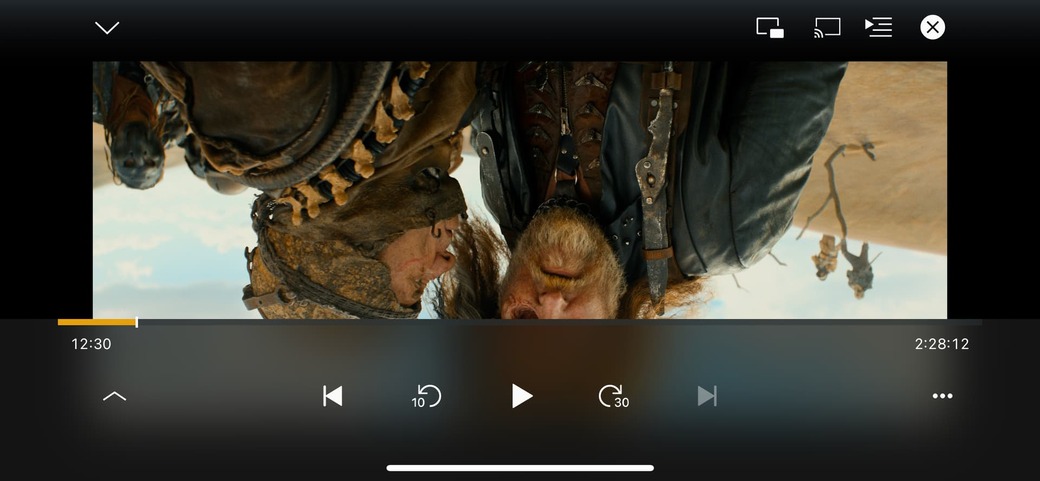
Yeah, the pillarboxing only seems to kick in at certain aspect ratios, as far as I can tell. Double tapping or pinching doesn’t seem to work to toggle it.

