# Confused by TWO STEP verification.. sorry please explain
**URL:** https://forums.plex.tv/t/confused-by-two-step-verification-sorry-please-explain/806604
**Category:** General Discussions
**Created:** [August 25, 2022, 4:37am UTC](https://forums.plex.tv/t/confused-by-two-step-verification-sorry-please-explain/806604 "2022-08-25T04:37:32Z")
**Posts on this page:** 6
**Page:** 1
### Author:  [@doobre](https://forums.plex.tv/u/doobre)
#### Post date: [August 25, 2022, 4:37am UTC](https://forums.plex.tv/t/confused-by-two-step-verification-sorry-please-explain/806604/1 "2022-08-25T04:37:32Z")
Hi there, I need some help, which is probably very simple for someone here.
I have reset my PW as requested and set up the two-step verification on my PC no probs. I logged on and it showed the QR thing and my iphone recognised it. I went to settinges\passwords\plex on my iphone and the codes automatically appeared… impressive… BUT
When I later tried to open plex on my iphone it asked for a code… !
“Use your authenticator application to view your verification code or use a stored recovery code.”
I went back to settinges\passwords\plex and it was no longer generating codes…??
So what is my “Authenticator App” and where is it…?
Apologies for my dumbness…
---
### Author:  [@mark40511](https://forums.plex.tv/u/mark40511)
#### Post date: [August 25, 2022, 4:50am UTC](https://forums.plex.tv/t/confused-by-two-step-verification-sorry-please-explain/806604/2 "2022-08-25T04:50:02Z")
don’t apologize… this is a message that will not help you…I just read it and when I enabled 2-step auth…everything worked EXCEPT anything IOS…Roku’s worked…laptop, browser, etc…but Iphone and Ipad would not connect to Plex… I had to disable 2 factor auth… I asked about that on here and you know what answer I got? (Disable 2-factor auth)…
---
### Author:  [@doobre](https://forums.plex.tv/u/doobre)
#### Post date: [August 25, 2022, 5:03am UTC](https://forums.plex.tv/t/confused-by-two-step-verification-sorry-please-explain/806604/3 "2022-08-25T05:03:03Z")
Yikes… that’s not good.
I am concerned that I will use up all the downloaded codes pretty soon… cheers
---
### Author:  [@leiannac](https://forums.plex.tv/u/leiannac)
#### Post date: [August 25, 2022, 5:43am UTC](https://forums.plex.tv/t/confused-by-two-step-verification-sorry-please-explain/806604/4 "2022-08-25T05:43:24Z")
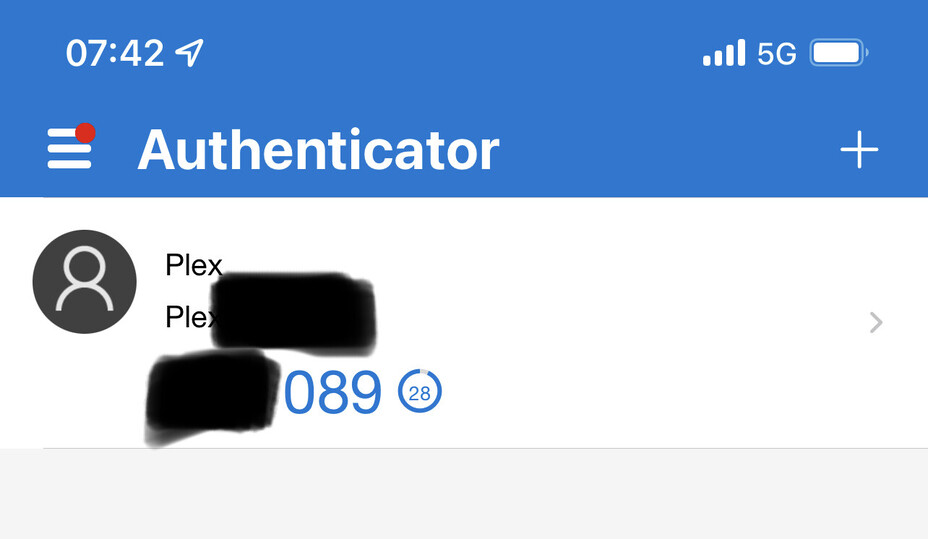
Any 2FA or MFA app from the iOS AppStore will help you.
Just install Microsoft Authenticator and scan the QR code that was visible on enabling 2FA
Everytime you open the app, there will be a 6 digit code that gets newly generated every 30 seconds.
---
### Author:  [@doobre](https://forums.plex.tv/u/doobre)
#### Post date: [August 25, 2022, 6:15am UTC](https://forums.plex.tv/t/confused-by-two-step-verification-sorry-please-explain/806604/5 "2022-08-25T06:15:01Z")
Thanks for that, but how do I get the QR thing back?. having already used the downloaded codes (which are running out)… cheers
---
### Author:  [@system](https://forums.plex.tv/u/system)
#### Post date: [November 23, 2022, 6:15am UTC](https://forums.plex.tv/t/confused-by-two-step-verification-sorry-please-explain/806604/6 "2022-11-23T06:15:25Z")
This topic was automatically closed 90 days after the last reply. New replies are no longer allowed.