DS920+
DSM 6.2.3-25426 Update 2
PMS Version 1.20.3.3437
Just setup this new DS920+ with (4) WD Red 4TB drives. I’ve got a static I.P set., Remote Access has specified ports, Transcoder set to “Make My CPU Hurt” (everything else on the highest settings). I tried the latest Plexpass PMS as well as the older one DSM lists in Packages (apps) section. Network speed is 528mbps Down and 34mbps Up.
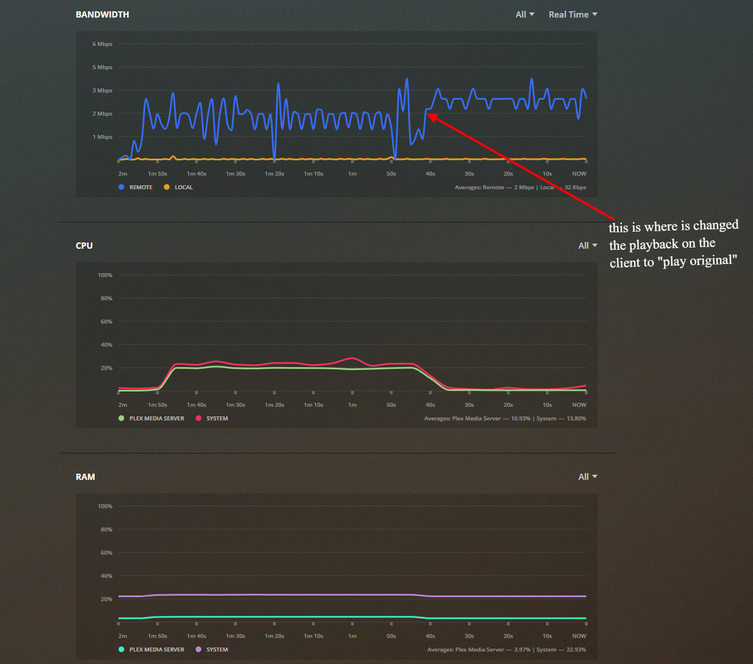
Remote playback is unwatchable (local is fine). Remote Playback, you can hear audio but the initial image is frozen. I’ve tried multiple H.264 files of various sizes and all had the same playback problem. Hardware resources during playback are barely utilized.
On small movie files under 700mb, I can get smooth remote playback if I turn off “Use Hardware Acceleration when Available”, but the CPU is maxed out. Will also get smooth playback when client is set to “Play Original Quality”.
Safe to say that the transcoding is the problem. Any suggestions would be appreciated.