# Help with Sonic Analysis
**URL:** https://forums.plex.tv/t/help-with-sonic-analysis/799537
**Category:** Plex Media Server
**Tags:** plexamp
**Created:** [July 4, 2022, 10:20am UTC](https://forums.plex.tv/t/help-with-sonic-analysis/799537 "2022-07-04T10:20:50Z")
**Posts on this page:** 6
**Page:** 1
### Author:  [@vaderag](https://forums.plex.tv/u/vaderag)
#### Post date: [July 4, 2022, 10:20am UTC](https://forums.plex.tv/t/help-with-sonic-analysis/799537/1 "2022-07-04T10:20:50Z")
I’ve been following the steps in this thread ( [Sonic Analysis - has processed 6 albums in 40 minutes - Plex Media Server / Desktops & Laptops - Plex Forum](https://forums.plex.tv/t/sonic-analysis-has-processed-6-albums-in-40-minutes/735992)) but I’m still struggling with getting my Sonic Analysis to progress. I’d have posted there if the thread was still alive

I’m stuck at the above - it’s processed a number of albums as I have a lot more than 106, but it doesn’t seem to want to go any further. I’ve disabled and re-enabled the sonic analysis, restarted the server, but I’m not seeing “SONIC” in the logs at all…
I’ve also set a timeout on the maintenance events to try and force a log to be closed off (in the latest case 11am… but it’s now 11.17 and it’s still going
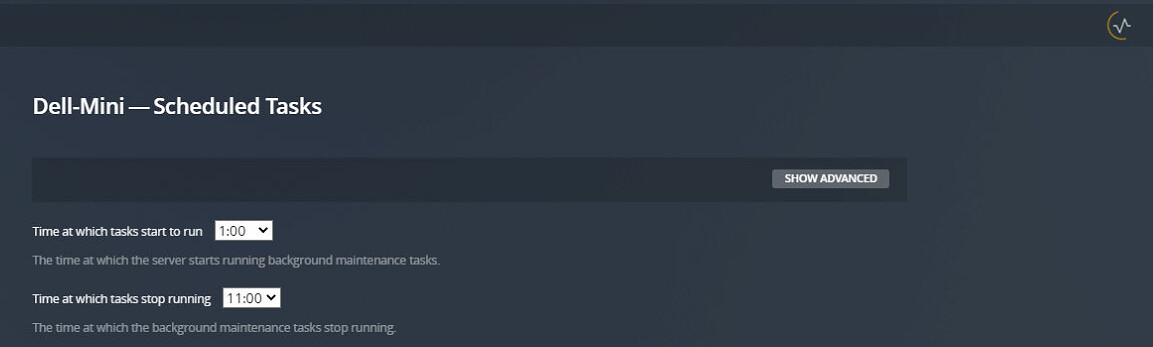
I’m a little at a loss for next steps…
Can anyone help?
Thanks
---
### Author:  [@OttoKerner](https://forums.plex.tv/u/OttoKerner)
#### Post date: [July 4, 2022, 10:32am UTC](https://forums.plex.tv/t/help-with-sonic-analysis/799537/2 "2022-07-04T10:32:43Z")
From the same thread: [Sonic Analysis - has processed 6 albums in 40 minutes - #210 by OttoKerner](https://forums.plex.tv/t/sonic-analysis-has-processed-6-albums-in-40-minutes/735992/210)
---
### Author:  [@vaderag](https://forums.plex.tv/u/vaderag)
#### Post date: [July 4, 2022, 11:28am UTC](https://forums.plex.tv/t/help-with-sonic-analysis/799537/3 "2022-07-04T11:28:43Z")
> Look into your system’s temp folder.
> You will find one or several folders in there with “sonic” in their folder name.
> in them, there are WAV files.
> If you find a WAV file of a suspiciously small file size, it can be a good hint at which file is the culprit. You should be able to identify the album, just by listening to the wav files.
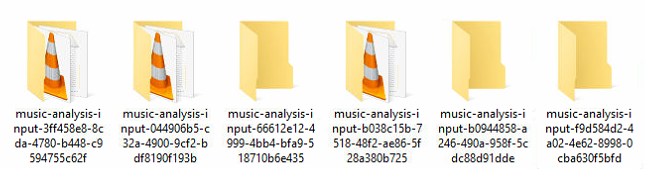
I have these folders with WAV in them (a few are empty) - none of them are suspiciously small, all look around the size you would expect from a wav
> Another method is to enable server debug logs.
> Then look at the `Plex Media Server.log` It should at least tell you which albums were last committed to the analyzer.
I’m really not seeing much in the logs 😕 This is the last entry I see related to MusicAnalysis… not sure that it tells me anything however…
```auto
Jul 04, 2022 10:47:21.599 [7752] DEBUG - [MusicAnalysis] Decoded 14 files for input to the analyzer.
Jul 04, 2022 10:47:21.602 [7752] DEBUG - [MusicAnalysis/JobRunner] Job running: set "FFMPEG_EXTERNAL_LIBS=\\\\?\\C\:\\Users\\name\\AppData\\Local\\Plex\ Media\ Server\\Codecs\\d53cb63-4323-windows-x86\\" & "C:\Program Files (x86)\Plex\Plex Media Server\Plex Media Server.exe" "Plex Music Analyzer" C:\Users\name\AppData\Local\Temp\music-analysis-64d795dc-df12-49c1-be7d-50672dc1986d "C:\Program Files (x86)\Plex\Plex Media Server\Resources\Music.tflite" labels index.txt
Jul 04, 2022 10:47:21.654 [7752] DEBUG - [MusicAnalysis/JobRunner] Jobs: Starting child process with pid 3924
```
> On Windows, get Sysinternals Process Monitor [Process Monitor - Windows Sysinternals | Microsoft Docs](https://docs.microsoft.com/en-us/sysinternals/downloads/procmon)
> Then filter for instances of the Plex Transcoder. You should be able to find out which audio file is opened by the “hung” transcoder process.
Process Monitor isn’t showing any instances of Plex Transcoder.exe - get a lot of plex, but no transcoder
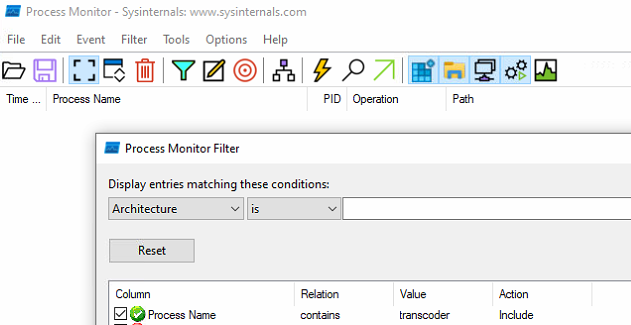
I can see that it’s referenced in the logs, maybe I’ve not been running it long enough but have just stopped and restarted the server so we’ll see…
---
### Author:  [@OttoKerner](https://forums.plex.tv/u/OttoKerner)
#### Post date: [July 4, 2022, 12:48pm UTC](https://forums.plex.tv/t/help-with-sonic-analysis/799537/4 "2022-07-04T12:48:15Z")
> [@vaderag](#):
>
> I have these folders with WAV in them (a few are empty) - none of them are suspiciously small, all look around the size you would expect from a wav
Listen to them & look at the file names to identify the album.
Take this album(s) temporarily out of the library and re-trigger the sonic analysis.
Repeat until sonic analysis succeeds.
Look at the albums which you’ve taken out, and try to find any characteristics which are out of the ordinary.
Try to re-rip them if possible.
The Plex developers will be needing those albums which keep refusing to be analysed. Please zip and upload to e.g. GDrive. Then send me the download link per PM, please.
---
### Author:  [@vaderag](https://forums.plex.tv/u/vaderag)
#### Post date: [July 7, 2022, 12:09pm UTC](https://forums.plex.tv/t/help-with-sonic-analysis/799537/5 "2022-07-07T12:09:29Z")
Thanks for your help - found a single album causing a stall, combined with something else I think to do with one of my video files which combined was stalling this action… either way- it’s now done 🙂
---
### Author:  [@system](https://forums.plex.tv/u/system)
#### Post date: [October 5, 2022, 12:10pm UTC](https://forums.plex.tv/t/help-with-sonic-analysis/799537/6 "2022-10-05T12:10:16Z")
This topic was automatically closed 90 days after the last reply. New replies are no longer allowed.