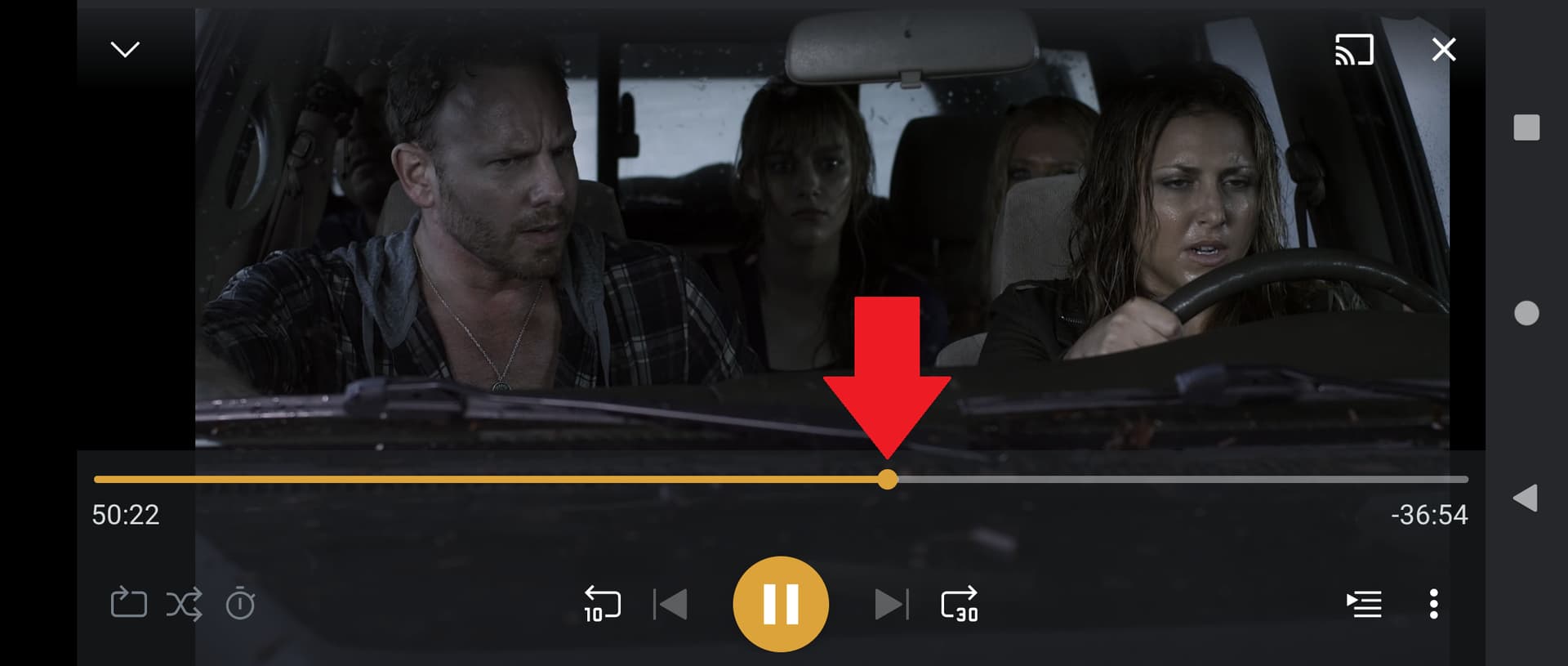
Hello, new user here with a very rookie question that I have embarassingly not been able to track down. When playing PLEX video content (DVR shows, live TV, movies, etc.), I would like to be able to fast forward and rewind at 2x or 3x. However, I only seem to be able to skip forward 30 seconds or skip backward 10 seconds. This is true for all of the players I have tried (web browser, Google TV, Vizio smart TV).
Can anyone advise me if I am able to enable 2x / 3x fastforwarding / rewinding? Or am I missing an obvious user interface button somehow?
The 30 sec forward / 10 sec back cannot be changed.
You can navigate to the progress bar, then move forward/backward at a much faster rate.
In Plex Web, mouse over the progress bar. There will be a dot on the bar at the current playback location. Click on it and drag where you want.
It is similar on the other apps. On SmartTV, Android TV, etc, tap the “up” button once or twice to move to the progress bar. Then use the left/right buttons on the remote (not FF/RWD). Ex: On a FireTV remote, up = the top of the ring. left/right = left/right side of the ring.
On Android mobile, tap the screen to bring up the controls. Then drag the dot on the progress bar to the desired point in the movie/show.