You can’t take Plex and toss it back & forth like that. It’s not designed to be cloned that way.
if I put the script from my windows system to my linux system everything is fine, but the library path is not the same so I have to redo the scans all over again
You’re not going to get away from scanning the files (directory paths) at least one time.
There is no way to do it unless you want to manually edit the SQL database (which is not supported)
it would be the solution to do this I know that it is practically impossible to do, it was the origin of my questioning it is a pity that there is no simple way at this level
You have two disparate operating systems.
MacOS came from Unix
Linux came as a free alternative to Unix
Windows came from Digital Equipment Corp’s VMS operating system back in the 1990s
I know for people like me who have known linux for less than 2 years it’s easy to crash everything that’s why I go back to windows. Docker I don’t understand anything it’s even worse 
plex is really more stable and fast on linux that’s the worst…
The problem is having a war machine and being forgotten to put it on linux when you can’t do anything else with it except by letting plex run over it. we forget the games etc with several applications available only on windows
Linux has a steeper learning curve than windows because you need to learn the command line part.
That said, if you avail yourself of
- The online tutorials
- “Stack Exchange”. to name but one, which has an unending supply of examples
- Google search
- The built - in electronic manual which Linux provides you
then you won’t get into trouble.
As for using Plex on Linux, that’s why we’re here.
We’re not equipped to teach linux but we do jump right in for the more advanced stuff.
I have to say, ever since the move to 64-bit PMS, my server has not had a single crash. Before, it would crash rarely. Speed-wise, if we’re talking about scanning, it’s been super fast since I went with the new (at the time) agent/scanner combo. I went from hours to mere minutes (scanning GDrive).
yes it’s true it’s quite simple in fact linux, the last time I planted it I deleted the whole system leaving one space too many, it was too much even if I had a backup and note everything in detail how to rebuild the server in less than 1 hour. what I did on my other server last week, but hey I don’t have the reading history of plex on linux coming from windows…
Yes it hasn’t been long since they have been making 64 bit versions for windows but I have no confirmation that I will be able to listen to my 4k dolby vision on the more recent versions than the one I have. Well ok it’s a detail, but it tires me
If you have a database from Windows
– Even just a copy of it (com.plexapp.plugins.library.db)
This tool will import it for you on Linux.
It’s written in Shell script. I will gladly answer any questions on using it.
(open an issue on github please as appropriate)
I tried it it works well indeed I only had to change the path of the sections and do a new scan. Fortunately I’m going to back up linux for less than 3 months, I just updated the libraries, it was much faster. the problem in this case was the reading history dating back 3 months.
If you have an all-system compatible play history script that would be great. this is a suggestion that would be beneficial to all.
we would have one more option to make do with what we have 
The new versions of PMS (1.30.0 and above have cloud-based history).
After you enable it, it will start uploading and maintaining the history in your account data.
After that, when you create a new server, it will download from the cloud.
ok i thought it was for version 1.27.2 and up.
this is new version 1.30 does it support dolby vision format dovi?
It might be 1.27.2 and up. I know there have been improvements.
I first saw it in 1.29.2 (might have been beta for us)
I work on the backend (OS side of things) so might not be fully updated on the current Server feature set.
I will try, under windows plex server and the plex database are separate I can test in 5 minutes, but from my memory of 2 days color space unsuport is that’s why I downgraded to version 1.25.4.5487
and I tried the latest version on both linux and windows, the advantage of having 2 servers…
I had to watch every 4k movie 1 by 1 to delete them for no reason, or look for another version, because they work fine with the most old version I have 1.25.4.5487
I will send a screenshot tomorrow.
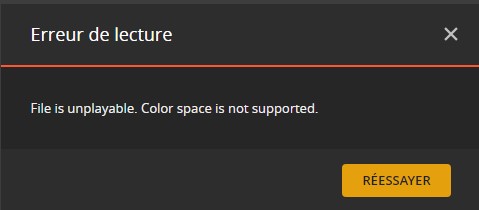
That’s what I said, so the problem is not corrected to date. Whether on my lg web os tv, on my server or on my phone, there is nothing to do if you forget this dovi format.
It’s not very serious I have not many dovi files to replace!
I did a test, because by default what is not finished does not appear on my other plex server, so I tried an episode that I stopped in the middle then I waited. Nothing on the other server. So 2nd step I test a complete movie to see if the history will be saved as expected.
So, you have two servers going right now? Did you copy the database at all? Let me know if a series shows up in Continue Watching on the new server when you start it on the old server.
