Server Version#:
Player Version#:
<If providing server logs please do NOT turn on verbose logging, only debug logging should be enabled>
Tried using this tutorial, Synology FAQ - Questions, Answers, and How-To's - #33 by ChuckPa, however when I run the manual package install there is no migration and no popups…just installs under the new DSM7 folder structure with nothing else. I used the claim method. Any help greatly appreciated.
When you migrate, there isn’t any message to tell you what it’s doing.
(DSM 7 doesn’t work that way)
If you’ve followed the procedure correctly,
and observed that it sat at “Installing” for a considerable length of time.
and (most importantly) the “Plex” shared folder was empty after installation,
Then it went as expected.
If, however, you had copied your MacOS “Plex Media Server” directory to “Plex/Library/Application Support/Plex Media Server”
and it’s still there AFTER the installation.
then it didn’t work right.
99.99 % of the time, this is because System Internal User PlexMediaServer doesn’t have full control --AND/OR-- there was already a partial/unused server in PlexMediaServer/AppData. ( I don’t let it overwrite an existing Plex installion )
So it took very little time to install, and the data was still in the older folder structure I had to manually create per the instructions. I also followed the instructions by uninstalling the first manual package install and then followed the instruction to provide full control in permissions and reinstalled the package manually and no dice. Same thing. No movement of files, super quick installation. So I did follow your instructions to a T and unfortunately sorry no dice.
Super thankful for your help.
Also, I have media on two synologys, if I install the PMS on one Synology can it not mount another to access media files?
If the installation was very quick then you missed something
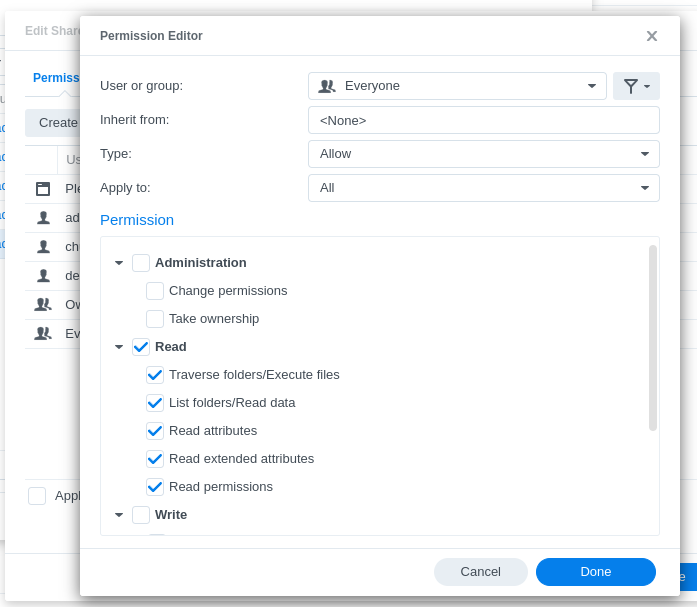
The most common thing missed is the “Apply to this folder, sub-folders and files” when applying Full Control to the entire Plex shared folder.
ALSO important.
When you install. the PlexMediaServer shared folder must be completely empty
There is a safeguard in the installation scripting to prevent accidental overwriting of a server.
Thank you very much for the patience, last two questions and then I will give it a go again.
When you say 2nd sync must ‘export’ the media, what do you mean? Is this a setting on the permissions of the 2nd syno’s shared folder?
When creating libraries on the sync PMS, it doesn’t appear to let me go deeper into a shared folder structure. For example, I have my media set up for Plex on the ‘Video’ shared folder, then beneath that TV Shows and Movies, ie /Video/TV Shows/ and /Video/Movies/. But once I get to Video, it doesn’t let me select further either TV Shows sub folder (for tv shows library) or Movies sub folder (for movies sub folder).
Thank you very much again for your help and patience.
I don’t see where to add the permission rule for “Everyone”, is this on the permissions or NFS permissions tab? I did add the NPF permission rule I believe
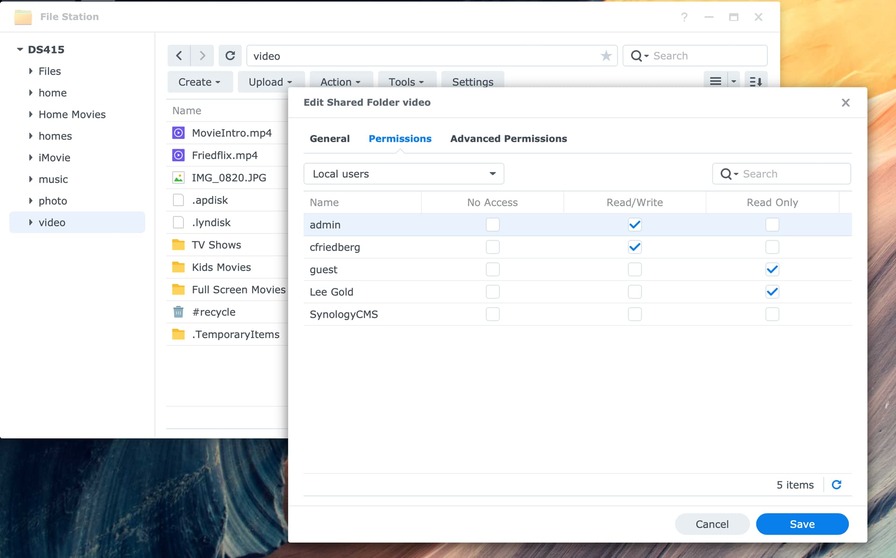
OK, apologies, although and again sorry for the trouble, but doing that doesn’t yield a ‘create’ button. Below is what happens when I go to file station, right click on the share drive and click properties (which btw is the same screen I get when going through the control panel/shared folder screen.
I think I found the issue. The 2nd Syno is a DS415 (where half my media is), which does NOT have the same menus as the DS423 (which is where I am trying to install the PMS, and where the other half of the media is).
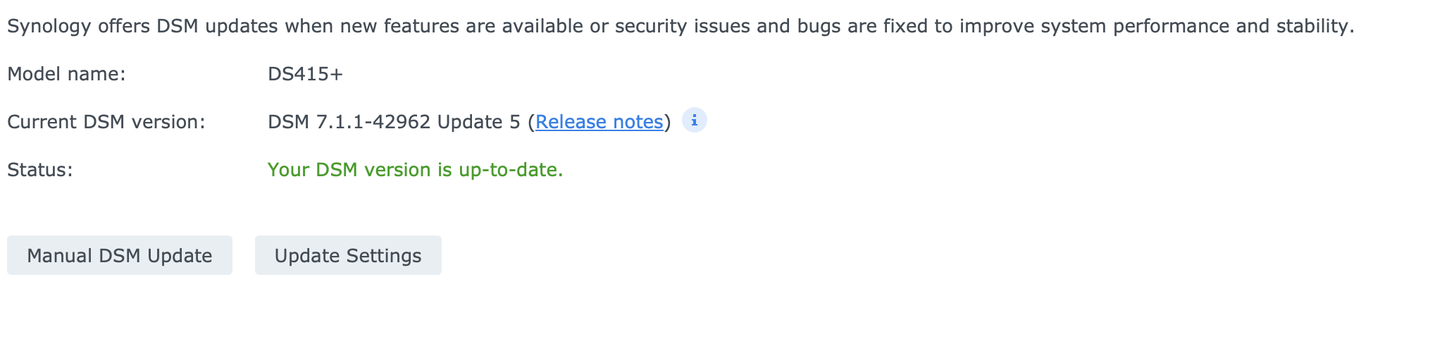
The DS415 is running 7.1.1 and is saying ‘up to date’
the DS415 doesn’t have the horsepower to run PMS, which is why I’m trying to install the PMS on the 423, and create the rules you suggest on the 415, but again the 415 doesn’t have those options…
One final note, I did go to the Synology Download Center and its saying the DS415 has the latest DSM installed
OK, so just redid everything and I think I am close, thank you SOOOO much for your help. So here is what I am seeing now.
When I click More at the bottom I get this…
Now the DS423 appears to have all the right libraries, watched history etc of the original Mac based PMS which is FriedFlix Server. The Libraries did not pick up the media, even the media that wasn’t moved and is on the same Syno as the PMS.
Also, here is the log file.
Plex Media Server migration to DSM 7 started: Thu Feb 22 16:22:39 -05 2024
=== Thu Feb 22 16:22:39 -05 2024 === Start: Change ownership
=== Thu Feb 22 16:22:49 -05 2024 === Completed: Change ownership
=== Thu Feb 22 16:22:49 -05 2024 === Start: Convert symbolic links
=== Thu Feb 22 16:22:50 -05 2024 === Completed: Convert symbolic links
=== Thu Feb 22 16:22:50 -05 2024 === Start: Migrate Plex Media Server
=== Thu Feb 22 16:23:46 -05 2024 === Completed: Migrate Plex Media Server
=== Thu Feb 22 16:23:46 -05 2024 === Completed: Migrate Plex Media Server
=== Thu Feb 22 16:23:46 -05 2024 === Start: Clean /volume1/Plex
=== Thu Feb 22 16:23:46 -05 2024 === Completed: Clean /volume1/Plex
and finally, as I mentioned, all of the library folders are broken. When trying to recreate them, I cannot click past the root shared folder…for example…
“volume1” is the DS423, and clicking on it allows me to choose the shared folder “Video2”, however it does not allow me to choose the sub folder 'TV Shows2".
“video”, that’s the mounted shared folder from my DS415, clicking on it doesn’t allow me to chose the sub folder ‘TV Shows’, it just gives me a ‘…back’ option.
But even if I select those, the new DS423 PMS (which I thought should have been named FriedFlix in the migration), doesn’t find anything and wipes out the library names in the Library itself…