# Playback Error on all content
**URL:** https://forums.plex.tv/t/playback-error-on-all-content/861262
**Category:** Plex Players
**Tags:** server-mac, hisense
**Created:** [November 30, 2023, 1:53pm UTC](https://forums.plex.tv/t/playback-error-on-all-content/861262 "2023-11-30T13:53:01Z")
**Posts on this page:** 7
**Page:** 1
### Author:  [@Razzbag02](https://forums.plex.tv/u/Razzbag02)
#### Post date: [November 30, 2023, 1:53pm UTC](https://forums.plex.tv/t/playback-error-on-all-content/861262/1 "2023-11-30T13:53:01Z")
Server Version#: 1.32.8.7639
Player Version#: 5.73.1
Not entirely sure how to explain this but on pretty much every piece of content on Hisense smart tv (running VIDAA), playback is fine for 10 seconds then it buffers and then it throws a “playback error”. This only happens when using direct play but i’m not willing to transcode perfectly compatible media due to an unknown issue.
Is anybody having the same issue?
---
### Author:  [@peppereyes](https://forums.plex.tv/u/peppereyes)
#### Post date: [November 30, 2023, 2:51pm UTC](https://forums.plex.tv/t/playback-error-on-all-content/861262/2 "2023-11-30T14:51:20Z")
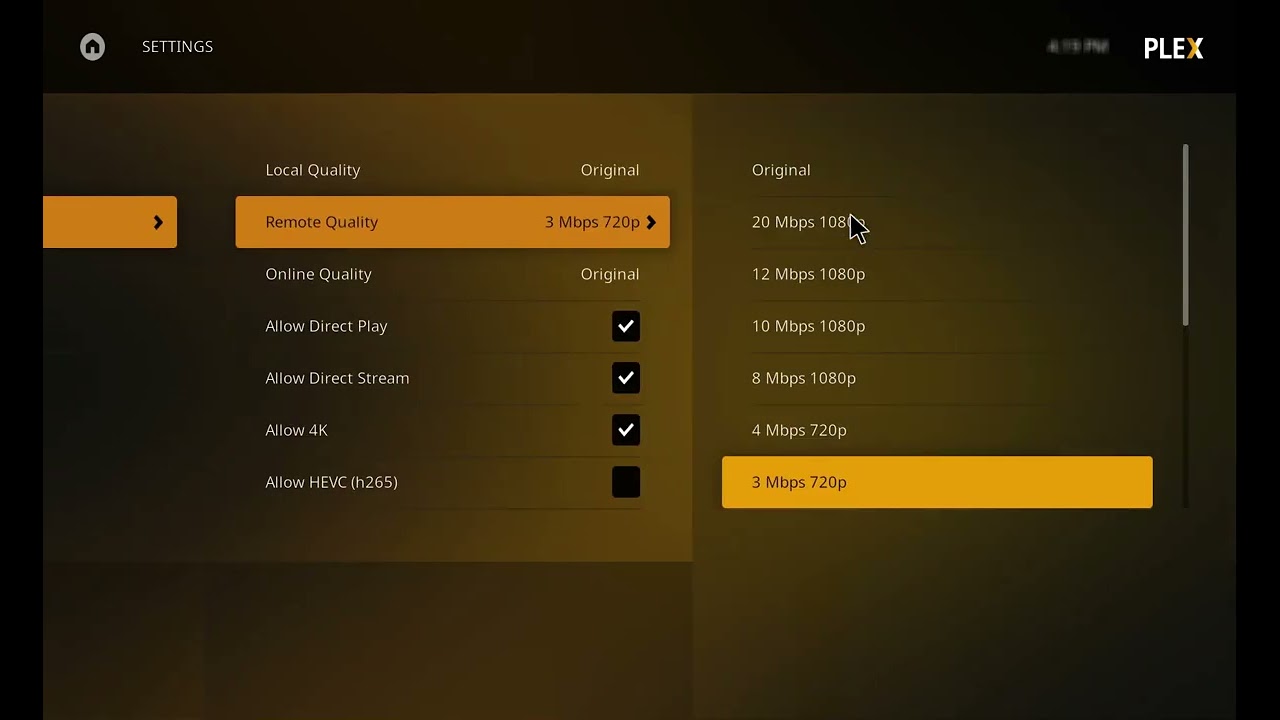
This worked for me
[ ](https://www.youtube.com/watch?v=fIYfWG7uBJU)
---
### Author:  [@Razzbag02](https://forums.plex.tv/u/Razzbag02)
#### Post date: [November 30, 2023, 3:57pm UTC](https://forums.plex.tv/t/playback-error-on-all-content/861262/3 "2023-11-30T15:57:19Z")
Hey, thanks but unfortunately that’s not the fix for me. As i said, all media plays for around 10 seconds and that’s when i get the buffering and playback error on direct play. Thank you anyway 🙂
---
### Author:  [@eggi68](https://forums.plex.tv/u/eggi68)
#### Post date: [December 2, 2023, 11:04am UTC](https://forums.plex.tv/t/playback-error-on-all-content/861262/4 "2023-12-02T11:04:14Z")
Hey! I have the same problem. TV with VIDAA OS. Plex is running on a Synology NAS. At my LG TV everything is fine. My first opinion was a bad WLAN Connection but with a LAN Connection I have same problems. The error message is on a white screen, something like Insufficient working memory.
---
### Author:  [@Knightz01](https://forums.plex.tv/u/Knightz01)
#### Post date: [December 14, 2023, 1:12pm UTC](https://forums.plex.tv/t/playback-error-on-all-content/861262/6 "2023-12-14T13:12:45Z")
Hi @Razzbag02,
Yes I have had the same issue from day one of getting the Hisense U8K series, the way I now use PLEX is to turn off ‘allow direct play’ in the PLEX video settings which then only allows ‘direct stream only’ this way I can play at full quality, remember to adjust the ‘maximum remote quality’ to unlimited, then its all down to your internet connection as to whether things play well until there is a fix, enjoy
knightz01
---
### Author:  [@brodydewitt](https://forums.plex.tv/u/brodydewitt)
#### Post date: [January 15, 2024, 5:36pm UTC](https://forums.plex.tv/t/playback-error-on-all-content/861262/7 "2024-01-15T17:36:03Z")
Try running Plex through a device then to the TV, i.e apple tv, Firestick or gaming console. I couldn’t play anything on my Samsung TV even direct play. Turned out the TV cannot handle it. Running through my Xbox now with zero issues.
---
### Author:  [@system](https://forums.plex.tv/u/system)
#### Post date: [April 14, 2024, 5:36pm UTC](https://forums.plex.tv/t/playback-error-on-all-content/861262/8 "2024-04-14T17:36:05Z")
This topic was automatically closed 90 days after the last reply. New replies are no longer allowed.