Server Version#: 1.25.0.5246
Player Version#: 4.70.0
Happy Thanksgiving everyone!
Seem to be having an issue with Plex and the loaner Palo Alto PA-200 I have through work. My config previously worked on my Cisco ASA5506X prior to its untimely demise. Waiting on my replacement PA-820 to arrive but global supply and shipping issues have other plans.
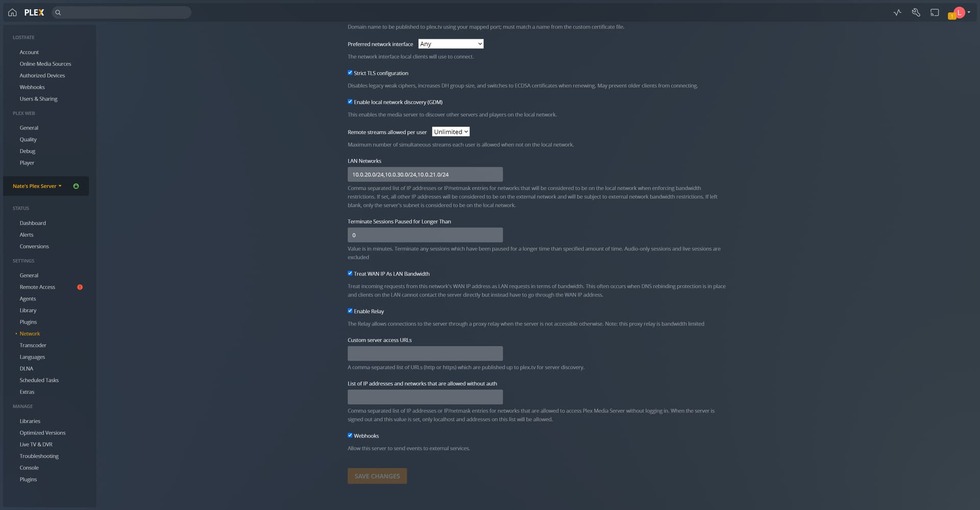
Current setup is via docker using the plexpass tag. Networking is configured for host networking, host has all necessary ports opened. PA-200 has a security policy and NAT rule in place to allow traffic to the Plex VM on port 32400/tcp. Internal networks are configured for 10.0.20.0/24 (my network), 10.0.21.0/24 (my internal services network where the Plex server resides), and 10.0.30.0/24 (my roommate’s network). Using an online port checker confirms that the port is open and accessible. Attempting to access the plex server via a client on either a different VLAN, such as my roommate’s network, over wifi or via the mobile client via cellular data gives a warning that the connection is being relayed. If you go into the advanced settings on the client and configure a manual connection, you can get a direct connection to my server. Hitting retry on the Network configuration page does occasionally cause the connection to show green very briefly but inevitably pops back over to red within a handful of seconds.
plex-config.txt (695 Bytes)


I am having the exact same issue in a different state. I retry manually and it connects for 3-5 seconds then disconnects. It started when my ISP disconnected my area to work on upgrades. After it came back on I had no access.
So I’m positive that this is not an ISP issue, I can’t stream without using relay from one VLAN to another within my own internal network despite having set the registered internal networks within PMS. Also, that manual connect fix might not actually be working, I just tried it again and it’s still forcing everything through relay. Going to disable relay and see what we get. Sort of an annoying issue.
For anyone using a firewall that filters based on protocol rather than just port, setting the service to Plex won’t work unless you are doing SSL decryption. Looks like PMS does a non-SSL handshake with Plex cloud and flips green for about a second but then fails out once the SSL connection kicks in and the firewall can’t read through the packets anymore. Switching the security rule to a port instead of a service will fix the issue.
I expect this to be the case with OpenWRT, PFSense, Palo Alto, Cisco ASA, etc… anything that might be considered a “Next Generation Firewall”.
Sorry for the trouble.
Ok so I’m tech illiterate when it comes to a lot of the abbreviations. How do I change the security rule?
This isn’t going to have been the same issue as what you are experiencing. You might want to start your own thread.