Server Version#:4.0.17
Player Version#: Version 4.16.4
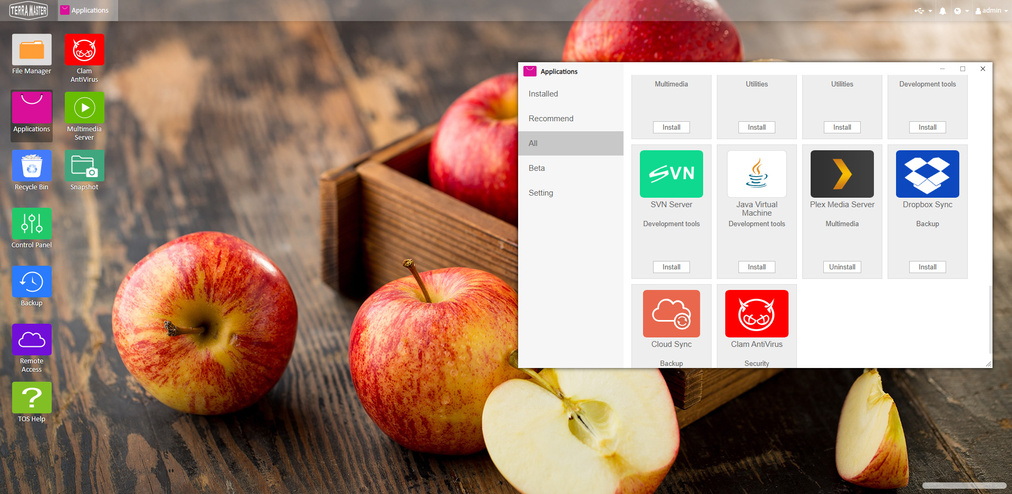
I just updated my TOS to 4.0.17. Now the Plex App is no longer on the desktop. Plex is running fine, but if I need to reconfigure or relaunch, I cannot.
Anybody else seeing this?
Gajit
Server Version#:4.0.17
Player Version#: Version 4.16.4
I just updated my TOS to 4.0.17. Now the Plex App is no longer on the desktop. Plex is running fine, but if I need to reconfigure or relaunch, I cannot.
Anybody else seeing this?
Gajit
Have you tried accessing Plex via https://app.plex.tv/desktop or https://[your Terramaster NAS’ IP address]:32400/web?
Hi, you can try to click Plex media server at the application center to get into detailed information page, and to see if there is a button “send to desktop”.
Perfect. That was the advice I needed. “Send to Desktop” was available on the dropdown menu after openign Plex from the Application folder.
Thanks lingo_noontec_com