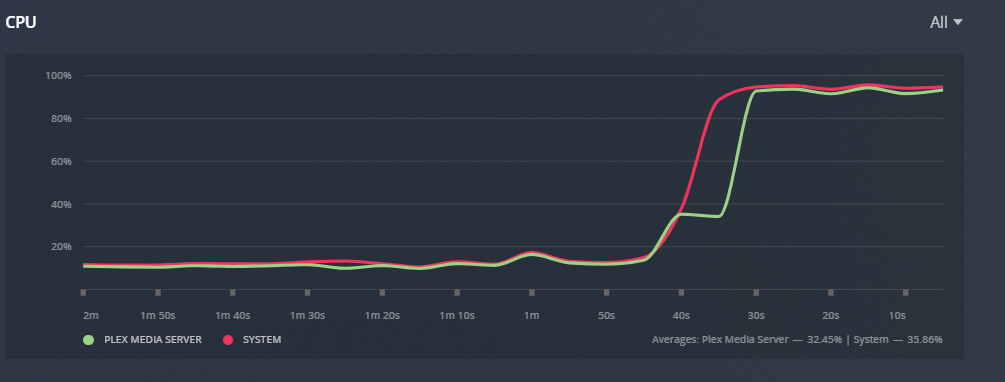
Running a previous version (1.23.2.4656) where it seems to be transcoding hardware as I see the (HW) note in my item playing in the dashboard. However my CPU is getting maxed out with a single transcode going on. Is this normal? Could the dashboard actually show (HW) but not using Quick Sync to transcode?
Does this fix anyone’s issues? It seems to have fixed it for me.
If that fixed it for you then I suspect what you were seeing was a separate issue to what is being dealt with here. In my testing I was doing it without RDP at all, monitor directly connected, no remote access just a user logged in on the console session.
My server isn’t headless (the screen isn’t typically active though), but I use RDP for easier access. I had the issue regardless of whether I was using RDP or local. I wasn’t expecting this to work and was surprised when it did.
I literally only have Plex running on this server, this fix made me wonder if the Plex Transcoder is competing with other Windows tasks over QSV (and losing)
I have tried this modification via the Group Policy Editor but nothing has changed for me. H/W transcoding is still not working at all when I enable “use hardware accelerated video encoding” as well as “use hardware accleration when available”
If I just enable “use hardware accleration when available” then I get some h/w assitance - this is the same as previously.
My server is headless and also thought it was the issue. I plugged a monitor to my NUC and still have no HW transcoding. I anyway tried the group policy changes, tried with VNC or Anydesk and still no HW transcoding as soon as I try to update with 1.25.x.xxx It appears some of us are facing a different issue…
Windows takes over and dedicates the GPU rendering to RDP when it’s active - thats why plex can’t do HW transcoding when using RDP usually.
I think most people who have expressed h/w tanscoding issues above have excluded RDP as the cause. I certainly have.
Ok, so HW Transcoding randomly broke again for me and I came across this article referenced from a reddit thread that got it immediately working again:
https://erik.ellsinger.me/how-to-use-integrated-graphics-for-plex-transcoding/
For others that link above also fixed it for me. I have an Intel NUC11PHKi7C that has an Intel Core i7-1165G7 with Intel Iris Xe Graphics as well as an Nvidia GeForce RTX2060. When I plug a monitor into the thunderbolt port and set that as my primary monitor I started to get this error in plex.
Mar 17, 2022 20:25:17.019 [6280] ERROR - [Transcoder] [h264_qsv @ 0252e680] Error initializing an internal MFX session: unsupported (-3)
Mar 17, 2022 20:25:17.019 [6280] ERROR - [Transcoder] Error initializing output stream 0:0 – Error while opening encoder for output stream #0:0 - maybe incorrect parameters such as bit_rate, rate, width or height
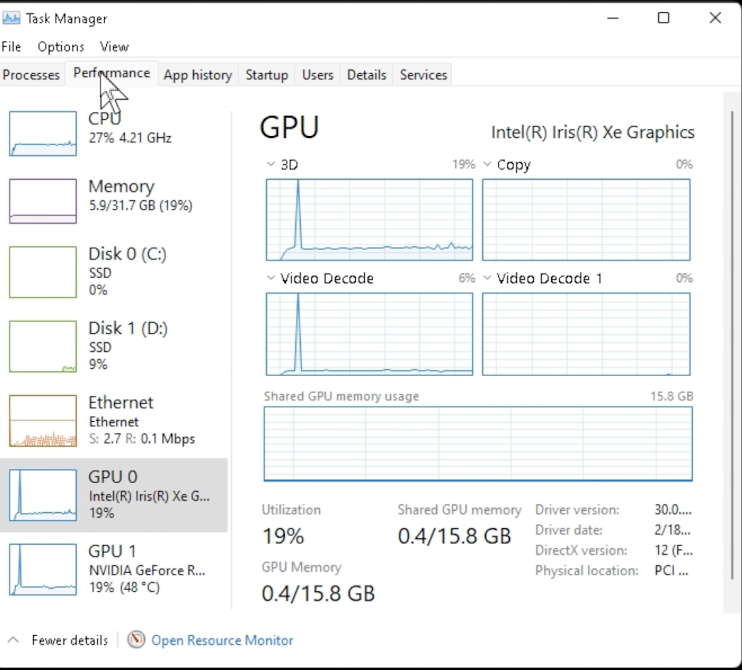
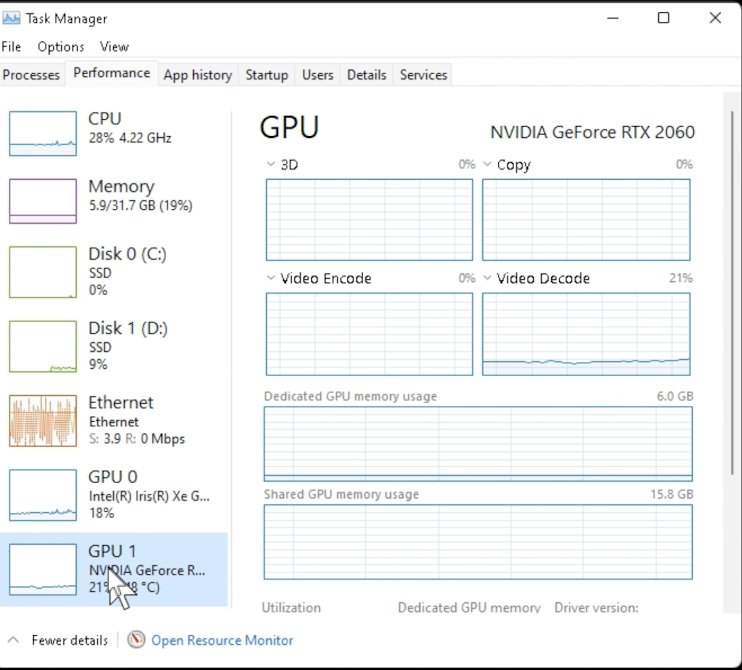
Following the steps in that link transcoding works again. However it still reports using the RTX2060 but shows activity on both devices. I am not sure why thats happening, but hardware transcoding is working (or double working?). There is no other activity on the machine and when I stop playback both GPU’s go. back to 0%.

)
