# Poor streaming quality outside household
**URL:** https://forums.plex.tv/t/poor-streaming-quality-outside-household/920542
**Category:** Plex Media Server
**Tags:** server-synology
**Created:** [May 29, 2025, 3:01pm UTC](https://forums.plex.tv/t/poor-streaming-quality-outside-household/920542 "2025-05-29T15:01:52Z")
**Posts on this page:** 5
**Page:** 1
### Author:  [@dumoko](https://forums.plex.tv/u/dumoko)
#### Post date: [May 29, 2025, 3:01pm UTC](https://forums.plex.tv/t/poor-streaming-quality-outside-household/920542/1 "2025-05-29T15:01:52Z")
Server Version#: 1.41.6.9685
Player Version#: Web browser
When Plex disabled remote streaming, i started the trial on the subscription.
But the streaming quality is awfully low, thought before that i never had issues with that, i have a 500Mb internet at home.
It’s not related to the content, i continued watching the same shows and the difference is huge.
---
### Author:  [@tom80H](https://forums.plex.tv/u/tom80H)
#### Post date: [May 29, 2025, 3:06pm UTC](https://forums.plex.tv/t/poor-streaming-quality-outside-household/920542/2 "2025-05-29T15:06:32Z")
Is that 500 Mbps upstream or only downstream?
The low quality could also imply an issue with your remote access setup, resulting in an indirect connection.
You should see the connection status listed on the server dashboard‘s now playing tiles.
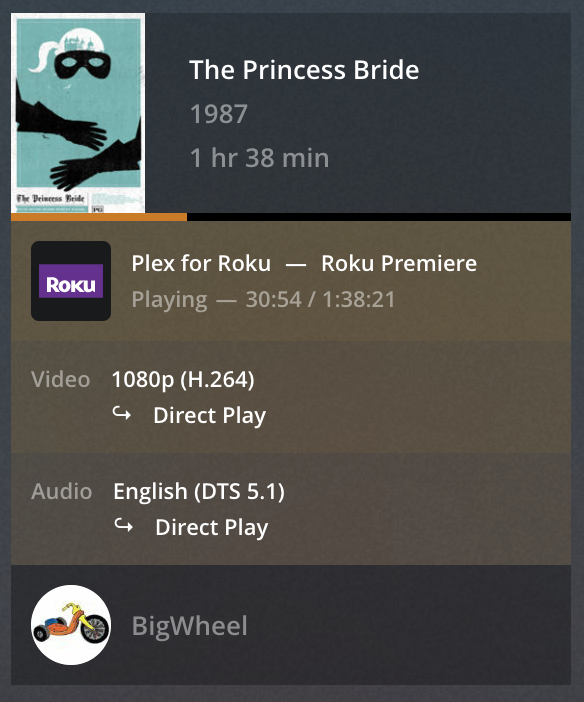
[https://support.plex.tv/articles/200871837-status-and-dashboard/](https://support.plex.tv/articles/200871837-status-and-dashboard/)
---
### Author:  [@dumoko](https://forums.plex.tv/u/dumoko)
#### Post date: [May 29, 2025, 3:32pm UTC](https://forums.plex.tv/t/poor-streaming-quality-outside-household/920542/3 "2025-05-29T15:32:40Z")
Thanks for the answer!
I know there is not much trust in plain words, but i vow that i actively used the plex in the following usecases:
1. tv at my own parents
2. tv at my in-laws
3. my ipad
4. on my Windows PC (Chrome browser).
I always had the best quality, and never had issues like that.
Now, the maximum quality i get is 360p with no option to select a better one.
Now to follow your suggestions.
I started streaming a series, went to the status.
here is what it tells me:

---
### Author:  [@tom80H](https://forums.plex.tv/u/tom80H)
#### Post date: [May 29, 2025, 4:15pm UTC](https://forums.plex.tv/t/poor-streaming-quality-outside-household/920542/4 "2025-05-29T16:15:08Z")
The `Indirect` means, the connection is routed through a [Plex Relay](https://support.plex.tv/articles/216766168-accessing-a-server-through-relay/), because the client couldn’t directly connect to your server. This usually means, there’s some problem with your remote access setup – could be a bad configuration, though that’s unlikely as you stated it used to work fine before.
I would suggest you go through the basic remote access troubleshooting steps…
Create a manual port forward in your router and test if that’s accessible from outside your home network (e.g. using a service like [canyouseeme.org](http://canyouseeme.org)). If it fails, it’s worth to verify if the public IP listed on their page matches the public IP identified in the Plex Remote Access settings and the WAN IP of your router.
> [@The Basics of Remote Access Troubleshooting](https://forums.plex.tv/t/the-basics-of-remote-access-troubleshooting/769517):
>
> When it comes to remote access, there’s a lot of different factors which can impact your setup. Some are under your own control, others not so much. First off… there’s a dedicated [support article on troubleshooting your remote access](https://support.plex.tv/articles/200931138-troubleshooting-remote-access/). I strongly recommend you have a look at that. Find below some additional remarks on how to troubleshoot your remote access setup. Review your internet access / remote access configuration It’s good practice to review if Plex gets the correct public IP address…
#
I don’t think asking questions (even basic ones) is a lack of trust.
I absolutely believe you that it used to work.
But problem descriptions easily focus on a very specific angle of a situation, while missing other aspects. And in particular with remote access… there’s tons of things which can change that are totally outside your control (e.g. if your ISP puts you in a CGNAT setup – basically operating their backbone like a home network instead of assigning you a publicly routable IPv4 address since those are getting rare).
---
### Author:  [@system](https://forums.plex.tv/u/system)
#### Post date: [August 27, 2025, 4:15pm UTC](https://forums.plex.tv/t/poor-streaming-quality-outside-household/920542/5 "2025-08-27T16:15:18Z")
This topic was automatically closed 90 days after the last reply. New replies are no longer allowed.