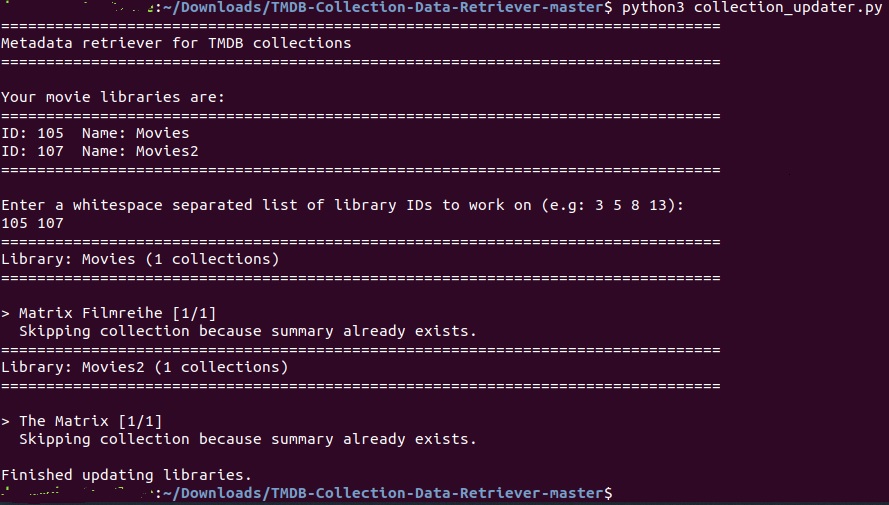
I recently noticed that free users have access to collections now as well. After a first review, I wasn’t all that excited to manually edit potentially hundreds of collections. So I thought it can’t be that hard to automatically fetch the needed information from TheMovieDB. I realize a lot of people probably have updated their collections already, but maybe this will be helpful to someone else. Right now, only the python script exists, so you’ll need a python/dev environment to execute.
#TMDB Collection Data Retriever
How does it work?
The script collects all collections from your movie library that do not have a summary yet. It then checks the movies within the collection to find if these movies belong to a TheMovieDB collection. If a valid collection can be found it will pull the summary as well as download posters/background images (and use the same web calls as if you were manually updating it over the web interface).
Currently this has only been tested with a couple of libraries, so I would recommend doing a database backup before starting the process (even though I don’t think the script can do any real harm).
All images will be fully downloaded, this might increase the size of your metadata folder significantly if you have a lot of collections.
Enter a whitespace separated list of library IDs to work on (e.g: 3 5 8 13):
1
Traceback (most recent call last):
File “collection_updater.py”, line 308, in
main()
File “collection_updater.py”, line 104, in main
for section_id in input_sections:
TypeError: ‘int’ object is not iterable
[plex@XXXX TMDB-Collection-Data-Retriever-master]$ python collection_updater.py
Enter a whitespace separated list of library IDs to work on (e.g: 3 5 8 13):
1 15
Traceback (most recent call last):
File “collection_updater.py”, line 308, in
main()
File “collection_updater.py”, line 99, in main
input_sections = input(’\r\nEnter a whitespace separated list of library IDs to work on (e.g: 3 5 8 13):\r\n’)
File “”, line 1
1 15
^
SyntaxError: unexpected EOF while parsing
I don’t have CentOS here, but I just tried with the latest Ubuntu version.
By default, only Python 2.x was installed, so I had to install the latest Python and pip version. Then get all the dependencies and after that, it worked on Linux as well.
Thanks zo1d - this has been super helpful. Just running it for the second time today–I didn’t realize you did some optimizing as well to skip things on follow up runs. Great job!