Server Version#: 1.16.6.1559-a71394a45
Player Version#: web
I updated to 1.16.6.1559-a71394a45 this morning and I got the “Server settings are unavailable” issue. So I followed this procedure to try and fix it. After starting the server again I’m not getting any access to it at all. All I can see after going to its local /web url is another server I have access to.
I tried using a private tab to see if it was a cookie issue; same story. It asks me to sign in, get redirected back to my local url and I can only see my friend’s server.
I really don’t want to have to uninstall and start over. Anything I can do?
Edit: I’m running PMS on a Synology RS3618xs as a package.
Downgrading to 1.16.5.1554-1e5ff713d did not fix the issue for me. I’m not sure if this is because I edited the Preferences.xml or just because it was a downgrade.
Either way, maybe pull 1.16.6.1559 from the downloads page, because it looks like it’s still up.
I clicked continue when it stated that the server was unavailable and to claim it, and now it’s removed my Libraries, all of my customizations and reset me as if I just installed a fresh server… is there any way to recover my Libraries and all files without restoring from a full OS backup?
UPDATE: Reverting back to 1.16.4 and restarting server brought everything back. The library databases were still all there.
Going to put this here just in case someone makes the same mistake I made. If your server is not connected to an account you MAY not be able to access it over a DNS url (e.g. my-plex.local). If you use the actual IP of the machine you SHOULD be able to sign in and connect the server to your Plex account.
Hi Otto, has this been resolved? I can’t access server settings on any of the settings tabs and can’t update any of my media. https://www.screencast.com/t/8bq3JRy4Um
I’m no techie, but I’ve been researching this for hours and nothing is working.
Steve, If you can’t find an older version of Plex to install. I’ve got PlexMediaServer-1.17.0.1841-d42cfa161-x86_64.spk on my drive. Could Google-drive it to you.
Provided you run the x86_64 version of Plex of course.
It’s the latest version that was available 1st October and it doesn’t show any problems for me.
Ekerim, I’m not sure which version I have, but I believe I downloaded the latest one.
I have version 4.8.3, the paid pass. I’m not sure how to check anything else, but would love to download the older version if you can send it on a G drive.
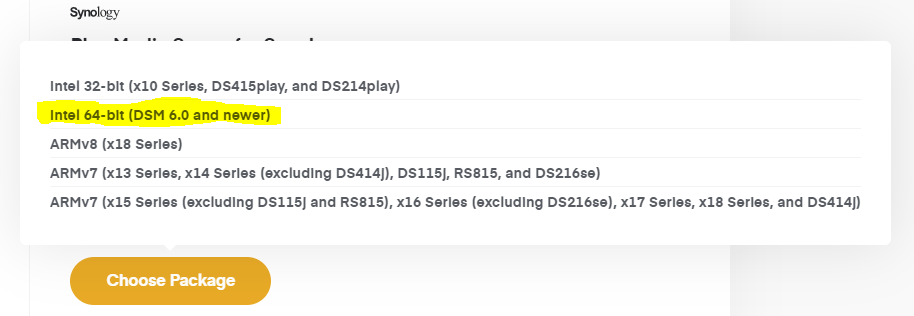
When we download the SPK from plex.tv we get a menu that presents us with like 5 platforms to choose from.
It is very important to get the right one, I’m unsure if Synology does any check for platform on “Manual install”.
Synology does check each package before allowing it to be installed. If the package isn’t compatible with the host, it will stop installation and pop up a message.
 Thanks for the quick reply, going to try to downgrade.