Hello,
After dedicating a lot of time on the forum and Reddit I cannot find any solution for my issue.
Situation: every day during the maintenance hours my Plex server is continuously performing sonic analysis on 6 albums and get stuck there.
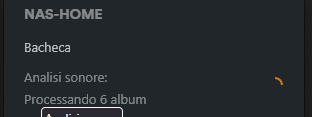
My library is around 2k albums and 27k tracks
What I have tried so far:
- Reboot server application on the NAS
- Reboot NAS
- Deleted the codecs in /PlexMediaServer/AppData/Plex Media Server/Codecs and reboot again (suggested on a post in the forum)
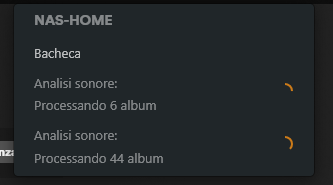
- Not knowing what are the album causing the issue I tried to do the plex dance and remove the latest 60 albums I have added. Closed the app, refreshed the library and added back again. In this case another additional sonic analysis has started and proceeding correctly. As you can see there are two lines, the first one that is the one creating the issue and a second one that is proceeding as expected.
I have the dig into the log and I found a few errors that might be helpful to be reported here.
1. I have a lot of rows related to this attempt… all the same 3 lines repeating for several requests. I really don’t know what is all about as I don’t have any transoding activity pending
Mar 22, 2025 12:14:09.001 [140078241065784] ERROR - [Req#96c3/Transcode/4f6acbcb-6018-4f67-8c53-9e0d5251dfe8/2ddd535c-ace0-4097-82bf-336a512df493] Error while decoding stream #0:1: I/O error
Mar 22, 2025 12:14:14.000 [140078241065784] ERROR - [Req#96c4/Transcode/4f6acbcb-6018-4f67-8c53-9e0d5251dfe8/2ddd535c-ace0-4097-82bf-336a512df493] [eac3_eae @ 0x7f54b0ec5b40] EAE timeout! EAE not running, or wrong folder? Could not read ‘/var/packages/PlexMediaServer/shares/PlexMediaServer/AppData/tmp/pms-abfe1860-b878-4dfa-8a0a-c8024048d877/EasyAudioEncoder/Convert to WAV (to 8ch or less)/4f6acbcb-6018-4f67-8c53-9e0d5251dfe8_23888-0-60.wav’
Mar 22, 2025 12:14:14.001 [140078241065784] ERROR - [Req#96c5/Transcode/4f6acbcb-6018-4f67-8c53-9e0d5251dfe8/2ddd535c-ace0-4097-82bf-336a512df493] [eac3_eae @ 0x7f54b0ec5b40] error reading output: -5 (I/O error)
2. I have a warning related to codec not being available
Mar 22, 2025 12:09:08.576 [140078230391608] WARN - MDE: unable to find a working transcode profile for video stream
(no change since I deleted the codecs and reboot, still happens). How can I fix that?
3. I got these three error flags related to music analysis but I cannot link trackID to real track names/paths in any way. How can I do that?
Mar 22, 2025 12:04:02.932 [140078234557240] WARN - [MusicAnalysis] Analysis had wrong number of dimensions (1) for track 41784, skipping.
Mar 22, 2025 12:04:04.186 [140078234557240] WARN - [MusicAnalysis] Analysis had wrong number of dimensions (1) for track 37047, skipping.
Mar 22, 2025 12:04:04.991 [140078234557240] WARN - [MusicAnalysis] Analysis had wrong number of dimensions (1) for track 71832, skipping.
4. I got a ton of errors like this
Mar 22, 2025 12:03:59.485 [140078211197752] ERROR - [Req#6360] [Notify] Failed to add watch for “/volume1/Archivio/Video/****/*****” (28: No space left on device)
This error comes up for a very large number of directory/files but I have more than 7TB of free space. Moreover in several given directories it happens that some file is OK and for some other it says 28:No space left on the device. What can be the issue?
I would be open to uninstall and reinstall from scratch but I would like to avoid spending a lot of time in rebuilding my library of videos and music and be in the same place.
Is there a way to uninstall and reinstall while preserving metadata (credits/intros/etc.) and sonic analysis.
Thanks in advance to everyone that will be willing to help.
NAS Synology DS 423+
4x18TB HDD Toshiiba Enterprise
Additional SSD cache card
Server Version#:1.41.5.9522-72009522
Player Version#:4.145.1
<If providing server logs please do NOT turn on verbose logging, only debug logging should be enabled>
