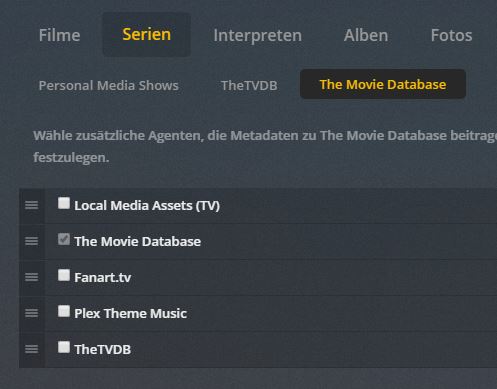
3. Hover the Mixology show poster and press the round arrow that pops up. This forces a refresh of that entire show.
4. Directly upload the Plex Media Server.log, the theTVdb agent log, and the localmedia agent log. Info on where those are can be found in my signature.
Ah, ok. You get a CRITICAL message in the localmedia log. I think we have a classic case of a funky bundle or two.
1. Quit PMS.
2. Find and delete System.bundle and Framework.bundle that is in your Plex Media Server/Plug-ins folder.
3. Start PMS.
4. Hover the Mixology show poster and press the round arrow that pops up.
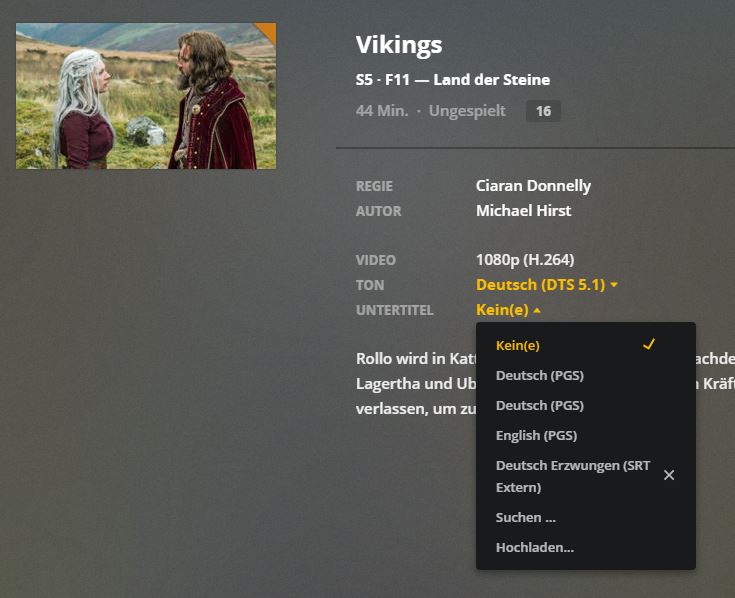
If you want to know how to add subtitles and are having troubles, check these 2 video's to see if you've missed something, the first one takes you through the steps of adding automatic subtitles to your tv shows and movies, the second video shows you how to add a subtitle agent to get more subtitle results
I just had trouble with Helix - Second Season. The subtitles for all available episodes wouldn't show up - no matter what I tried (moving, refreshing, renaming etc.).
Apparently the second Episode is called "Réunion" with the french accent aigu. After literally trying everything I thought - what the hell -
remove the é from the second EP. And voilà... The subtitles for all episodes from that season where found!!
I just had trouble with Helix - Second Season. The subtitles for all available episodes wouldn't show up - no matter what I tried (moving, refreshing, renaming etc.).
Apparently the second Episode is called "Réunion" with the french accent aigu. After literally trying everything I thought - what the hell -
remove the é from the second EP. And voilà... The subtitles for all episodes from that season where found!!
So... I guess there is some bug in the scanner...
Kind Regards,
SnakeZZ
Which PMS machine do you use? I know one of the NAS machine models has this issue. I think it is Qnap, but I am not sure.