# TheTVDB posters are not selected automatically
**URL:** https://forums.plex.tv/t/thetvdb-posters-are-not-selected-automatically/631937
**Category:** Plex Media Server
**Tags:** server-synology
**Created:** [September 9, 2020, 3:50pm UTC](https://forums.plex.tv/t/thetvdb-posters-are-not-selected-automatically/631937 "2020-09-09T15:50:14Z")
**Posts on this page:** 5
**Page:** 1
### Author:  [@Aspireen](https://forums.plex.tv/u/Aspireen)
#### Post date: [September 9, 2020, 3:50pm UTC](https://forums.plex.tv/t/thetvdb-posters-are-not-selected-automatically/631937/1 "2020-09-09T15:50:15Z")
- Server Version#: 1.18.5.2309
- Synology DS918+
I used Plex Media Server on Windows without any problem. Since i moved the Database to a Synology NAS (DS918+) and run the server on the NAS, there is a problem regarding the posters from TheTVDB. The TheTVDB posters aren’t selected automatically anymore. Movies are working fine. Shows / series are not.
Can someone maybe help me to fix this?
I will try to describe the problem more detailed:
**Adding a new episode:**
When i add a new episode, the episode has a poster selected, but it is the poster that has been created by the server and not the poster from TheTVDB. When i edit the episode and click at “Poster”, i can select the poster from TheTVDB. But i have to select it manually. On Windows the poster from TheTVDB was selected by default.
For example:
The TheTVDB poster:
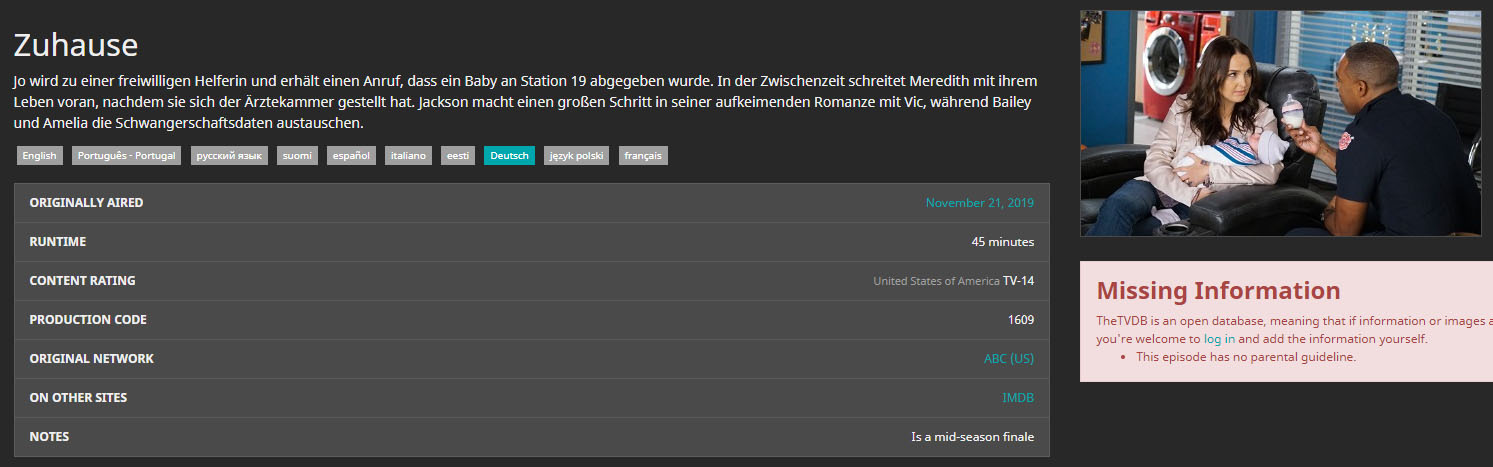
The poster in Plex after adding the episode:
_The wrong poster…_

Edit the Episode -\> Poster:
_The wrong poster is selected…_

When i select the TheTVDB poster and save, everything is fine. But i have to do it for every episode…
**Adding a new show / series:**
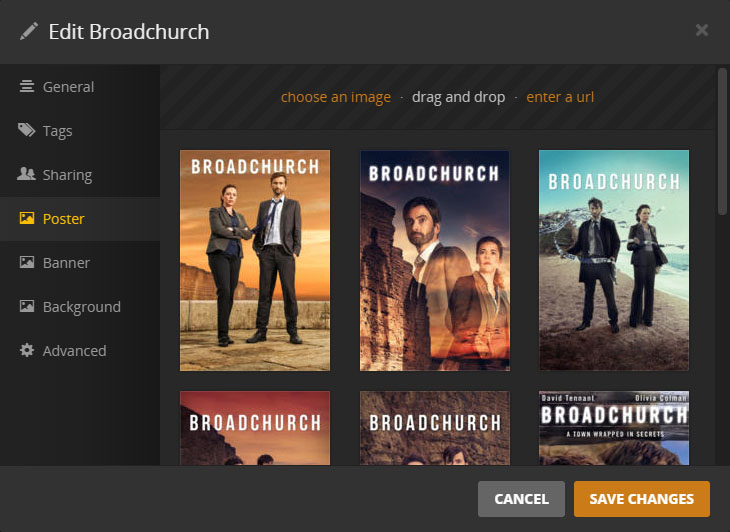
When i add a new show / series, the poster / background will be blank. No poster and no background is selected. When i edit the show / series and click at “Poster” or “Background”, i can select all the pictures from TheTVDB. But i have to select them manually. By default no poster / background is selected.
For example:
The poster in Plex after adding the show / series:
_No poster…_

Edit the show / series -\> Poster:
_No poster is selected…_
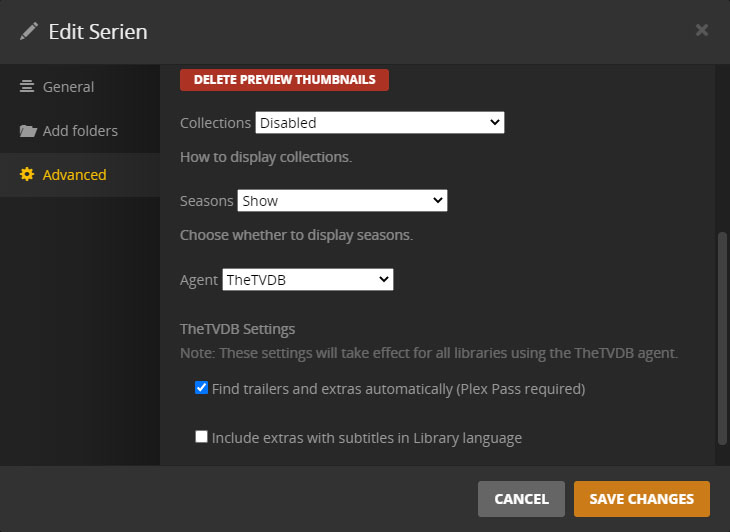
**Agent in the Library Settings -\> TheTVDB is selected:**
**TheTVDB Agent in the Server Settings:**
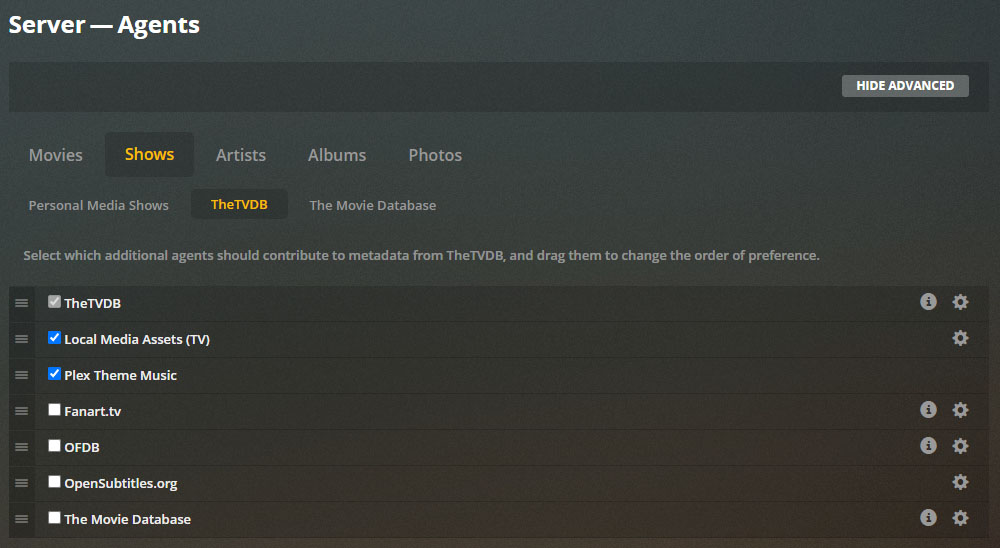
I already tried to change the order of the agents and tried to deactivate all agents except TheTVDB, but nothing changes. Even if TheTVDB is the only active Agent, the posters of TheTVDB aren’t selected manually, when i add a new episode / show / series…
---
### Author:  [@Aspireen](https://forums.plex.tv/u/Aspireen)
#### Post date: [September 9, 2020, 9:03pm UTC](https://forums.plex.tv/t/thetvdb-posters-are-not-selected-automatically/631937/3 "2020-09-09T21:03:33Z")
Thank you very much.
I skipped step 5 and made a test. It works fine. Is step 5 nesseccary, if the metadata is already fine?
---
### Author:  [@Aspireen](https://forums.plex.tv/u/Aspireen)
#### Post date: [September 9, 2020, 9:13pm UTC](https://forums.plex.tv/t/thetvdb-posters-are-not-selected-automatically/631937/5 "2020-09-09T21:13:16Z")
Yes, i know. I just thought that i can maybe skip this step, because the metadata was already fine and the problem with the posters is already fixed after step 4. But if it’s nesseccary, i will refresh the metadata of course. Thanks again.
---
### Author:  [@Aspireen](https://forums.plex.tv/u/Aspireen)
#### Post date: [September 11, 2020, 8:43am UTC](https://forums.plex.tv/t/thetvdb-posters-are-not-selected-automatically/631937/6 "2020-09-11T08:43:04Z")
After the refresh of the metadata, the languages are a bit mixed. Now one series has english titles instead of german titles. TheTVDB provides german titles for this series, but Plex is using the english titles. And some movies (not all movies) have english titles instead of german titles as well. Before the refresh all titles in Plex were german.
I already tried to refresh the metadata again. Two times. No changes.
---
### Author:  [@system](https://forums.plex.tv/u/system)
#### Post date: [December 10, 2020, 8:43am UTC](https://forums.plex.tv/t/thetvdb-posters-are-not-selected-automatically/631937/7 "2020-12-10T08:43:14Z")
This topic was automatically closed 90 days after the last reply. New replies are no longer allowed.