Basically. It will have some niceties, but everything is focused on content consumption, from your library.
For my use case, I use ATV apps for my TV consumption(IP TV), if I need to record TV my Plex Server is where I can schedule. Keeping in mind Plex ATV app has this functionality some what, suitable for last minute.
Great to see a new development!
I use ATV exclusively. But Plex (the usual one) player actual playback function is just junk! UI is great I’ve no complain.
So I need to use Infuse for playback. But I prefer the good old Plex player UI.
I haven’t tested the new Plex player because Testflight is always out of quota.
Anyway, for me, Direct Play is a must and the only option. My Plex server is a 10 years old QNAP 8 bay which won’t do any transcoding. And of course 4K HDR/DV is essential.
If your new app can play all things in direct mode, I’d pay good money for it.
As you said, all I wanted is to consume my own content. And it’s not a easy task!
Thanks!
Awesome seeing this! The apple tv plex app has frustrated me for years and I’ve thought about doing a similar project. Hopefully this would also fix the HomePod audio issues the plex app has never been able to resolve.
Seems like you’re doing fine solo, but if you need any dev help let me know. And would love to be a tester either way.
thanks fro the kind words, I appreciate it! I am a CTO in my day job, so I am enjoying this being a solo project at the moment, but if the impossible happens and this ends up having a user base, help will be needed and I will definitely chat with you.
I’ll have to look into what the HomePod audio issues are and see if what I am building will help with that.
Hmm, I hear you. I have two servers, one is an old Western Digital NAS and it does not handle transcoding. My active server is on a PC I built for 3d animation, so it has a beefy video card and a ton of power, so transcoding is immediate and doesn’t have any issues. Going to use both for testing and try to find the best solution for the most people.
Sounds good!
There are other posts concerning HomePod issues on the forum and elsewhere, but this is a good one.
Just an update, I finally have an end to end app working, so I will be taking the next week or so to do bug testing to make sure its as solid as can be before I release it for testing.
As I said before, this is mostly a UI test, but I did add some niceties to make the experience better.
- This is using the default player framework in tvOS, which really only supports MP4 natively.
- If you configure your Plex server correctly, it will direct play MKVs it can remux, which is very little overhead. Basically just juggling around the codec container.
- If it can’t remux it will have to do a full transcode.
I know not everyone has a fast enough server to handle the transcoding, which is a bummer. I am actively working on a few options to add players that support MKV natively, but that is a lot more work, and I don’t want to wait to get this in peoples hands for feedback.
I will share two scripts I have written that will help with testing, for those interested.
- A bulk MKV to MP4 converter that preserves as much as possible when converting. Basically point it at a directory and it will convert everything in it to an MP4, one file at a time (if possible).
- I have a script that you add to sabNZBD to convert any files downloaded to MP4 before they are copied to their final destination.
For my personal use, I will be only using MP4 files going forward, since they are so easy to convert MKVs to, and it makes literally everything better from my testing, even with the beefy server I have that does the highest quality transcoding.
I’ll update here again when things are ready for testing. Thanks for helping out!
Great! How to configure Plex server for direct play MKVs to MP4? Without involving video and audio transcoding? Will the remux keeps all embedded subtitle tracks?
I have no plan to do offline MKV to MP4 remux. But if Plex server does realtime MKV to MP4 remux, at least I can try your new app.
So the server will do just in time remux, as long as the codecs are right, and it won’t remux Dolby Vision content from what I can see. The audio tracks and subtitles are hit and miss, depending on how it’s been added to the file. Setting Plex to “Prefer Higher Speed Encoding” will default to direct remux if possible, and fall back to transcoding if not.
The better option is to remux them offline if you can, there are a ton of benefits and for the most part it only takes a few minutes, since it’s a code wrapper change. Even though I have a beefy server to use for transcoding, etc I am converting all of my files to MP4 and making sure that’s what I use going forward.
And as I mentioned above I can share some scripts I wrote that bulk convert MKV to MP4 when possible, and convert MKVs to MP4 after sabNZBD is done, before they are copied to their final destination.
Adding my vote to use native player (even if it means remuxing or transcoding). It just works better with the rest of the Apple ecosystem. And on iPhone/iPad, it’s A LOT more energy efficient.
AVPlayer supports most common codecs natively including Dolby Atmos and Dolby Vision when remuxed correctly into mp4 or streamed via HLS/m3u8. See this link for documentation of compatibility: https://github.com/jellyfin/Swiftfin/blob/main/Documentation/players.md
Even though newer ffmpeg builds are more than capable of outputting Apple friendly files via a quick remux or HLS stream, the Plex server uses an older ffmpeg which drops atmos metadata when remuxing and seems to choke on dolby vision streams (probably incorrect remuxing parameters passed onto ffmpeg).
Same files that Plex server messes up when remuxing play perfectly when remuxed manually using a modern ffmpeg build. I also sometimes use Subler (open source macOS app) that remuxes mkv to mp4 and integrates metadata and cover art.
The Plex team doesn’t seem interested in our use case anymore. Such a shame.
Looking forward to trying the first beta.
Good luck
Please just make sure that the native Apple/tvOS player will always remain available, no matter how many alternative players you add later.
Optional additional players are totally fine, but the native player should never be removed or replaced, since many of us rely on its stability, performance, and system-level integration.
Yep, I plan on using the AVPlayer built into tvOS for my own use, so it will always be there. I am curious though, your comment makes it seem like you are using a plex front end currently that uses the default tvOS player. Since the official plex app uses a custom player, what are you using now?
Very curious!
I’m using the current public release version of Plex for Apple TV.
I have the “use old player” setting enabled which is basically AVPlayer with a custom UI overlay to control things like audio & subtitle track selection.
It works quite well with most files simply getting remuxed server-side. (With the obvious server limitations mentioned above re. Dolby Vision & Atmos).
It should be a simple fix if the Plex team cared enough about it but instead they removed the option to “use old player” from the current beta and are instead trying to reinvent the wheel by building a whole new custom player.
Your project gives me hope!
Looking forward to this, I’ll definitely do some testing for you.
@chrisjdavis
Looks nice. I’d definitely like to test it in TestFlight. 
Would love to test this…
Just an update for everyone, so you know things are still moving forward. This is the latest build, which is basically final for this test. I have one bug I need to fix and then I will be ready to get this into testers hands.
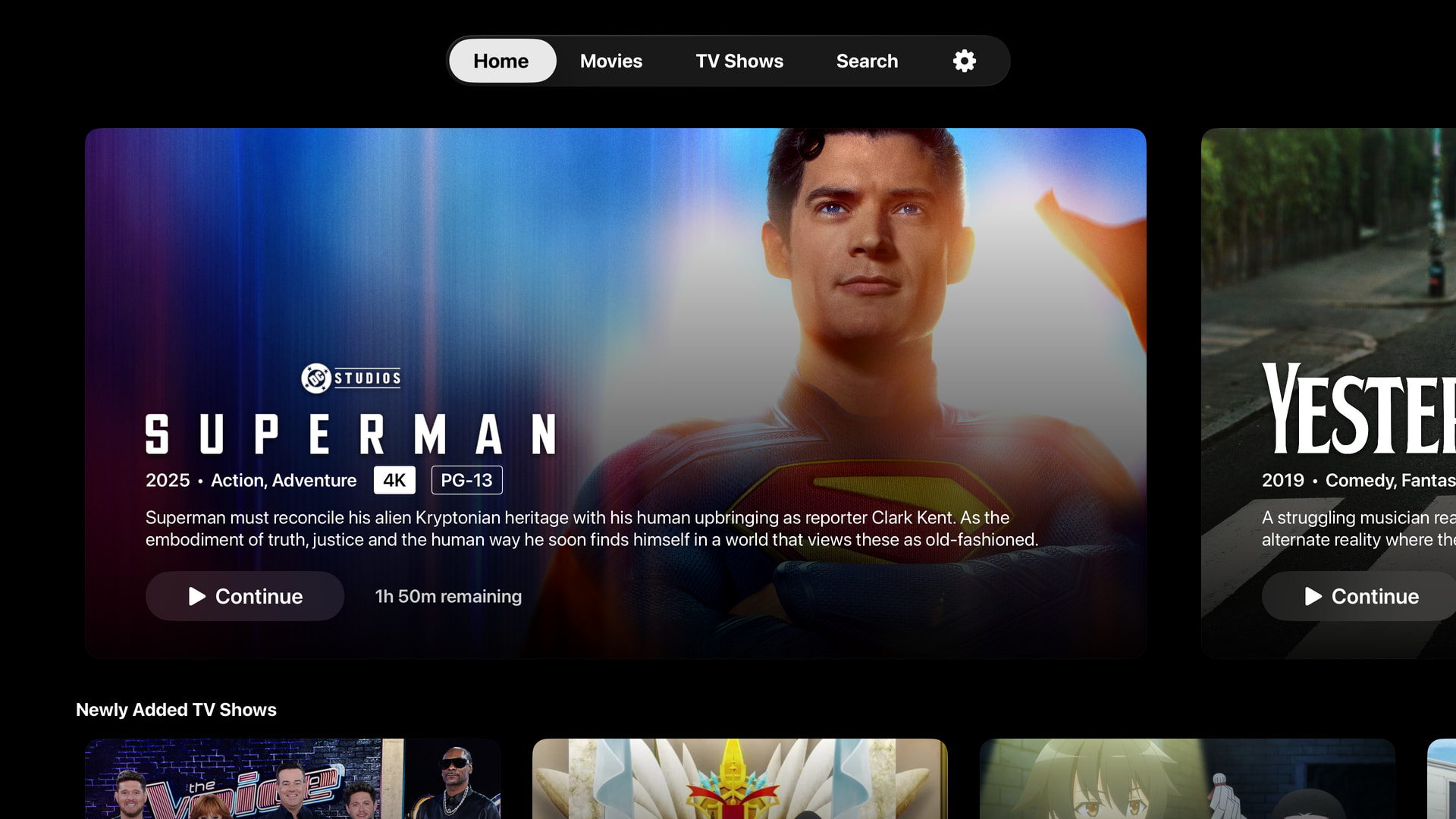
I’m using the title logo if it’s in the response, instead of just using text. Looks much nicer.

If you are viewing an MP4 file with chapters, you get chapters!
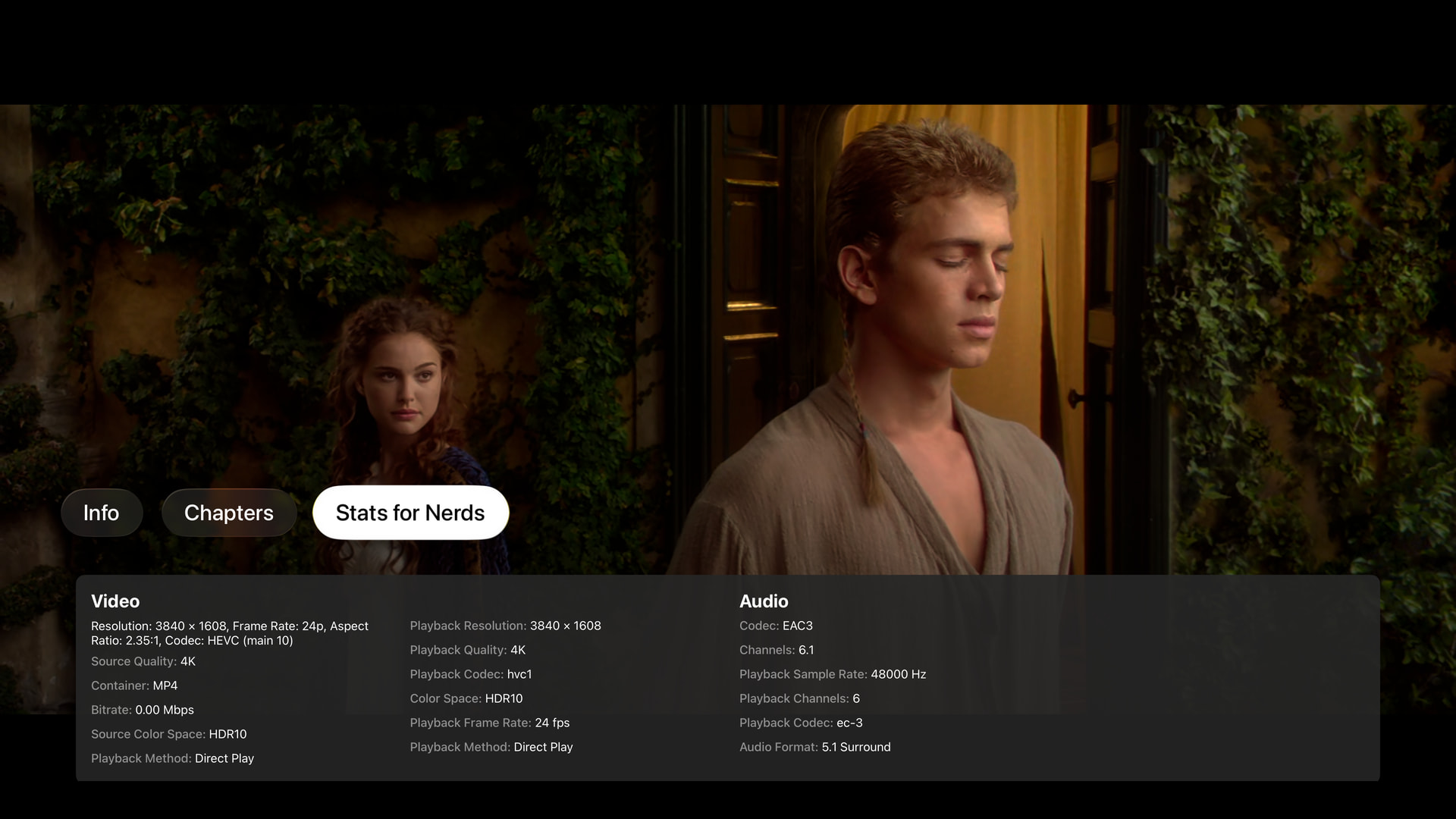
For the betas and testing, I have this stats for nerds tab, so if something isn’t correct, you can see what the info is and pass it on as part of a bug report.

I’ve added the audience and critic score on the detail page (audience icon missing in this shot), as well as the non Plex reviews. I personally don’t care about reviews at all, but this info from professionals is at least somewhat useful IMO so I have it in this build.

Search is up and running, and allows you to filter by type (movie, series, episode).
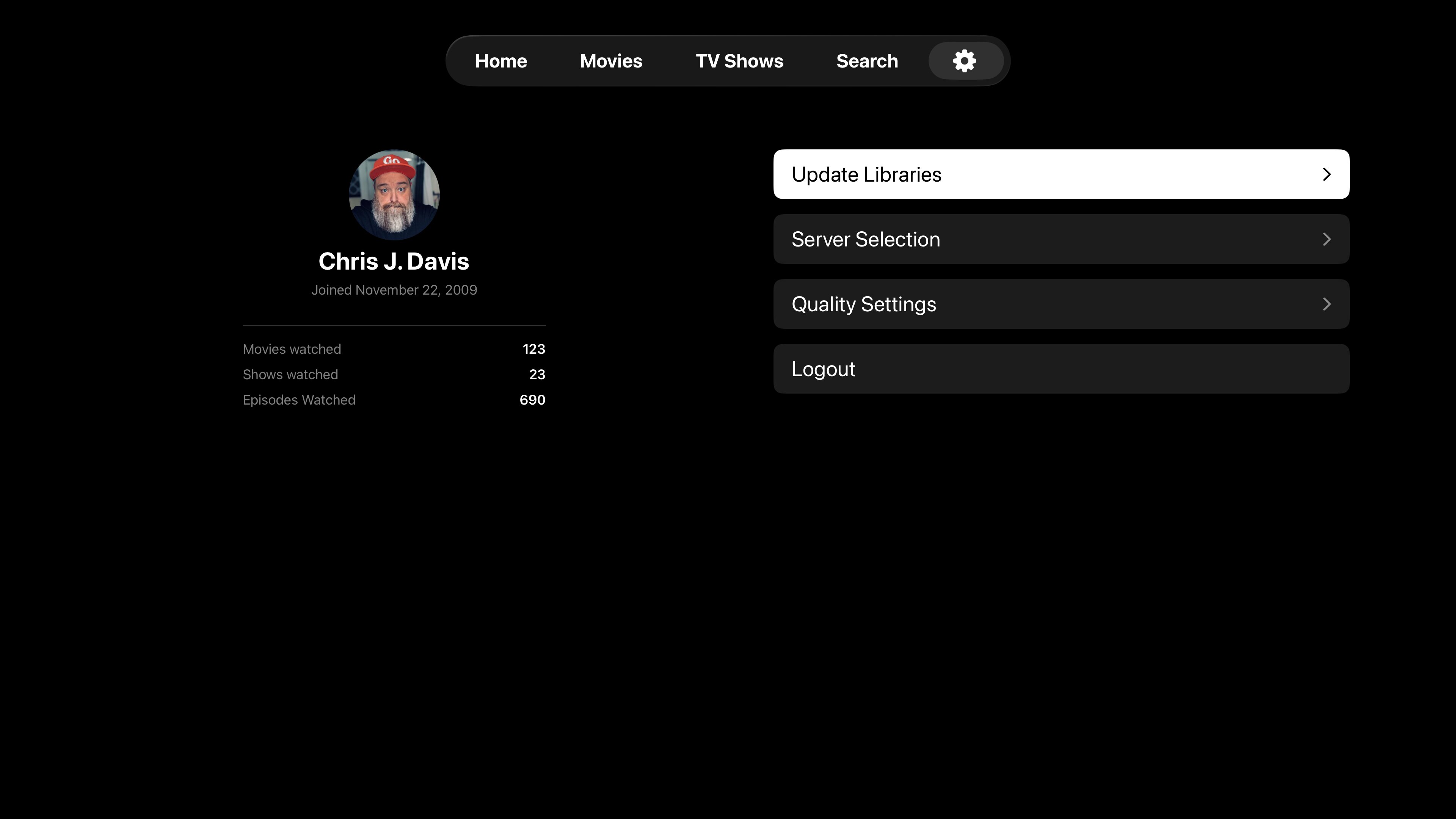
And lastly I added a quick update CTA under settings. hitting this will refresh your all of your libraries. I am going to fix this last bug and then cleanup the code for the first beta release.
Hopefully next week!
This is looking amazing! Really excited to try this. Could the stats for nerds become a permanent toggle?
