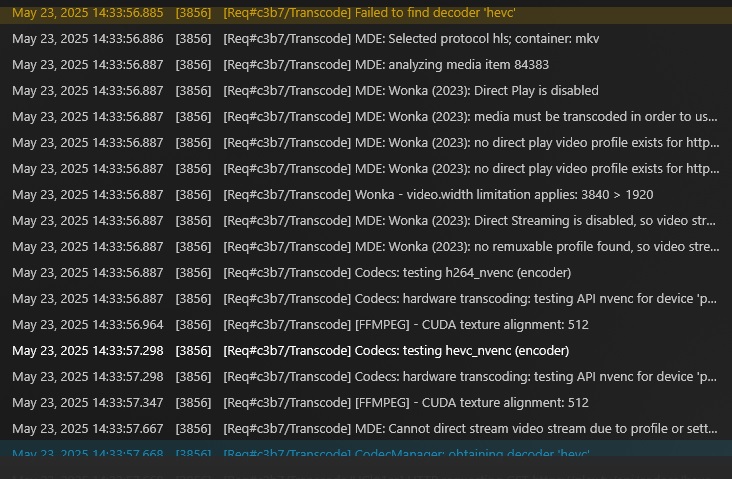
As far as I can tell, I’m seeing the same issue.
Running Version: Version 1.41.4.9463
on TrueNAS Scale
It seems to be related to audio codecs specifically TRUEHD 7.1 audio, but I’m not confident on that.
As far as I can tell, I’m seeing the same issue.
Running Version: Version 1.41.4.9463
on TrueNAS Scale
It seems to be related to audio codecs specifically TRUEHD 7.1 audio, but I’m not confident on that.
Based on the logs you’ve provided, your issue is something separate from this threads reported problem.
Here is where the issue is:
Mar 07, 2025 08:01:47.145 [140353957702456] DEBUG - [HttpClient/HCl#1680] HTTP/2.0 (0.1s) 200 response from GET https://downloads.plex.tv/codecs/8f4ca5ead7783c54a4930420/linux-x86_64-standard/EasyAudioEncoder-linux-x86_64-standard.zip
Mar 07, 2025 08:01:47.200 [140353842535224] ERROR - [Req#449ea/Transcode] Unzip: could not set executable bit on output file
Mar 07, 2025 08:01:47.200 [140353842535224] ERROR - [Req#449ea/Transcode] CodecManager: failed to extract zip
Mar 07, 2025 08:01:47.233 [140353842535224] ERROR - [Req#449ea/Transcode] Error configuring transcoder: Decoder install failed: truehd_eae
This could be the result of a permissions issue, bad download, or maybe a full disk. More than most likely it’s a permissions issue. You’ll want to make sure that your ${JAIL_ROOT}/Plex Media Server/Codecs directory has the correct permissions.
Ahh amazing, thank you for the investigation (experienced eyes on logs make it so much easier!) and reply.
I installed the app through the TrueNas Scale UI, do you have any pointers (or a general direction on a guide) on how to set permissions for this install type? Happy to dig into it myself if you can’t help.
Thanks!
I’m also getting the error message “Conversion failed. A required codec could not be found or failed to install” I’m also running Plex on TrueNAS scale. I just want to confirm, it’s a permission issue, not a codec issue? Thanks
@JeyNyce1 without logs  . If you find similar log entries as I called out above, then you can assume it’s a similar issue and likely a permissions issue.
Direct play works fine, the issues is with transcoding.
Can you please provide the entire zip of your logs as described in the support article I linked?
Logs.zip (1.9 MB)
when i type the url i see this: Response code=“429” status=“Limit of devices using codec exceeded”/>
Looks like the downloaded hevc and h264 packages are failing to open and extract their hevc_decoder.dll and h264_decoder.dll files. Can you look in your %LOCALAPPDATA%/Plex Media Server/codecs then {version_hash}-windows-x86_64? You should only see .dll files there. Can you confirm this?