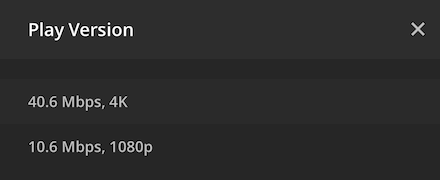
I have a movie in 4K and 1080P in HEVC format and both appear as a single item in the library, so the viewer must choose which one to play. However, I want to optimize the 1080P HEVC to have an x264 version available. There seems to be no way to choose which version to optimize. It always defaults to convert the 4K version which is much more work than converting the 1080P version. I think the only way to tell the server I want to convert the 1080P version is to split the item, do the conversion, and then merge the items. Is there a better way to choose which version I want to optimize?

@tom80H I am aware of that. That is what you do if you want to play the different versions. However, there is no way to choose which of the two versions you wish to optimize.
Not sure this will make much of a difference given it should only be different qualities of the same video that are otherwise the same. If one of the versions is already an optimized version of the original file you probably want Plex to do the next version based on the original file as well (in order to avoid optimizing the optimized version and therefore losing even more quality)
I don’t think there’s a way to choose the Version to Optimize from.
Using the best Version is likely to give the best results.
I doubt it’s THAT MUCH more work to use the larger source - encoding is MUCH more difficult than decoding. But that’s a hunch - if you test it, I’d be curious to know how much difference it makes.
You could cheat a bit by doing a Split Apart first, and then Merge after.
(But I’m also curious if the Optimized Version is correctly preserved after doing the Merge. Report back if you try!)
@tom80H Here’s the issue and why I am doing this: I have two versions of the same movie and none of them are optimized. They are both HEVC format. One is 4K, the other is 1080P. I just want to convert the HEVC 1080P version to x264 1080P. It makes a huge difference for some users that don’t support HEVC encoded files. But I thought that converting the 1080P HEVC version to 1080P x264 would take less resources than trying to convert the 4K file. I have already split the items in the library so that they appear as two library items (one 4K the other 1080P), and that way I can choose to optimize the 1080P version. It seems that it makes no difference in terms of conversion speed during the optimize process. In other words, converting the 4K HEVC to 1080P x264 takes about the same time as converting the 1080P HEVC to 1080P x264.
I get your point about not optimizing again what has already been optimized which makes a lot of sense. However, that is not what I am trying to do here.
@Volts, I will post once it is all optimized and merged.
That doesn’t surprise me much. If decoding is done in hardware, the difference is immaterial. Even if done in software, decoding is so little work compared to encoding, the encoding time will dwarf it.
I’m very curious to hear back. Thanks!
@Volts I am going to get a good NVIDIA card to be able to do hardware transcodes. Right now, my Intel Xeon CPU is doing all the work whenever transcoding is needed. However, prices are prohibitive right now. I just got scammed on Ebay about $300 trying to get an NVIDIA GeForce 1660 GPU. I’m hoping to get my money back soon after my appeal. I’m just going to wait for prices to get back down to normal. $2000 for a Quadro is just insane!
Well, the Optimization is completed and I merged back the items. As I expected, I now have three choices when I select “Play Version”: the 4K HEVC version, the 1080P HEVC version, and the optimized 1080P x264 version.
You should be able to select with version of the same movie you want Plex to optimize.
In my case I had a 4K H265 10bits of a movie and a 1080p H264 one, and Plex will always optimize the 1080p version. The problem is that the 1080p version I have is a 3D SBS version.
I just wanted to let everyone know that I was able to get my money back thanks to PayPal.
