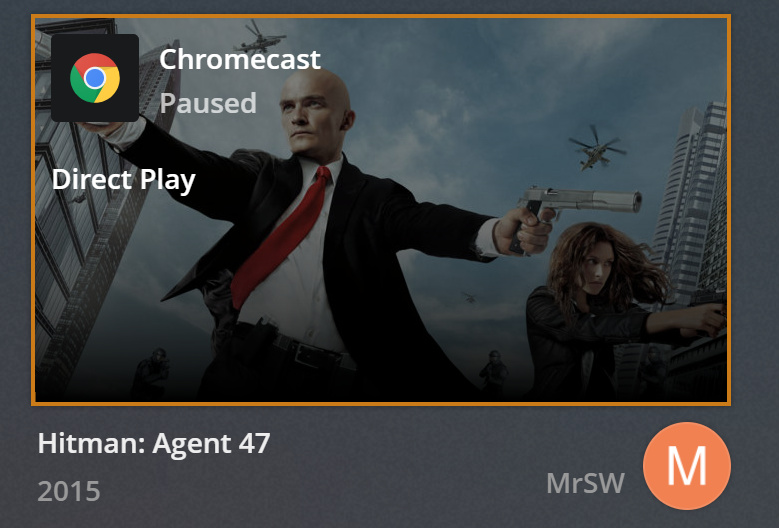
75" 4K HDR TV with Chromecast Ultra, and a 55" 1080p TV with Chromechast Gen2.
Borth direct played, i didnt have to manually select it with this particular file.
Like i said, it doesnt happen all the time, it happens just happens a lot, enough that it makes me have to click the gear cog and check it every time i play TV.
My TV is a Hisense 75N7, but seriously your wasting your time looking at my TV, it does this on any TV.
This never was a problem till about 9 months ago, i seem to remember it starting to do it around the same time you changed plex menu layouts completely… not saying it was exactly then, but that was around the time I noticed that “hang on a minute, why does my picture not look so good”.
If the sample file I gave you the link to played fine, then on the surface that tends to point more to potentially something media related (either in encoding or how plex is reading/dealing with the encoding).
Which Handbrake version are you using? Are you using HW transcoding on it or SW? Which profile encoding profile is it?
Thanks for the screen shots. One thing I noticed on the XML output for the file you were originally using is that is wasn’t at true 1080p resolution (1920x1080), but at 1916x1080.
Let’s try taking the test file that you downloaded and run it through your handbrake 1080p h264 preset and see how the “transcoded” version works.
My father in law just bought a brand new 55" OLED Panasonic TV, a brand new Chromecast Ultra, and i have a site to site VPN between our houses (I have a Palo Alto Firewall, and for him i installed a Sophos XG105) there is 40mbps of bandwidth between my house and his.
With his new TV and Chromecast, I see the same problem with the Synolody DS418Play i bought 2 weeks ago.
The only common denominator is yes some media i know will do it virtually all the time (thats been handbreaked).
but! even though it transcodes that media, i can hit the gear cog in the plex client, tap quality, tap the to option for origional quality. Plex kicks off again and starts direct streaming it.
I also note the same media played in Synology Video Station just works, and if i use Bubble UPnP which is a android app that does DLNA to your Chromecast, and I use the Plex DLNA server it plays it fine as well.
So the only real common demonitoator is the Android Plex Client where you can get it to fail.
will hanbreak that file now, will also see if i can convert it to same resolution as you mentioned maybe that is the trigger.
OK… both videos converted as 1920 and 1916 direct played… Grrr was really hoping that resolution not being exact might have been it…
I tried the video above that i sent the example log through a few days back and it also direct played today… @#@# on all 3 of my TV’s @#@#
i tried all videos then on all TV’s and at the moment they all direct play… cant get this to reproduce at the moment… as i said it is not consistant but happens enough that it makes me always check. and i keep walking in on the mrs watching TV and can see it transcoding but she is too lazy to hit the gear cog to set it to direct play… so i do it for her and picture goes better…
I still think you might be onto something with the resolution, maybe if its not an expected resolution like 1920x1080 that may cause plex to transcode it to make it 1920x1080 to fit what the player is expecting?
Seriously though you guys should create a check box you can tick on the server to force direct play only. This would be fantastic for smart people like me who know to handbreak media so it works properly in your enviroment, it ensures that the media is always direct streamed.
You could even add a network mask so you could say people inside this network can transcode, and the other people (family friends) can go F themselves and direct stream only so i dont waste my resources on them it makes a lot of sense to do it. and for me would resolve this random issue where i have to manually tap “origional quality”
Well… since both video’s played as well as your original file… that leads me to think it isn’t a media encoding issue.
So there at that point are only 3 possibilities that are coming to my mind.
PMS quirk - although I believe you said other clients play fine when you are having the issue so probably not likely.
Chromecast FW bug - One way to test would be when a client is not direct playing the file, unplug both power and from HDMI for say 10-15 seconds, and then plug back in to “reboot” the chromecast. See if file then direct plays.
WiFi/NW issue - Since the issue is intermittent, it could be related to WiFi channel congestion/nw congestion/router fw quirk etc. Are your chrome casts on 2.4Ghz or 5Ghz? Are the SSID’s the same or different for between the 2 frequencies (i.e SSID_2g vs. SSID_5g OR SSID for both 2g & 5g)?
Like i keep telling you its not just my TV, so its not “my” chrome cast needs a reboot.
Even when i patch the chrome cast directly into Ethernet cable so there is no wifi it still does it, so you can rule out wifi.
My kids just tried to play a movie and it did it again.. started transcoding.. noticed it straight away as the picture was poor quality, grabbed the tablet, tapped on the gear cog, clicked on quality, click on play origional and bam, it starts direct streaming.
Play something in plex very good chance it will transcode when it doesnt need to.
The second you slap the quality setting and tap direct play it works properly.
This is a PLEX bug, you need to stop pointing the finger at everything else, its only PLEX software with this issue, which i can repeat on all my friends and familys TV on all their different plex servers with all their own media
this is PLEX issue NOT Google or TV Vendor.
it is the exact same symptom, incorrectly starts transcoding, the second you tap quality play origional it stops transcoding and direct plays… if it was WIFI or Chromecast or TV or HDMI cables i would not be able to tap “play origional quality” and fix it straight away.
how can i get in contact with the programers because i dont belive this is ever going to get resolved with this forum help. it needs to be reported directly to the guys who write the code for this.
or maybe you will get it better if i say it this way
Your home streaming default setting is broken, it doesnt play maximum quality all the time and you sometime have to manually tap “play origional quality” because the default setting forgot to work.
also just to be clear I am an infrastructure engineer, I have a background bulding networks across airports, manage SAN’s, Firewalls, VMWare hypervisors, supporting over 15,000 staff.
I can assure you my home network is the best you can get, I have a $8,000 firewall for my Internet Router, Cisco layer 3 POE switch, I also run enterprise class wifi at home, properly audited and set to avoid all interfearance. I also have my own data rack in the house, where i have patched cat6 out to all computers, and TV locations.
only reason my Chrome cast currently is on WiFi is because i moved the TV to a new location and not gone under the house yet to run a new cable. Prior to a couple months ago the chromecast was hard wired into my gigabit ethernet switch. Having said that my bedroom TV chromecast is still hard wired on 1gb ethernet so doesnt use wifi and also the plex bug effects that TV as well.
Trust me i am not stupid, i know what i am looking at and the issue is clearly plex. Simply because i can repeat this bug on all my friends/family TV’s… vendors like LG, Samsung, Panasonic, HiSense. And on all their chromecasts and media.
I have been reporting this to plex, even contacted one of your bored members… Your care for your product is amazingly poor. this is such a major bug and you have no interest or ability to actually understand what i am trying to report.
You cant blame this on the chrome cast - it is clearly Plex is buggy as.. and you have many other threads on your forums raising this issues as well..
how do we get these bugs fixed? we need to speak to somone who is going to except Plex has issues and stop blaming Google’s chrome cast.. because all the other 3rd party apps have no problems using chrome cast its just you guys.
How about you provide the logs from when it works so they can be compared with when it doesn’t? That would seem like a good starting point rather than your current approach of insisting you’ve done everything right at your end.
And for that matter, what process do you follow to play a video via the chromecast? Do you do exactly the same thing every time? Does everyone in your household do it the same every time? Does the video begin playing on a different device before it is cast to the chromecast?
If you’ve got access to a server that can run Tautulli (https://github.com/Tautulli/Tautulli) it wouldn’t hurt to run that as well as it outputs a bit more finely grained details about what exactly is being transcoded and why, and keeps an easily viewable history of what was played, on what and via what method (direct play, stream, or transcode). All of which would be useful information to try and pinpoint where the issue lies…
I’m at work right now, but I’ll see if I can dig into this a bit when I’m home. I’m likewise a heavy Chromecast user (my main TV is a 2016 Vizio 4K with the builtin Chromecast support and hardwired ethernet, which removes a lot of the normal troubleshooting barriers). I’ve noticed a couple of similar-yet-different oddities lately that I hadn’t had time to investigate, namely that my “Play Original Quality” setting insists that my files are “0.3Mbps, 240p” (they most certainly are not, and display as 720p, which these specific files are). From what you’re reporting above, it looks like there are at least a couple cases of the UI being slightly out of sync with itself, but we’d have to dig into the server logs to see exactly what it’s doing/transcoding/sending.
DirectPlay can be a bit of voodoo at times, because even within a “supported” file format or codec, there are so many different profiles and optimization options that can trip things up and make something fallback to transcoding, and it’s very non-obvious what can trigger it.
I’ve seen some odd tearing and glitching that until just a couple days ago I was blaming on bad files (as Plex’s transcoder has been very solid for a long time now). I then played them back on an AppleTV 4K that I had handy, and they played flawlessly. Sorry for not reporting this in earlier, but I didn’t realize it was even potentially a Chromecast-specific issue until two days ago.
I’ll see if I can get sufficient logs and playback info on my files to troubleshoot this in the evening (I’m at work and away from my devices at the moment). Hang tight!


 it makes a lot of sense to do it. and for me would resolve this random issue where i have to manually tap “origional quality”