Server Version#: 1.15.5.994 (both servers are the same version)
Player Version#: Version 3.99.1 (both servers are the same version)
I have two servers with identical content NODE & VOID, one of which can play some anime episodes I am trying to watch (VOID), the other cannot (NODE).
As mentioned above both servers are the same version and I am using the plex.tv web client for both testing cases.
This issue only seems to affect the Plex web client when streaming from NODE. Streaming the same files in another client from NODE (I installed the latest PMP for testing) work without issue.
When I attempt to play the files from NODE I get the spinning orange circle and nothing ever buffers or starts to play. I see in the server logs “ERROR - [Transcoder] Unknown decoder ‘aac_lc’”.
This error does NOT appear when playing the very same files from VOID using the web client and playback begins with no issues.
Both servers are docker containers built by LinuxServer.io, so they are about as close to the same as I could make them which is why I find this behavior so strange. I have already tried completely removing the docker container and image and rebuilding them from scratch.
Obviously I can work around the issue, I am just curious if this is an indication of something else I need to investigate in NODE.
Codecs are not included with PMS and are downloaded when needed. Sounds like NODE is unable to download that specific codec. There should be a codec folder in your PMS folder. Make sure it’s permissions are correct. I will need to see the PMS logs to verify if this is the issue.
Oh I did not know that! I’m no expert but from what I can tell older episodes of these series also used the exact same audio codec and I have no issues playing them back. This only seems to affect the most recent episodes.
UPDATE: I did check the folder permissions and it appears to match what unraid expects for docker containers. All other dockers match with the same permissions and I have not manually modified any permissions for the dockers (nor does anyone else have the ability to do so).
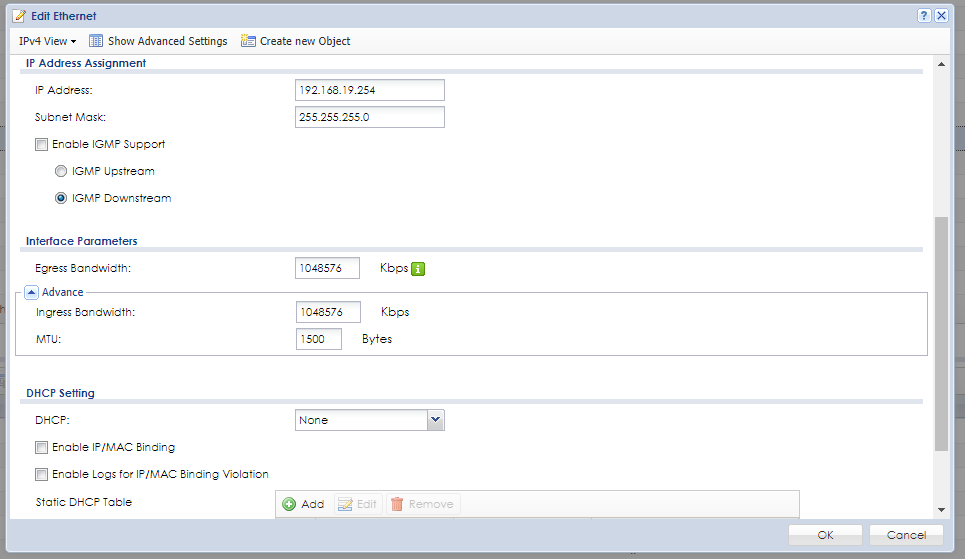
Your logs show a curl error 52. This is normally seen if you have jumbo frames enabled on your network. Double check and make sure you are not using jumbo frames for anything.
So jumbo frames should not be the issue here. Those are the default settings and have not been changed before or after this issue began.
EDIT:
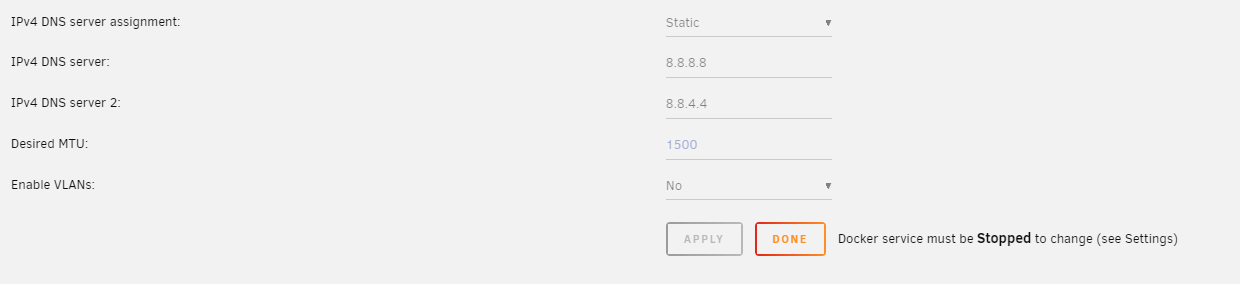
Followed advice from sa2000 here and here to test what MTU would not produce fragmentation (1472), assigned it, and it made no difference. The newer HorribleSubs releases simply will not play on this particular server in the web client (but will work via PMP on Win10).
EDIT2: Got the new server build though my version # didn’t change. Still experiencing this issue.
Edit3: Had my friend copy these same episodes to his server (which is hosted on the same network as mine) and I can play them back through the web client from his server without issue as well.
With your new logs, I’m now seeing certificate errors. Could be the certificate expired.
Locate your Plex Media Server’s “cache” folder. You can find this folder using the instructions here; it’s one level above the “PhotoTranscoder” folder.
Inside that cache folder, delete the “certificate.p12” file.
Are you sure you restarted PMS? I don’t think it shut down properly. You logs don’t show things I’m use to seeing when PMS starts. Can you try restarting again and make sure everything Plex related is shut down before starting up again.
Your logs still don’t show the normal startup steps that should be there. I don’t know if this is something to do with using a docker but it doesn’t look like PMS is restarting properly so it’s missing those steps to fix itself.
You need to make sure that when you stop PMS, all processing related to PMS are also stopped. If not, then restarting PMS doesn’t restart everything and I think this is the issue. PMS takes certain steps when it starts and I think some of these are not happening.
EDIT: Well apparently either one of the new web client or server updates must have fixed my issue. I just tried to play back the same troublesome episodes from NODE as before and they all appear to work just fine now!