I‘m struggling to follow your description of icon.
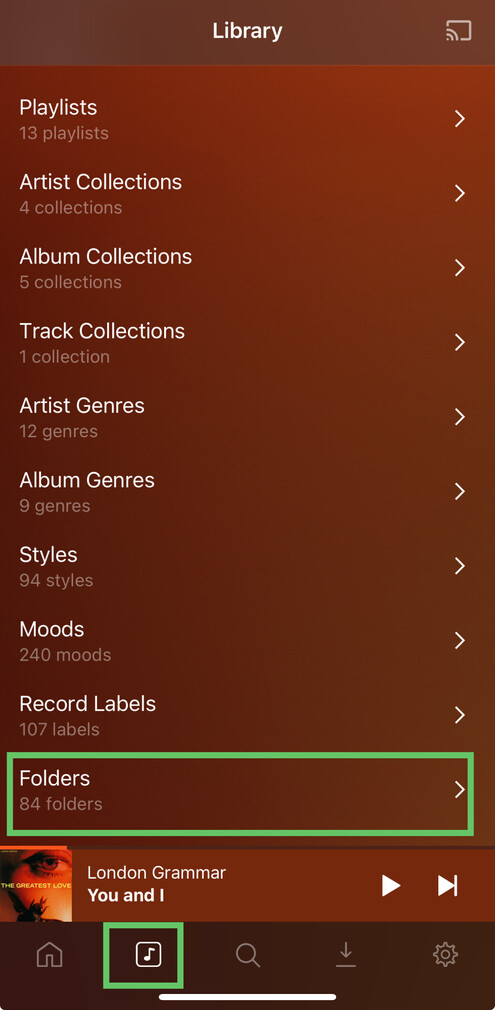
Viewing a library by Folders
Plexamp
- Click the
Libraryicon in the bottom bar - Select
Foldersentry at the bottom of that page
Plex Web
- Select the music library
- Switch to the
Librarytab (if it’s not already selected) - Set the library to display its content by
Folders(instead of Artists, Albums or Tracks)

https://support.plex.tv/articles/200392126-using-the-library-view/
Play Queue
Plexamp
- Access the
Now Playingpane. - Scroll down to the
Up Nextsection

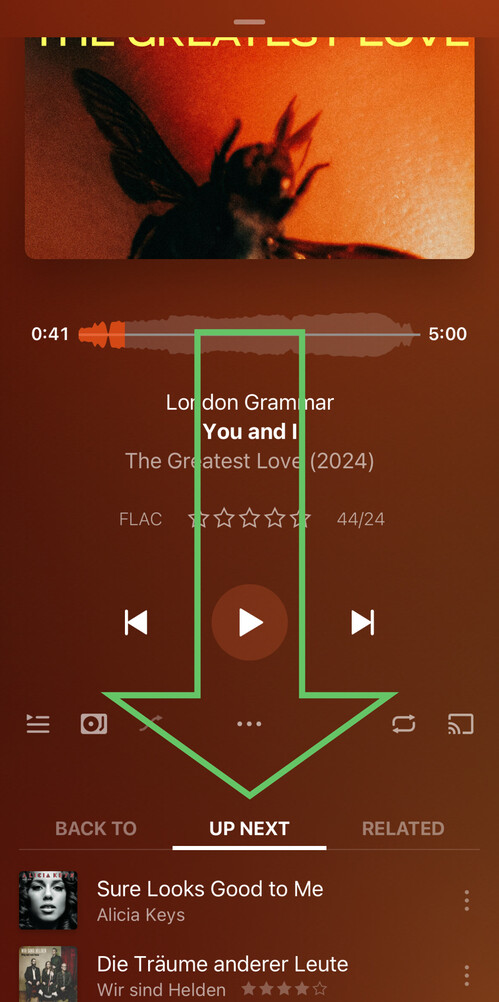
You can interact with the play queue by long-pressing an item to access its context menu, or swiping the item to the left to remove it from the play queue.
