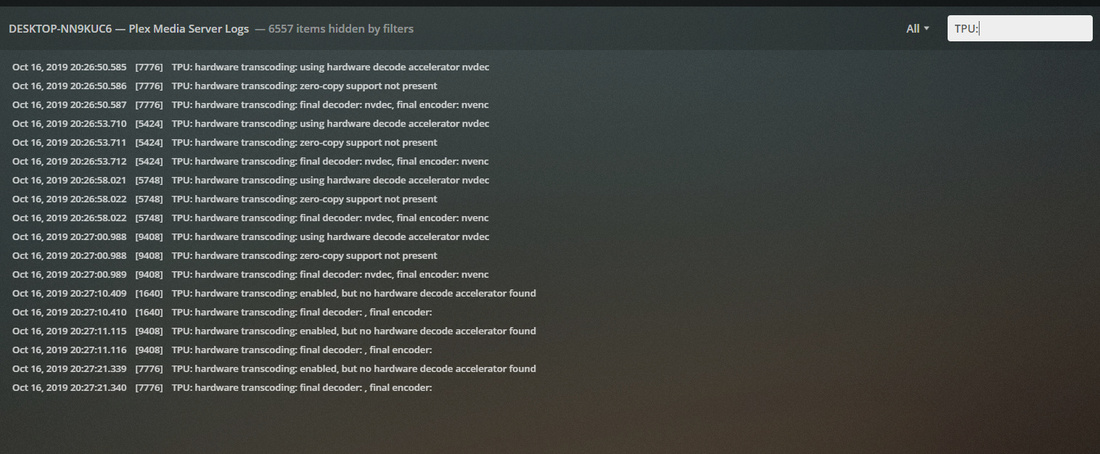
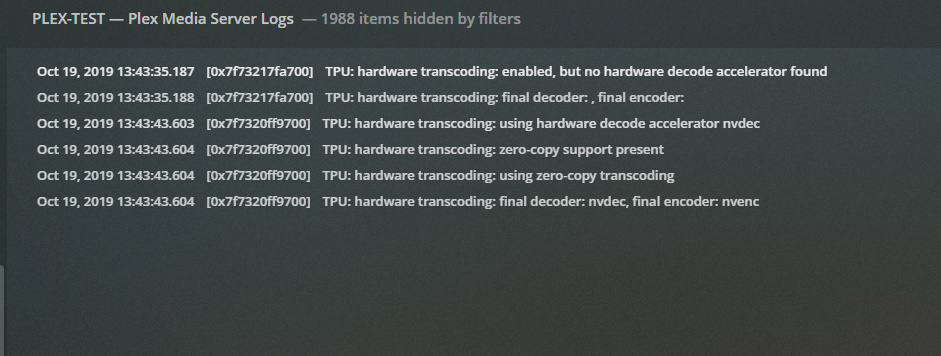
Oct 16, 2019 07:04:08.456 [2244] DEBUG - TPU: hardware transcoding: enabled, but no hardware decode accelerator found
Oct 16, 2019 07:04:08.503 [2244] DEBUG - TPU: hardware transcoding: final decoder: , final encoder:
Oct 16, 2019 07:04:25.788 [5612] DEBUG - Codecs: testing h264_qsv (encoder)
Oct 16, 2019 07:04:25.788 [5612] DEBUG - Codecs: hardware transcoding: testing API qsv
Oct 16, 2019 07:04:26.148 [5612] ERROR - [FFMPEG] - Error initializing an MFX session: -3.
Oct 16, 2019 07:04:26.164 [5612] DEBUG - Codecs: hardware transcoding: opening hw device failed - probably not supported by this system, error: Unknown error occurred
this means that plex is not seeing your gpu, so no HW is even attempted.
since you are storing plex files not in their default location, you might want to double check the permissions on
D:\Plex Transcode\Transcode
D:\Plex Media Server\
is D drive a local drive? or a mapped network drive, or iscsi ?
are the videos LOCAL files, either on the same server or on a local nas ? or are they ‘cloud’ files ?
if not local, you should get some files stored locally on the same server.
But to me, the biggest problem is figuring out why plex is not seeing the gpu.
edit- is DIRECT X installed ? see if you can open start > run > dxdiag
I have another server that I didn’t move the default location for the Plex library. Local files are mounted using network share and cloud is mounted using RaidDrive. I also tried copying files locally and trying it that way and the same issue.
Not sure what the hack is going on. Do you want to login to my 20 core server and try things on there? Why is the transcoder dying for no reason? I am pretty sure it’s got all permission since my other system is configured the same and works perfectly. I have Administrator in the Security permission and it’s got full rights.
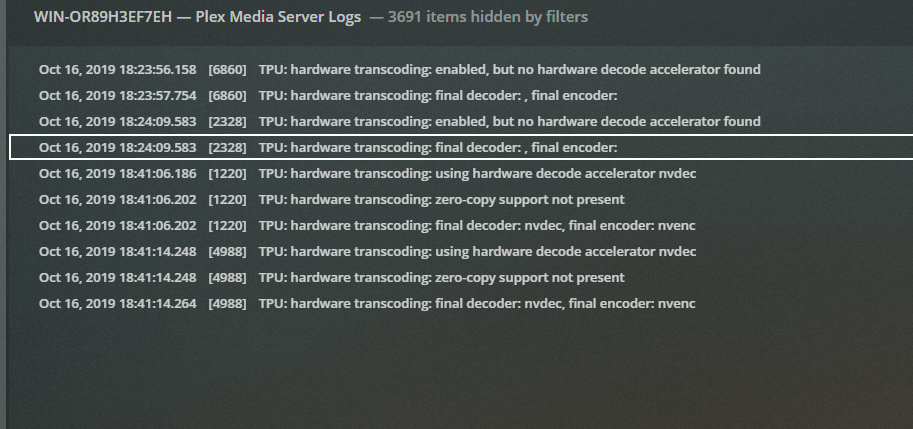
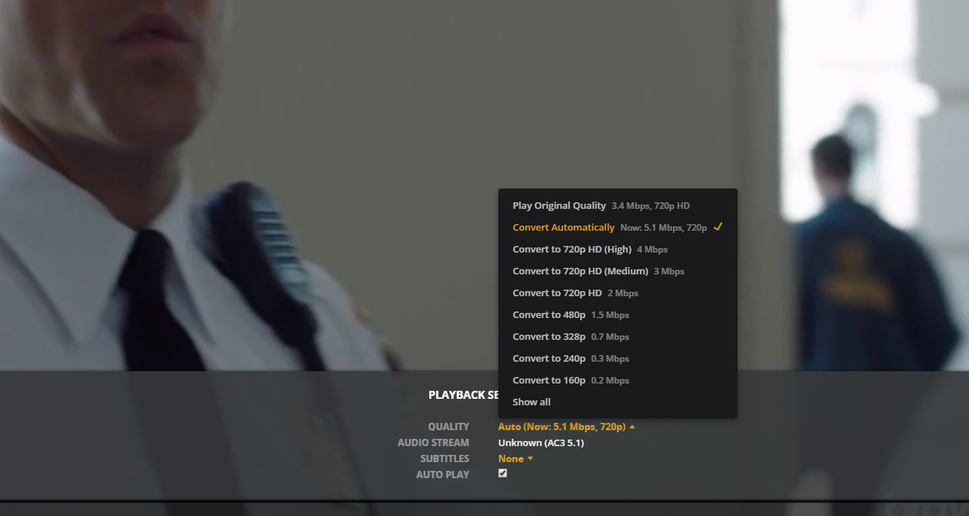
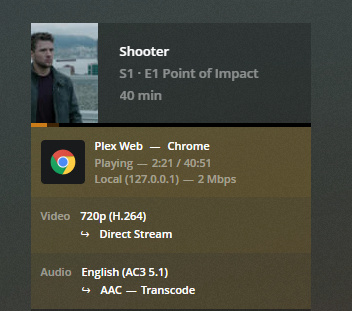
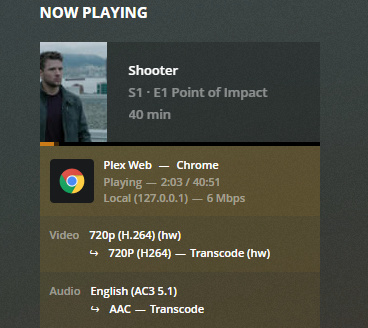
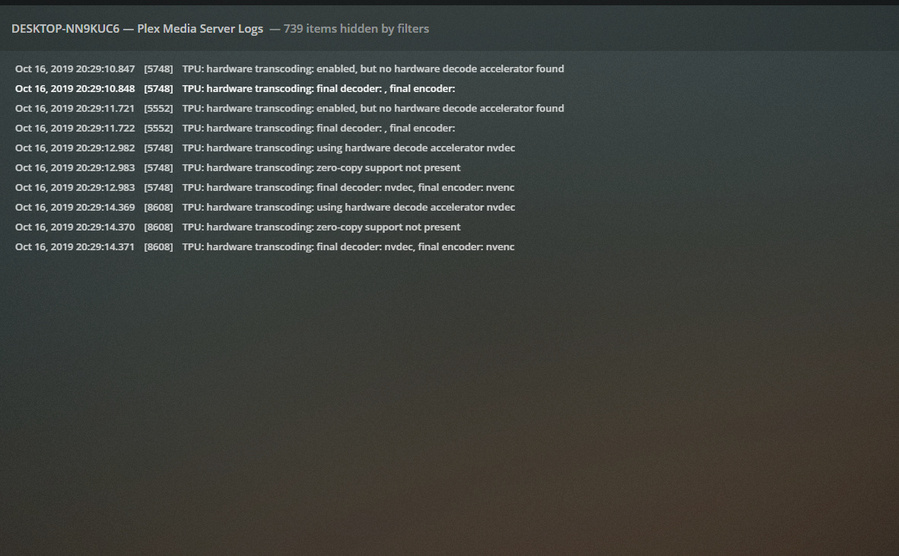
Did some more testing and i found this. I set the quality to Convert Automatically and it started to transcode. As you can see in the logs it used the right gpu. Original quality is smaller than the transcoded (what’s going on here?).
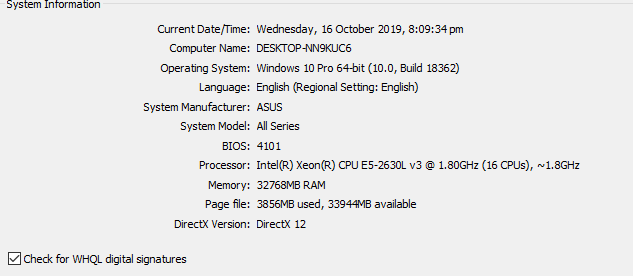
OS: Windows 10 Pro CPU: Xeon E5-2630L V3 8 Cores and 16 threads Ram: 32GB EEC Motherboard: Asus x99 RAMPAGE V EXTREME Graphics Card: P400 - i know, i can do only two transcodes. This is for testing purpose only (can use unlocked drivers). Plex Version: 1.18.0.1944
*Supermicro 8 bay with IPASS backplane. Adaptec 6805T raid card. I have also tried LSI cards. * Use hardware acceleration when available - Ticked
*Nvidia Card is pimary GPU with latest drivers. * Plex installed in default dir.
Everything is running default and no changes made. Windows is upto date. This motherboard has got no built in HD graphics on the board or CPU. Primary GPU is Nvidia P400 and monitor is connected. Fresh install of Windows 10 Pro 1903 and latest version of Plex Server with new Nvidia drivers. There is no Hyper-V or any software installed. Windows 10 is the supported OS for Plex as i read on plex.tv. This is very basic setup with no network drives or apps installed. Everything is locally stored. Plex is not running as service.
Everything is running on bare metal. I think i have covered all the specs and details, let’s do the test and post the results.
I need some answers and fix for the issue. What am i doing wrong here? I have given so much information now. I don’t know what the hell is going on here. I don’t want to buy new hardware and not knowing it will work either.
Emby time. I installed Emby on this same machine and use the same video file to test the transcoding and it works perfectly.
Same hardware and same software settings on windows 10 and Emby works perfect. What the hell is wrong with Plex? I think plex transcoder is crap and they need to fix it. This is nothing to do with Windows OS or Hardware i am using.
I have provided a lot of information and testing in this posts. I need help to fix this. Plex Devs help me fix this issue. There is lots of people with similar issue.
In the first and second tests, the ones you showed with “Direct Stream” on the video, it wasn’t needing to transcode the video… It was only transcoding the audio… I’d recommend all further testing be done using those 720p files, but forcing a 480/SD transcode… And see what results you get, is it still a mixed bag?
yes i have and it does the same. Did you notice the plex dashboard reports wrong also when it can’t transcode? I have tried a a lot of stuff and nothing seems to work. I wished Plex Devs actually help people who are in need and fix the issue in hand and rather than focusing on stupid features that most people don’t use.
You are missing the point here, the files are 720P and i forced it to transcode to 480P/SD which it can’t and it reports wrong in Plex Dashboard. Search in this forums and you see people complain about that too. Wrong information showing on Plex dashboards. If you read my logs you can clearly see that i am transcoding both Audio and Video. Plex transcoder is broken and this is why it’s reporting rubbish information to the dashboard.
No further testing needs to be done. I have provided very detailed information in this posts. I have even shown the same file works perfect with Emby and it shows the right details on the dashboard.
To answer your last question i have done that also made no difference. I don’t know what to try at this point and just move to another platform. It’s a shame the Devs don’t seem to care.
Update:
Ok, i did some tests. I used Ubuntu 18.04 LTS Desktop and installed Lastest beta version of Plex.
Transcoding doesn’t work on this same machine if i use Windows OS. (Any favor)
Server:
Supermicro Xeon 20 cores.
Ram: 128GB ECC
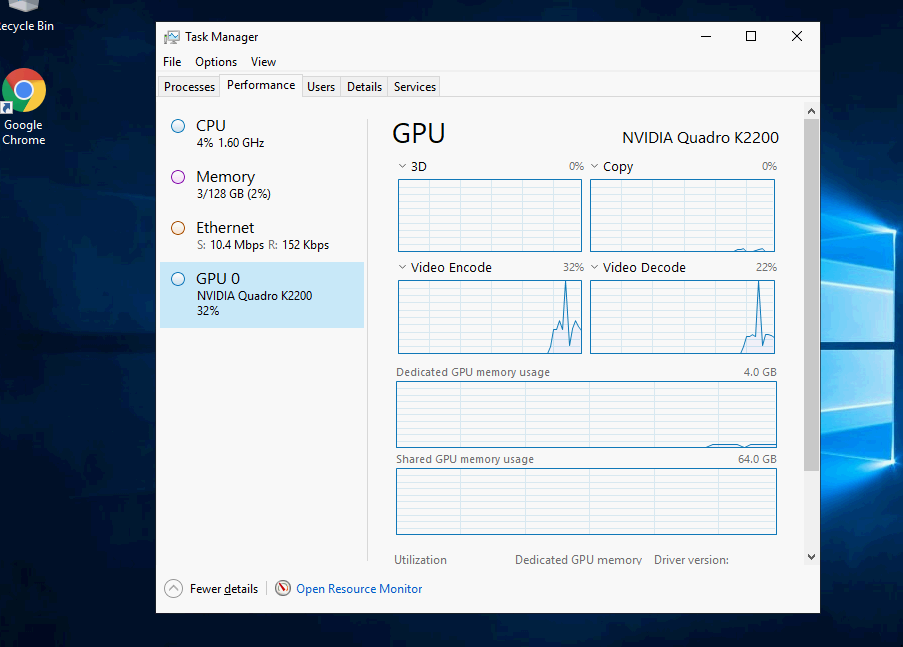
Graphics: Nvidia K2200 only can do unlimited H264.
I used the same video file in my previous test. The transcoder works perfect and it transcodes all video in different quality settings.
First it shows it can’t find the hardware but as soon as i change the quality it finds the hardware and transcodes. Not sure what is different in Windows since it never finds the hardware. I am guessing it’s coding issue in the transcoder.
Clearly shows there is an issue in Windows transcoder. It’s not working well in Windows. I wonder if any libraries are missing in Windows. Can you pass the information onto the Devs or if they can contact me.