I wanting to buy AMD Ryzen 7 2700 CPU and ASUS ROG STRIX B450-F motherboard. I will pair the two with Nvidia P2000 and use hardware transcoding. I want to confirm if people here use the following config before I make the purchase. Are there any issues people faced? I am using Windows Server 2019 datacenter. I want to be able to use Hyper-V and run a couple of other VMs on there.
I am asking this question because I have Supermicro server with dual Xeon 2600 V2 CPU that Plex Transcoding doesn’t work on. I want to use a 2U chassis from Supermicro that I have and put the hardware in it and rack it. I have x99 motherboard with Xeon V3 processor and transcoding doesn’t work on that too. I have tried Emby and it works perfect and it’s transcoding with no issues. Plex doesn’t like something. Here is the old post about the issue:
I am looking for people with similar setups that can confirm this will work before I make the purchase. Any help is appreciated.
I have an AMD Ryzen 2700x and an NVidia GTX 1070Ti and hardware transcoding is working just fine. I am limited to 2 HW Transcodes because of the card, but you should be ok with the P2000 as I don’t believe that one has a limit. I am uncertain about the Windows Server 2019, but motherboard has no effect on HW Transcoding as far as I know. I am running an MSI x470 Gaming Pro for mine…
Yeah, I just wasn’t certain… I believe you should be fine with the setup you’ve mentioned, I just don’t want to say “Yes” when I am uncertain of the Server 2019, if it’s the same driver package, it should be fine though I’d imagine…
Sweet. I googled and no one seems to have any issues so far so i just want to make sure. I’ll wait for some more people to comment. Thanks, i appreciate the help.
No worries man, enjoy, and congrats on the new setup… I’ve been wanting to hop over to a Quattro for a while now, but I’ve been sinking money into drives instead… currently up to 72TB w/ another 80TB coming by springtime
Nice. I am wasting money on hardware that Plex Transcoder doesn’t work on. I have couple of Server hardware with 20 cores (10 core per CPU) and the P2000 works fine on Emby for transcoding but it doesn’t for Plex. I just can’t get it going on Xeon processor. I don’t know what is wrong. I have tried Windows 10 Pro and Server 2019 OS and they don’t work. I tried Ubuntu 18.04 Desktop and same issue. I am very upset. I have done so many tests on different hardware and no go.
Hmm… That seems strange… I wonder why it isn’t working… What all have you tried? @TeknoJunky is pretty knowledgeable about hardware transcoding… I wonder if he can help you get it working…
I have tried everything i could possibly think. I have tried Windows 10 Pro, Server 2016, Server 2019 and Ubuntu OS. I installed latest drivers from Nvidia and ticked hardware transcoding on plex GUI. I tried different motherboard eg. Supermicro and ASUS with Xeon processors. The only way i could get it going was using I7 4790K disabling the intel GPU and using P2000 GPU. I am currently using it like that on a desktop machine but i want to move everything on the machine 20 core machine but i couldn’t get it going ( save power). I have tried disabling the KVM on Supermicro Board and still the same issue.
I can test anything you guys can think of. I am not sure what i am missing here. I see lots of posts people got issues with Plex transcoder.
make sure that the gpu you want for HW transcoding is the active/main gpu (ie disable any cpu based gpu and/or remove any other gpu cards)
make sure a monitor is plugged in and turned on (no headless while troubleshooting)
run on bare metal, don’t complicate things with VM’s or dockers.
no remote desktop
on windows make sure you are signed in a regular user, and pms is run as a regular application (in the tray) dont run pms as administrator
on linux, make sure you have the latest nvidia drivers installed (quick driver d/l @ https://github.com/keylase/nvidia-patch) you don’t need the patch with a p2k, but the driver links are useful. you should probably reboot the server after driver install.
on linux make sure you can run nvidia-smi and that it shows the gpu and same driver version
on windows server, desktop experience and the windows media codecs should be installed (install windows media player from server components)
install OS of choice
install all updates available (windows update or apt-get dist-upgrade)
install any prereqs listed above
install PMS only (I think anything 1.17+ has the new transcoder)
sign in pms wit plex pass, enable HW, setup a single test small test library
start testing
on linux, use ‘watch -d nvidia-smi’ to monitor gpu usage, the easiest thing to see is the transcoder process and how much video ram it is utilizing. a 4k uhd to 1080p uses about 1.4gb of video ram.
on windows, use windows task manager there should be a gpu section, you can right click the graphs to show video encoder/decoder usage.
monitor the plex web now playing status, it will show (HW) for either decode/encode, or both when applicable.
as always,
use the latest available PMS release.
if you can reproduce a particular problem video, post the logs (plex web > settings > troubleshooting > download logs)
post screenshot of plex web now playing status with the problem video
I will be using Server 2019 datacenter. I didn’t understand a few things:
on a windows server, desktop experience and the windows media codecs should be installed (install windows media player from server components)
I have Windows Desktop experience installed when I install OS.
Windows Player is installed by default and I can search it.
windows media codecs should be installed - there is no feature called anything like this. I looked in the server manager and seen nothing under features. Am I missing something here?
I am using Supermicro Board and the main GPU is Nvidia K2200 since my P2000 is in use. I will not transcode x265 so this shouldn’t be an issue. I am aware of the limitation of this card but this card can do all x264 media.
I had monitor and keyboard and mouse plugged in.
I will run bare metal with no Hyper-V role installed.
Will disable remote desktop.
I am using an Administrator account as default when you install. Plex doesn’t run as a service and runs as an application. I have not changed anything after install. I am not sure what you mean don’t run plex as Administrator. PMS starts automatically when I log in to the machine.
I have re-imaged the server with a fresh copy of the Server 2019 Datacenter now. I will install Nvidia drivers, the latest version of Plex and do windows update tonight. I have video files in another drive that I can use for testing. I will post screenshots and log files here tonight after testing. I have tried most of the things that you mentioned here and it didn’t work for me. I will give it another shot if we can get this to work. I will post my findings tonight.
I don’t know if datacenter 2019 is supported or not, maybe there are changes/restrictions that are affecting plex and HW transcode. I would imagine that DC2019 is very few plex users.
You might double check and make sure hyper-v is not installed (at least temporarily for troubleshooting).
media framework, maybe applies to earlier versions of server, perhaps newer versions include it already.
I have installed Media Foundation on Server 2019. I have the same issue with Windows 10 also. I have installed Windows 10 on x99 System that i have and i can use that if you like.
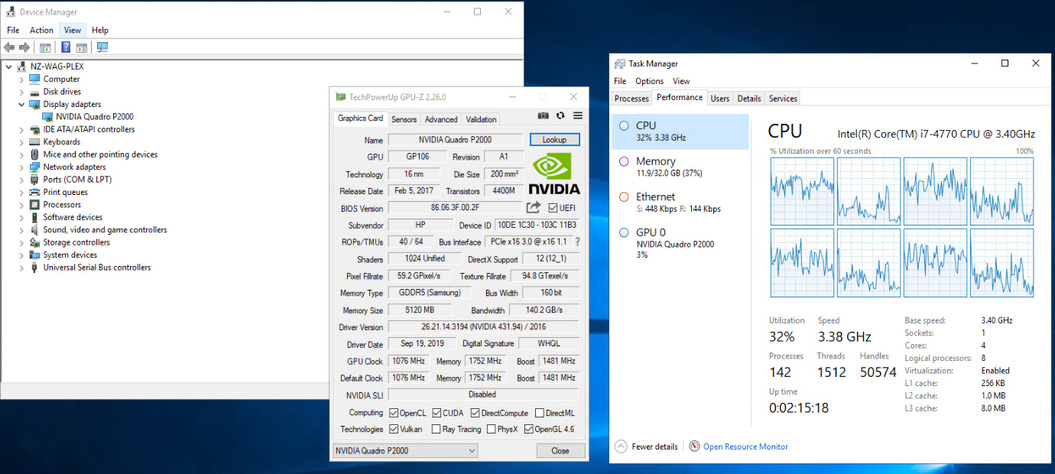
The machine i am currently on which has:
I7 4770
32GB Ram
Nvidia P2000
Server 2019 Datacenter
Media Foundation installed.
HD graphic is disabled in the BIOS and main GPU is P2000.
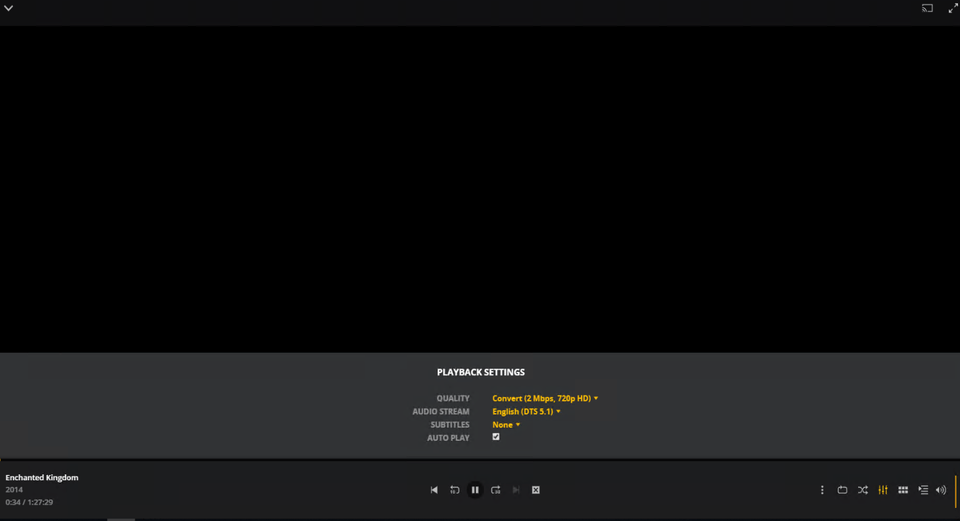
Plex won’t transcode and the transcoder dies. I can try some videos and send you logs for it. I will do this in few minutes,
I have looked at the logs and I don’t understand what this is all about. All the time I see this error:
This is the error I get on all the systems I have tried so far. It does the same think on Linux also. I have done so much testing and it just doesn’t work. Wasted money on so many hardware. I try Emby on the same hardware and config and it just works perfectly.
@sa2000@ChuckPa - Can you please review the logs and let me know what the issue is? I am still having issues with the new transcoder build. I would like this fixed so I can use the hardware I have and not buy anything new which I don’t know if it will work.