@dbirch It shows the 67.x.x.x address. That’s the problem.
@ChuckPa I don’t need to do all that, it’s a static WAN address.
The Remote Access feature determines the Public address by making an outbound connection to Plex’s discovery servers. They report the apparent source address of that connection.
It’s very similar to how http://ipquail.com/ works.
If your WAN address has recently changed perhaps the ISP is handling it differently now. Even with a static WAN address, your ISP may be performing CGNAT or proxying of outbound connections.
Have you confirmed that you can connect to it remotely? https://canyouseeme.org/
You may not need Plex’s Remote Access feature at all. Remote Access attempts to discover your public IP address, register it with the Plex Cloud, and perform port forwarding.
If Remote Access is detecting the wrong address (because of upstream routing hijinks), you can disable Remote Access.
Since you have a static WAN address with port forwarding, enter a Custom server access URL:
This is a funny format, but it works:
http://23.x.x.x:port
Plex will register that IP with the Plex Cloud without performing any autodiscovery.
It will also automatically generate and register the magic hostname for SSL. This is similar to what @certuna mentioned, but it doesn’t need to be done manually.
You can view the URLs/addresses registered with the Plex Cloud here:
Option to manually specify the announced IP address for the server? - #8 by Volts
OK boomer. Go back to your taps and thicknet…

In that case the 67.xxxx address is what the world is seeing regardless of what you claim your address is. Looks like you are dealing with some kind of proxy/redirect issue then.
I can connect remotely to my VPN server on 23.x.x.x
I cannot connect to my PMS because it thinks it is on 67.x.x.x
My WISP (it is literally a mom and pop shop) is looking into the issue for me right now, but for the time being I just wanted a custom IP address since I know it is accessible from the outside.
I was trying the long format above: https://23-x-x-x.serveranme.plex.direct:32400 but I’ll try just http://23.x.x.x:32400
With that in the Network config, it still tries to connect on 67
Private 192.168.1.x : 32400 Public 67.x.x.x:32400
Then that tells me that the Plex computer isnt connected to the VPN correctly, as it is still trying to use the local connection.
When you configure a custom server access URL ensure that you disable remote access (they operate independently of one another). If you leave remote access enabled as well, it will continue to advertise your “apparent” public IP address as well and could interfere with your goal.
@dbirch Maybe I was not clear. PMS is not on VPN, and has nothing to do with VPN. I’m just saying that my laptop and phone, when remote, can connect to my network on 23.x, so I know 23.x is accessible from the outside. If I could just force PMS to see the server on 23 instead of 67, it would work.
@pshanew AAAHHHH! That could be my problem!
@pshanew That appears to have worked, thank you!!!
You’re welcome! You can always check here to see what IP addresses are being published by your server:
https://plex.tv/api/resources?X-Plex-Token=yourplextoken
Just place your Plex token at the end.
And credit where credit is due…
Yay!
When Remote Access is enabled, or when Custom server access URLs are configured, those addresses are all registered with the Plex Cloud.
When a client tries to connect, the Plex Cloud gives that list of registered addresses to the client. The client tries to connect to each of them.
If an address is unreachable, the client should just move on to the next address in the list. Unreachable addresses typically don’t cause any problem, as long as there are reachable addresses too. And that’s a very common situation.
But obviously there’s no reason to have extra/unreachable/unworking addresses in the system.

@pshanew The funny thing is, I read that in @Volts message, but when I did I read it as “disable and enable” for some silly reason.
Thanks all, since this appears to be working (I do want to run a couple more tests) I may let my WISP operator to stand down to save him work. They are swamped already without having to help me.
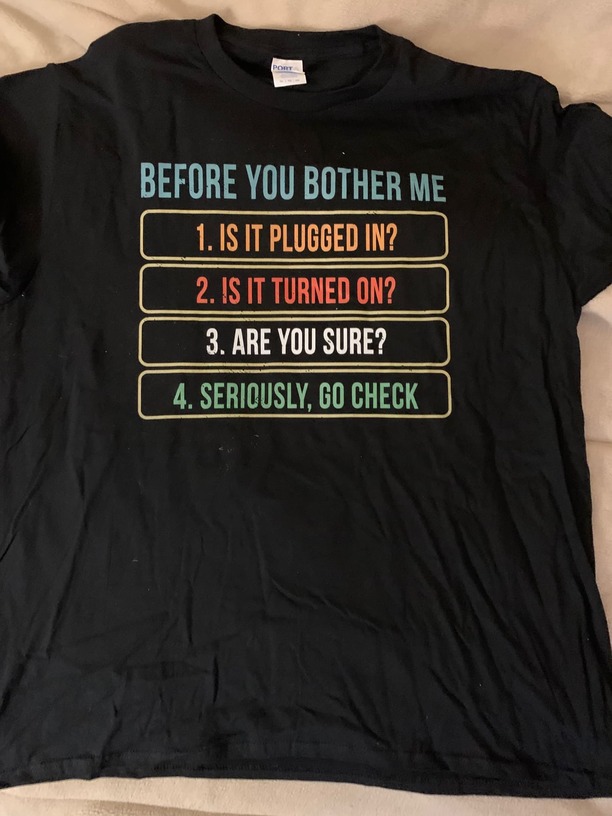
That’s a trauma response from doing networking for so long.
“Have you tried turning it off and back on again?”

@Volts You mean “The IT Crowd”
Not your server name, your server ID. It’s a long hexadecimal code, you can find out what it is by inspecting a video element.
It’s a certificate UUID. The last section of this post describes how to find it.
But, per the discussion above, that shouldn’t be necessary for *.plex.direct addresses.