This tool might contain just what you need
Screenshot it?
When following the instructions above:
http://127.0.0.1:32400/library/metadata/13488/thumb/1532732232
I’m getting a “401 Unauthorized” error instead of a page load.
Any ideas why? I’m logged into my Plex account so why am I unauthorized to view this page?
You should add your plex token to the end of that URL.
http://127.0.0.1:32400/library/metadata/13488/thumb/1532732232 becomes http://127.0.0.1:32400/library/metadata/13488/thumb/1532732232?X-Plex-Token=abcdef123fedcba
Thanks so much! So, to simplify the process for others viewing this thread, much of the address is already in the address bar of the MXL file you’re viewing. You simply need to copy the /thumb/1234567890 and paste it in the address bar, replacing everything between the “metadata/12345” and the “Plex-Token=xxxxxx”, then add a “?” after what you just pasted.
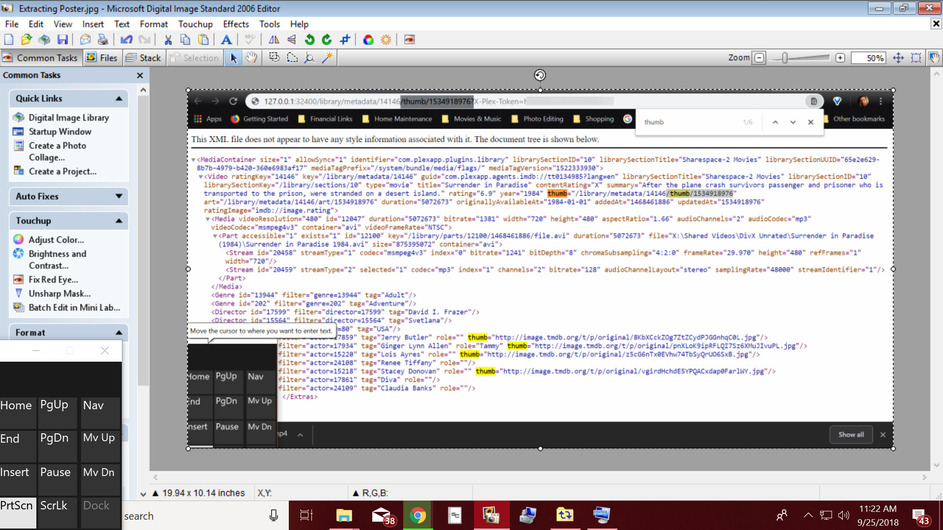
Edit to blur the Plex Token in image.
One last request: does anyone have a copy of MovieFan’s Database Tool? I messaged him a couple days ago but no reply as of yet. The link above is either dead or private.
The link above worked for me, but this is the latest zip from there:
MovieFan’s Database Tool for Plex v0.3.2.zip
1 Like
Since this tool is no longer working correctly, take a look at
2 Likes
Thanks, I’ll check it out. I did finally get access to MovieFan’s Database Tool and got it working too but was hoping it would also create the move folders before saving the posters and fanart. My NAS crapped out on me and I lost most of my movies. All I have left is the Plex metadata. But, without folders, the tool has nowhere to back the images up to. Looks like I’m going to have to use the Libraries/Find Unavailable Files tool to create a list of my lost movies then copy/paste the folder names from Notepad and recreate each folder manually. Then run the Libraries/Save Movie Poster and Artwork tool to backup my images to those folders.
ExportTools can tell you what’s missing, as well as export the posters
Yes, #6 can tell me what’s missing and #4 can backup the posters. But I still have the task if creating all the folders and naming each one exactly the same as Plex has them listed - I had several hundred movies - before I can accomplish the latter. I was chatting with MovieFan last night and he said he’d look at the code and make necessary edits to allow the tool to create missing folders before the image backup. This would be a great help for those who experience data loss or corruption.
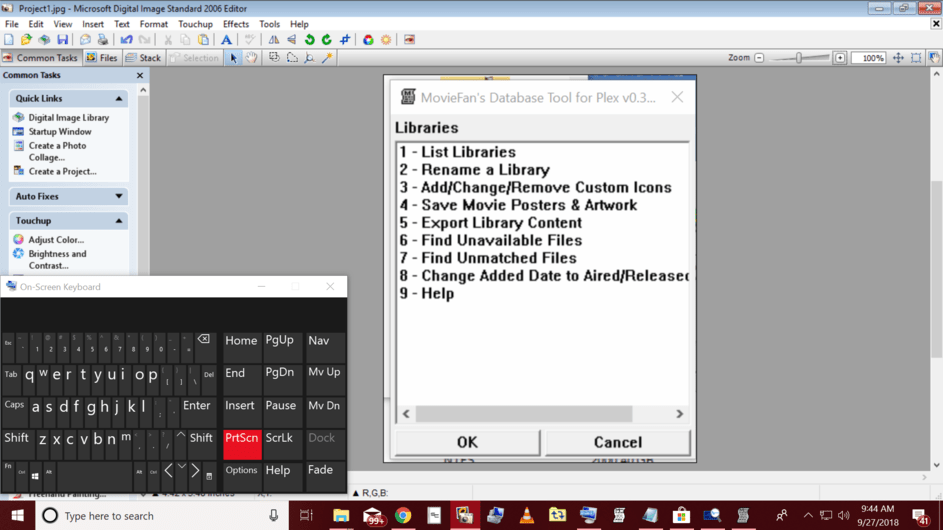
There’s a column that contains the path
I am aware of that. Are you insinuating I’m wasting his time, adding unnecessary edits? #1 can be accomplished by simply opening the Plex app and viewing the library list. #2 can be accomplished by simply editing the library. Having the tool create hundreds of missing folders in seconds would be a much more useful feature than either of those two.
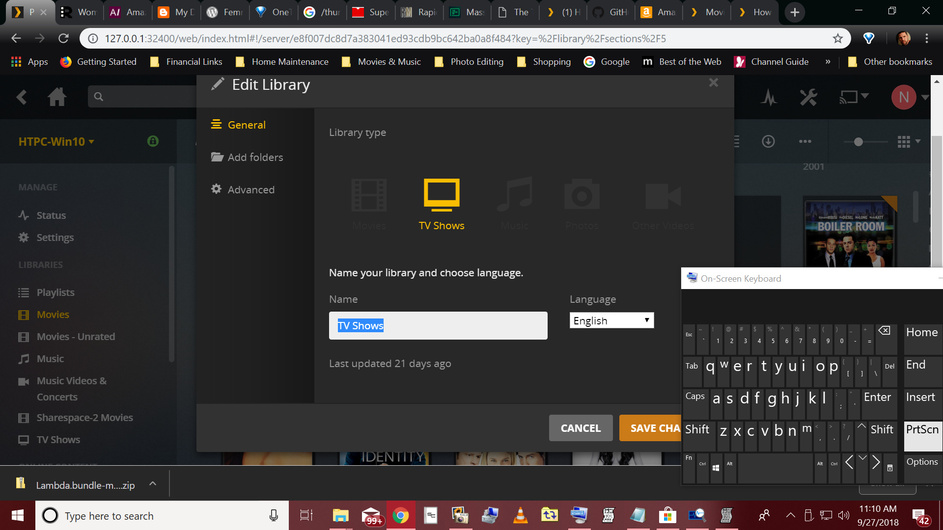
Sorry, but yes 
Not tested, but google gave me those hits:
The “library_unavailable1.txt” file created by MovieFans tool isn’t an Excel document. If I’m going to have to copy/paste the name of every movie into an Excel spreadsheet, I may as well copy/paste the same data into the folder name while manually creating each of the hundreds of folders. Besides that, I know nothing about code. The info in this link is gibberish to me, as it would be to many others using his tool.
You know you can open a text file in Excel and have it separated into columns by either number of characters or by parsing for tab stops or other special ‘separator’ characters (semicolon, comma etc), right?
LOL you make it all sound so easy. No, I don’t know how. Half of what you just said is gibberish to me. This is what MovieFan’s tool is supposed to do, help guys like me that don’t have the skills you guys have. But, I’ll play around with it while I wait. Thanks
If you have a text file, where each link is on a new line - you just need to ‘open’ this text file in Excel.
Here is a quick introduction
https://www.copytrans.net/support/how-to-open-a-csv-file-in-excel/
But that’s what ExportTools can produce!

