Server dashboard, while Plex is trying to play a video, in a browser, go to https://app.plex.tv/desktop
From the activity icon on the upper right of web page, click, then click on the actual activity. Expand “now playing” by clicking on the expand icon.

Of course, most computers can play most things; your TV doesn’t have nearly the playback capability of your computer.
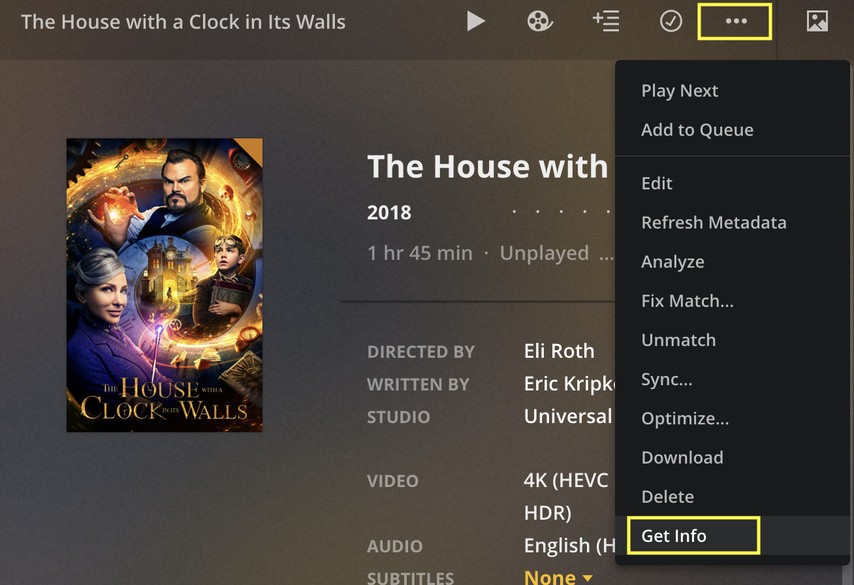
That’s the file container and resolution. The dashboard should tell you more; failing that, from the same URL, click on the home button (upper left corner) and then navigate to the movie; then click on the … for more info and then select “get info”. From there, you want the two Codec entries in the right column (the first is for the video format and the second is for the audio format).
Plex is a complicated because it does a lot. You need to learn how Plex is designed to work with multiple platforms even if you’re only using one or two. Otherwise, just get a DVD/Bluray player and be done with it. It’s dead simple and hassle-free.

 Downloaded Handbrake, converting my movie now, looks like it will take 90 minutes. I’ll be in bed by then, see how it works tomorrow.

