My Arc works fine too…until you enable tone mapping and try to transcode down HDR content to SDR. That’s the entire topic of this thread.
Tonemapping works good. Has worked good since last October.
I showed an example over here: Ubuntu 24.04 & HW transcoding - #160 by Menel
4 hdr tonemaps, on an old 7400t cpu and arc a310.
Your claims don’t match:
Plex isn’t able to support QSV on the Arc like Jellyfin has for over a year
Jellyfin on my test setup (Ubuntu 24.04, kernel 6.8, Intel Arc GPU).
These configuration haven’t been around for over a year.
My claim is that tonemapping on the Arc in Jellyfin has worked for over a year. I started testing it last year on kernel 6.2 in Ubuntu 22 and now tested it again on kernel 6.8 in Ubuntu 24. I’m not makng any claims about Plex. That’s why I’ve been in this thread trying to troubleshoot. It was @ChuckPa that just said Plex doesn’t support QSV on the Arc GPUs.
But if you’re saying you have the Arc working with QSV and tonemapping using the plexinc official container, I’ll give that a shot. I typically don’t use the official container, I prefer hotio. But I will test this out.
@Menel Where in this post are you showing proof that the Arc is doing the hw acceleration?
I stated:
QSV = Intel Quick Sync Video (in the CPU)
QSV != External GPU card.
If you’re going to paraphrase me, please get it right
I don’t understand what you’re saying. What does “PMS does not directly support Arc GPUs” mean?
Also, Arc external GPUs do use QSV. I have it working in Jellyfin and Tdarr. Are you saying that Plex only supports QSV on CPUs?
My overall question still stands. Why is Plex not willing to support QSV for Arc GPUs and/or VA-API tone mapping? Jellyfin does both with jellyfin-ffmpeg, that’s why I’m asking.
First:
Let’s get “QSV” sorted -
- Intel QSV = circuitry in the CHIP
-AND- - FFMPEG QSV = a different encoding API within FFMPEG
In the JellyFin docs, you find:
HWA Tutorial On Intel GPU
This tutorial guides you on setting up full video hardware acceleration on Intel integrated GPUs and ARC discrete GPUs via QSV and VA-API.
This is at the FFMPEG level,
Plex does not use the “FFMPEG QSV” API interface.
All my statements have been directed to the Intel QSV hardware
This is the first time I’m referencing the “FFMPEG QSV” API
If Plex were to use the “QSV API” interface, it would completely Intel-centric.
Neither Nvidia nor AMD would be supported.
Plex therefore decided to use generic VAAPI augmented by Nvidia CUDA.
This entire issue revolves around tone mapping.
Plex is based on an OpenCL implementation where a OpenCL program is downloaded into the GPU to do the task.
That doesn’t work for AMD GPUs nor does it work for Intel Arc GPUs.
Nvidia provides their own alternative (CUDA)
One solution would be to switch the PMS core to the VAAPI interface with VAAPI tone mapping but several processors would be dropped. (no longer supported)
This would solve the OpenCL problem.
It would solve the Arc GPU problem.
It would solve MOST of the AMD GPU problem.
Nvidia would need remain on CUDA (where it is now)
I can’t tell you what we’re working on but  does make a lot of sense.
Thank you for for the clarification. Differentiating QSV hardware from the FFMEPG QSV API interface is very helpful.
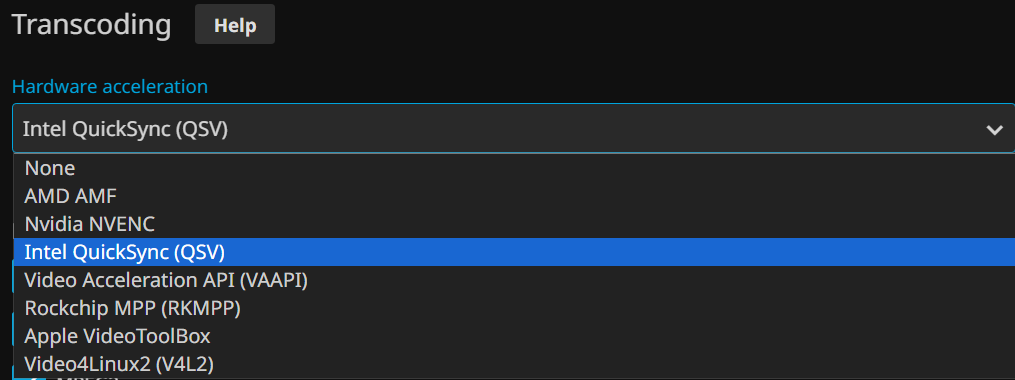
Is there any reason Plex couldn’t use the QSV AVI interface if and only if an Intel GPU is set as the transcoding device? I assume this is how Jellyfin does it because you have to choose the type of HW acceleration you want to use.
No peeking under my 
Are you receiving ? 
If you look here, You’ll see the support conundrum.
I’m also seeing issues since 1.40.3 and Arc A380. My locally installed FFMPEG works fine with OpenCL, which should convey that my system has all the appropriate drivers/libraries.
Plex debug log shows a segmentation fault with tonemapping with hardware (h264_vaapi), then it downgrades to software (libx264). I can re-create this with initializing opencl via these arguments (make sure to verify/replace the ENV variables from your debug log, as they may differ):
OCL_ICD_ENABLE_TRACE=True EAE_ROOT=/tmp/pms-68119c6b-f637-4a20-8ce1-5a9c1d22f023/EasyAudioEncoder EnableAIL=0 FFMPEG_EXTERNAL_LIBS='/var/lib/plexmediaserver/Library/Application\ Support/Plex\ Media\ Server/Codecs/ad47460-ffe81d9cd51bd27cb3fbbe09-linux-x86_64/' LIBVA_DRIVERS_PATH="/var/lib/plexmediaserver/Library/Application Support/Plex Media Server/Cache/va-dri-linux-x86_64" NEOReadDebugKeys=1 OCL_ICD_VENDORS="/var/lib/plexmediaserver/Library/Application Support/Plex Media Server/Cache/cl-icds-linux-x86_64" X_PLEX_TOKEN=xxxxxxxxxxxxxxxxxxxxxxxxxxxxxxxxxxxxxxxxxx cl_cache_dir="/var/lib/plexmediaserver/Library/Application Support/Plex Media Server/Cache/Shaders/icr-3e693db9c71d966fa83dfabd-linux-x86_64/" "/usr/lib/plexmediaserver/Plex Transcoder" -v verbose -init_hw_device vaapi=va:/dev/dri/renderD128 -init_hw_device opencl@va
The results of the above command:
[AVHWDeviceContext @ 0x7fb961e9ee00] libva: VA-API version 1.21.0
[AVHWDeviceContext @ 0x7fb961e9ee00] libva: Trying to open /var/lib/plexmediaserver/Library/Application Support/Plex Media Server/Cache/va-dri-linux-x86_64/iHD_drv_video.so
[AVHWDeviceContext @ 0x7fb961e9ee00] libva: Found init function __vaDriverInit_1_21
[AVHWDeviceContext @ 0x7fb961e9ee00] libva: va_openDriver() returns 0
[AVHWDeviceContext @ 0x7fb961e9ee00] Initialised VAAPI connection: version 1.21
[AVHWDeviceContext @ 0x7fb961e9ee00] VAAPI driver: Intel iHD driver for Intel(R) Gen Graphics - 24.1.5 (2239c71).
[AVHWDeviceContext @ 0x7fb961e9ee00] Driver not found in known nonstandard list, using standard behaviour.
KHR ICD trace at /home/runner/actions-runner/_work/plex-conan/plex-conan/.conan/data/opencl-icd-loader/v2024.05.08-861b68b-0/plex/main/build/ce07721293871305120600790e13d0480da9bff7/opencl-icd-headers/loader/icd.c:71: attempting to add vendor /var/lib/plexmediaserver/Library/Application Support/Plex Media Server/Drivers/icr-3e693db9c71d966fa83dfabd-linux-x86_64/libigdrcl.so...
Segmentation fault
It appears the OpenCL Loader can’t load the included intel compute runtime ICD.
@ChuckPa any thoughts on the above?
Has Plex thought about including/providing the ability to compile our own transcoder that’ll work with our systems? Or allow the built-in transcoder to mostly use the shared libraries instead of the static libraries?
As it is, I almost could drop-in my own FFMPEG, but the progressurl bits seem to be the main thing that is custom/closed-source by Plex.
-
Dolby licensing – if we let you install your FFMPEG, we’d still liable for the license because we’d be offering a produce which allows you to circumvent their licenses.
-
We are going to update FFMPEG to the latest (upstream).
– Kernel 6.8 delayed us (maybe vs
vs  problem)
– Intel Compute Runtime (another problem with older CPUs – GLK) delayed us
– As soon as the stop, we can do development work again.
I would like to take a minute thanking you for the open communication @ChuckPa .
While still not giving an ETA (tricky to do as we all understand), thats far better than back in the time, where Plex representatives would either don’t respond at all or only saying “I have nothing to share”.
Hi, I’m new on this forum while I am searching for a solution. It seems that this could be the right place for this.
I am using Plex 1.40.4.8626 on a Synology NAS DS920+ equiped with a GeminiLake UHD600 and a LifeTime Plex account.
I am used with the transcoding of movies through my family. I host 4K source files and stream FullHD trancoded flows to them. Since almost a week I observe that the transcoding works no more with the GPU GeminiLake while de HDR mapping is enable (instead my NAS CPU burn at 90%)
I dont’ have the choice to switch on an other kernel version, or iGPU as previous Forum users explianed on there computing platform.
Is Plex Team aware of this problem on Synology based platform ? Is a further Plex version seeks to solve this problem ?
If you want, you can go back to 1.32.8 and use it until we get it all resolved.
Can you easily go back to 1.32.8 for the docker version?
AFAIK you can’t really specify a plex version…
When you have the SPK:
- Uninstall w KEEP option
- Backup Databases in case you have DB issues
- Install lower version
- Give some extra time for DB to revert to pre 1.40
Sorry, I don’t know how to download an old version. The plex web site allow only the latter version to download.
How can I retrieve the 1.32.8 plex version for DSM ?
Tkanks a lot for your previous fast answer.
I retrieved an old 1.32.8 version of plex. All is installed and works very well (video transcoding WITH HDR Tone Mapping) !
Thanks a lot !
For those who need an older version of PSM for Synology :
So when do we get to peek under your hat?  Is there going to be an update soon resolving HDR tone mapping?
I’m using an ARC A380 and at some point things broke and I didn’t realize why I was suddenly getting huge CPU spikes. Turning off tone mapping for now.
