Server Version#: 1.42.2.10156
I’m pretty sure my part of the setup is correct as far as i can see.
So i’m using (rootfull) Podman 5.6 (with --userns auto) on Fedora Linux.
Issue: My IPv6 address is not announced to clients.
How do i check? I check connections published in: https://plex.tv/api/v2/resources?X-Plex-Client-Identifier=clientidentifier&X-Plex-Token=myplextoken&includeHttps=1
It shows 2 connections: my local IPv4 (192.168.91.4) and my public IPv4.
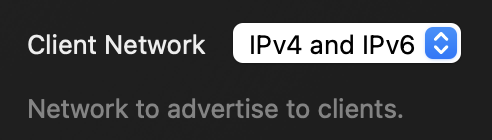
There is no reason that plex should not pickup my IPv6. The setup is working, to confirm i have set the following:

🦸 bash-5.2# nsenter -t $(podman inspect --format '{{.State.Pid}}' systemd-plex) -n ip addr show dev eth0
2: eth0@if2: <BROADCAST,MULTICAST,UP,LOWER_UP> mtu 1500 qdisc noqueue state UNKNOWN group default qlen 1000
    link/ether 60:cf:84:ea:03:31 brd ff:ff:ff:ff:ff:ff link-netnsid 0
    inet 192.168.91.4/24 brd 192.168.91.255 scope global eth0
       valid_lft forever preferred_lft forever
    inet6 fd00::60cf:8400:1ea:331/64 scope global dynamic mngtmpaddr proto kernel_ra
       valid_lft 7100sec preferred_lft 3500sec
    inet6 <MY PUBLIC IPv6>/64 scope global dynamic mngtmpaddr proto kernel_ra
       valid_lft 7100sec preferred_lft 3500sec
    inet6 fe80::60cf:8400:1ea:331/64 scope link proto kernel_ll
       valid_lft forever preferred_lft forever
Running nmap from a client on my network shows:
nmap -p 32400 <MY PUBLIC IPv6> -6
[...]
PORT      STATE SERVICE
32400/tcp open  plex
Any help or insight appreciated. As this is kinda THE use-case for IPv6 (direct device-to-device connectivity) i would love to get it to work.
As my IPv6 prefix changes every 24h (enforced by my ISP) - i would prefer to plex automatically pick it up instead of some hacky solution that updates the custom server addresses in plex everytime. I also would like to spare me a reverse proxy and a custom domain (had this before, but i want my setup to keep as simple as possible - also i didn’t see clients picking up on the IPv6 there as well).
Thank you for your help.
 I can indeed see my IPv6 addresses now. so i marked this as solved.