As long as the Continue Watching or On Deck item is a show and starts a playqueue of more than the limit, then that should work. I was using the Show or Season level as an example, something that would start a playqueue of one show. Or if they just play the multiple episodes of the same show. Just has to be the same show.
They can continue after the --delay 60 time is met. Which can be anything greater than the autoplay timer. After each play after the limit is met if autoplay is started again then it would continue to kill the next stream but again allowing after the delay time is met. Effectively killing autoplay after hitting the limit for the day or 7 days or what you wanted for the --days 0.
Hello I’m having an issue with killstream by platform. I first tested that the kill steam by platform was working by setting [platform] [is] [iOS] then tested a stream on my iPhone and it killed the stream right away.
I then changed the parameter from [iOS] to [Chromecast] because it is the platform I’m trying to kill. I don’t have a chromecast to test but I have a user who continues to use chromecast. I know the stream isn’t being killed because I see it in the history in tautulli.
What do you see in the Tautulli logs regarding the script? Is it saying that the conditions met are false? Also (partly cause I don’t remember what the default is) what is your setting for how long something has to be played for it to be logged?
I am not sure where to check in the logs in regards to the script but I’m going to look around right after this post to see if I can find anything.
Where can I find the default setting for “how long something is played” to be considered played?
I know that when I had it set to [iOS], it killed the stream instantly when I tried it on my iPhone. In the Tautulli history, I see that the movie watched on Chromecast was 98% completed with a duration of 1hr 43mins. Which means that the script didn’t even recognize that the Chromecast platform had been started.
[EDIT]
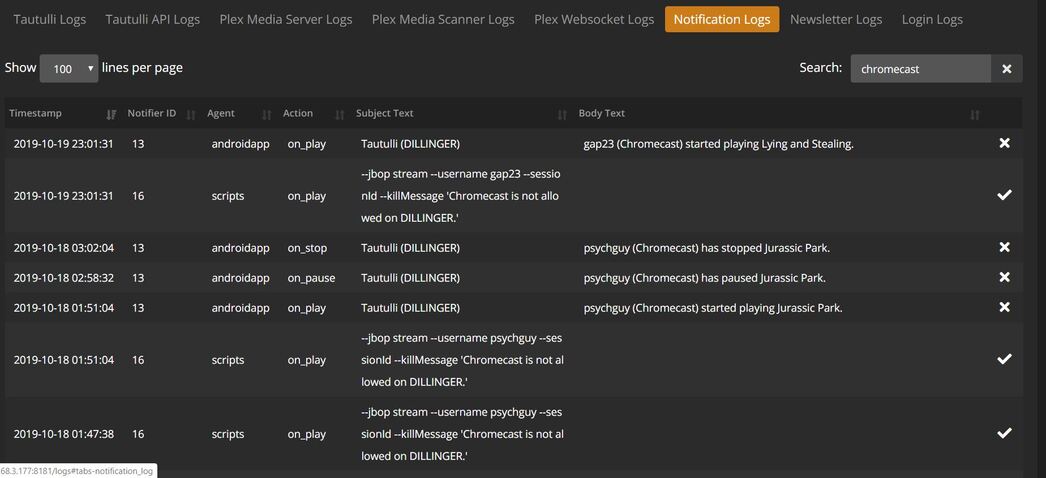
I looked at my Tautulli Log and I see that the Kill Message was sent to the user or I’m assuming that it was sent to the user. I then assume that the stream was killed, but then how were they able to watch 98% of it?
The setting I was referring to (should have just checked to get the actual name) is under Settings -> General -> History Logging -> Ignore Interval. The default is probably enough that it shouldn’t log something that should get killed immediately but just figured it’s worth a check.
Can you post a screenshot or the text including lines before and after that entry in the log? You can black out/remove any info you don’t want (email addresses/user names/IP addresses).
Can you give the log without the chromecast search. Go to that time frame in the log and give a screenshot ther?. You should see Tautulli NotificationHandler entries and that will give more information about what is happening.
Use the condition logic at the bottom of the Conditions tab and then put the condition numbers in curly braces with an OR in between, i.e., {1} OR {2}.
Edit: We all need to stop watching this thread and replying so quickly lol
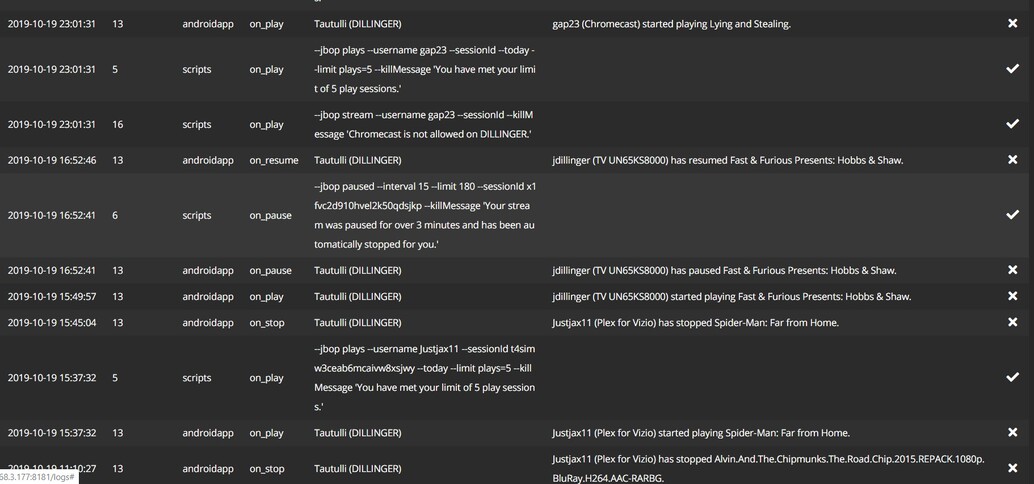
Your log is looking different than mine so I’m not sure why that is. You look to have more fields than I do. What is your server running on (I don’t think that should make a difference in regards to what the log output looks like)?
Windows 10. I’m just going to assume that it works. But I know deep down that it doesn’t work because the person who’s Chromecast I’m trying to block hasn’t texted me to ask me what’s wrong yet. LOL
Figured it out. You are looking at the Notification Logs. What I am looking for is in the Tautulli Logs.
That should be the default log that is selected when you go to the Logs page.
Find the Tautulli NotificationHandler for the notification_id you are having issues with. Don’t filter anything once you find it because that will allow you to see what happened when the script tried to execute.
That’s correct area now. The entry I was looking for is not in there though but looking at my logs it should appear within the section you sent, unless it’s right outside of that. I’m am looking for a section that says “Tautulli Notifiers :: Subprocess returned with status code ##” (I want to see what the ## is on yours). A successful script should return a status code of 0.
Do you have a Chromecast? Anyone here have a Chromecast so I can share my server out to you so you can tell me if it killed your stream or not? Thanks y’all.