Local content is missing from “Available from Your Services”. “Available to Stream” does show local content but also stuff from services I don’t have and stuff only available to rent for $20. There is just no way to see exactly the stuff available to stream (not just buy/rent) from all of my services including local content.
Including local content in “Your Services” is how I would expect the functionality to behave.
Okay, that’s semantics, but even if we agree to disagree on local content being a “service” or whether this is a bug or feature request: Local content is supported in the watchlist and I think Plex is missing a filter/option.
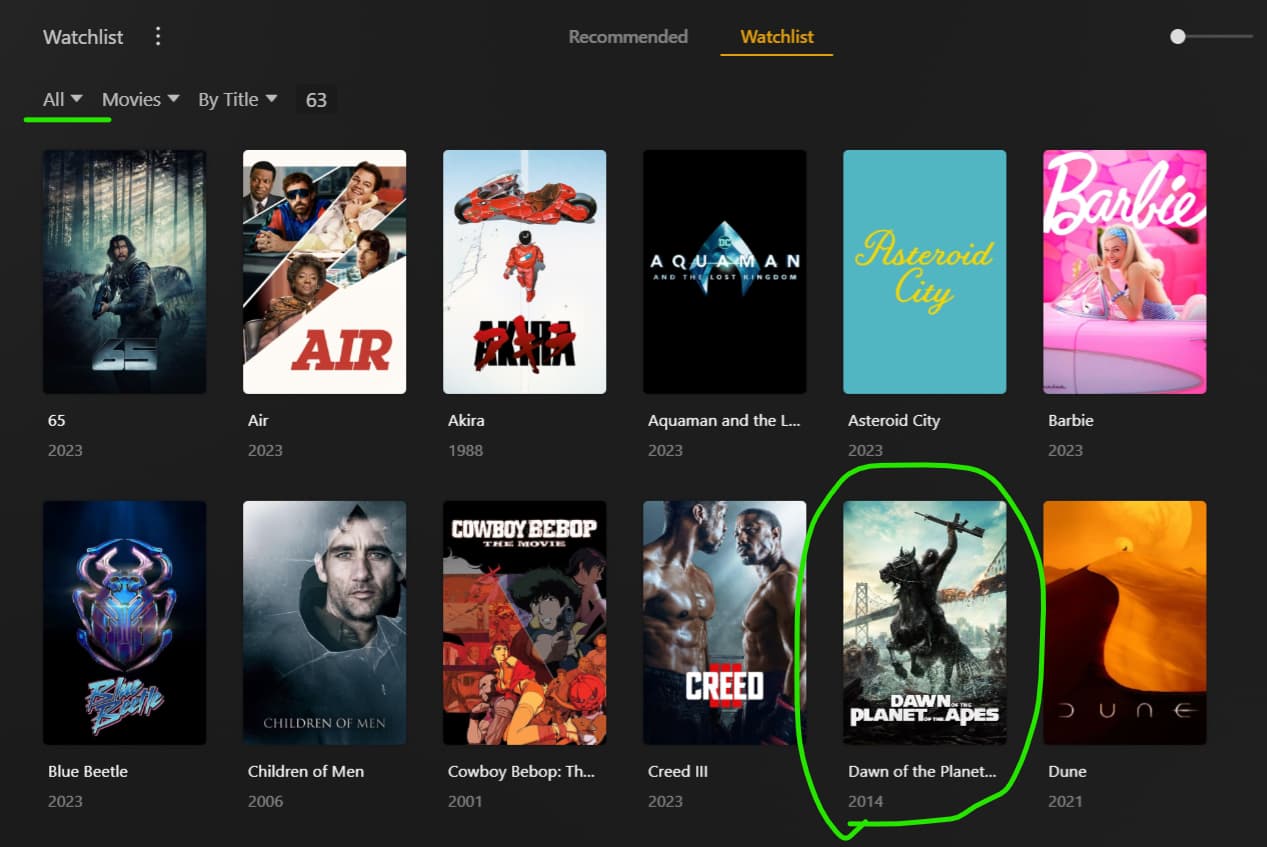
Available to Stream: Does not take your services into account; shows local content
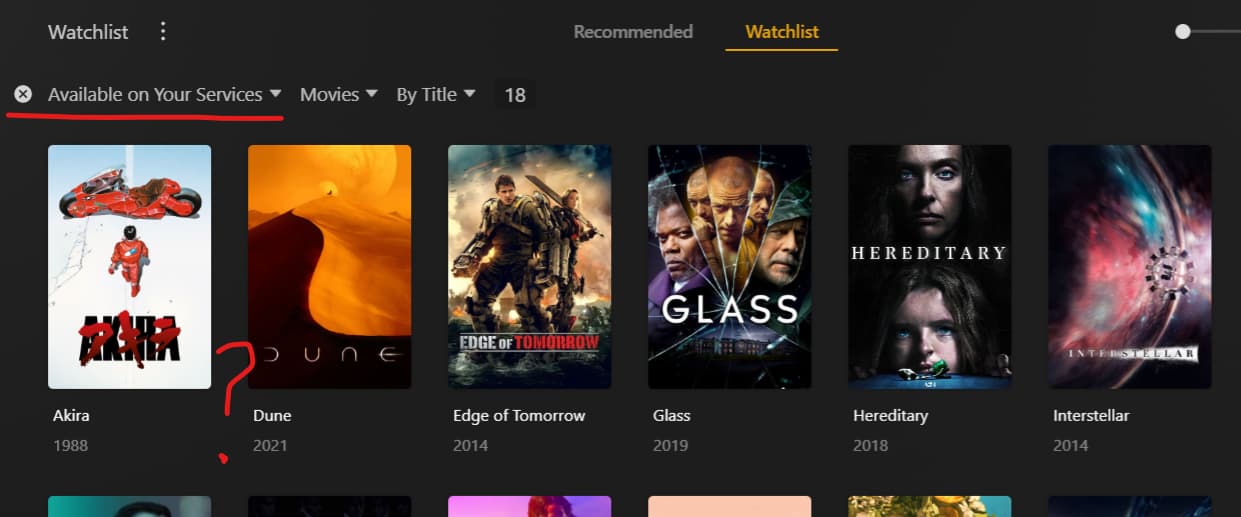
Available on Your Services: Takes your services into account; does not show local content.
I’d think if I wanted to see content on services I have, I’d certainly want to see all the stuff I have. So whether its redefining “Services”, adding another filter, or adding an option to include local server as a “Service”, I’m just saying that view would be what I’d expect on a self-hosted, personal media service.
Are your own libraries configured to use the new Plex metadata agents,
and have the libraries completed a “Refresh Metadata” run after changing that setting?
Hi, thanks. Yes I believe I have this all in place - in fact I think this was set as the default before I set up my PMS (it’s only a couple of weeks old).
I expected all the below filters would include media from my PMS. However none of them do.
Available on Plex
Available on Your Services
Available to stream
Ideally would like a filter where Options 1 and 2 are combined with my PMS media, to show any media on the watchlist available to me for free
(I thought Option 3 would do this, but actually includes paid services as well… it should perhaps be relabelled “Available on any service”).
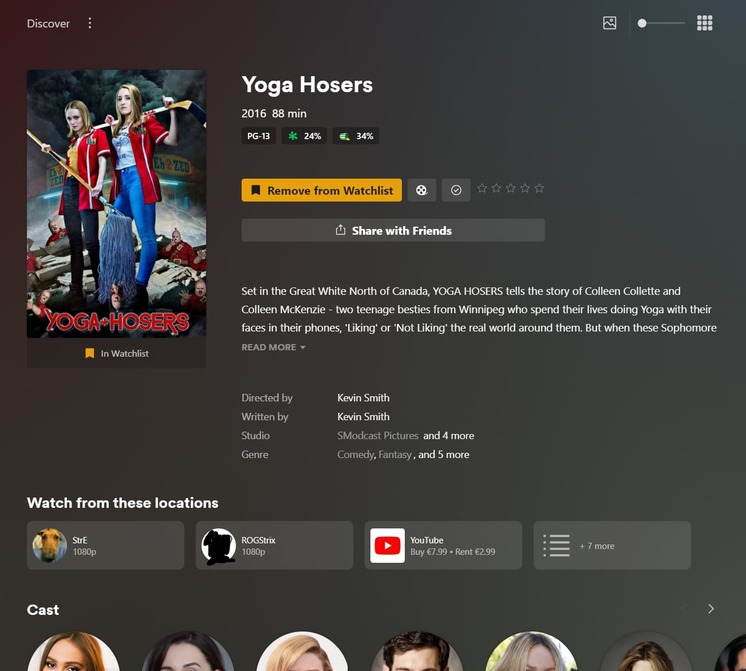
The local availabilty is shown correctly below it.
My own servers prominently shown, followed by my selected streaming services (of which apparently only Youtube has this movie on offer, atm.) and all other options hidden under the “+ x more” button.
The hub “Available on your services” is also showing it.
Thanks - I’m on mobile atm but can share tomorrow if that is helpful. But I should say that everything you describe above does work the same for me (i.e. I would see the same as on your screenshots).
Specifically the problem I’m having is on the watchlist tab itself (i.e. the “Watchlist” button at the top of your second screenshot).
If I use the filters here (described above), they do not include my Plex media by default. My media will only be included in results if they also appear on respective other streaming services.
The reason this is important to me, is so I can specifically filter media that matches all of the below criteria. If there is another way to achieve this instead, that would also be great.
a) items in my watchlist
b) items that are either on my Plex server and/or my subscribed streaming services
c) items that fit specific categories e.g. genre, decade rating etc
I can’t speak for that hub. I’m talking about the filters.
In your example it will show up in the “Available on your services” filter because you have YouTube as one of your services. If the content is only on those locally owned servers it will not show up in the filter. Hence, why the filter seems broken.
I have exactly the same problem here. My setup seems to be correct (according to the post from OttoKerner) and yet all movies/series only available on my server won’t show up in my watchlist when filtered to show only content “Available on your services” or “Available for streaming”.
I attached the xml for one file in my library that is supposed to show up but doesn’t. example.txt (73.1 KB)
I expected all the below filters would include media from my PMS. However none of them do.
Available on Plex
This option is only the Plex streaming offering too. It’s not your own local server.
Available on Plex
Available on Your Services
Available to stream
None of these options gives you your own local server. It’s bizarre to me that you can’t filter that way. I’d love for there to be
Available on your servers.
That lists anything on any plex servers you’re connected to. And then an ability to filter by “2 or 4”. Both categories at the same time, not just one or the other.
Heck, even just making the first option be “Available” so you have a way to distinguish between the watchlist items that have a way to watch (via your services, Plex, or your local server) and those that don’t.
I had one movie listed on my home screen as available on my services, which was on Plex’s free streaming, which I have disabled (Tidal is enabled, like it a lot).
I disabled Discover Source from the Online Media Sources and have therefore no discovery tab anymore and that also removed the single movie listed above the trailers on the home screen.
Looks cleaner, but would be nice to have it properly filtered and being able to have Discover Source activated and being able to filter the watch list for actual availability that concerns me, that is only my server.
Current behavior is a bug according to my preferences.