Plex Mac App: About Plex: Version 8.15 (5092)
Good day. Hope someone can help me.
I notice strange behaviour playing media files on my Macbook 16 M1Max on a second screen (Dell U3223QE) using the Plex App rather than the web interface.
OVERVIEW:
As soon as I drag the app to the second screen and playback media files one of two things can happen:
-
I would lose the controls at the bottom of the video screens e.g. video scrubber or menu options e.g. change playback settings or skip etc.
-
Sometimes it will just play the audio but no video. Just the video thumbnail will show.
If I move back the player to the Macbook Pro built in screen the controls are all back and or video will be back.
If I use the web player on chrome it doesn’t have the same issues. Only using the native app. Also the video resolution doesn’t matter. I tried normal 1080p and 4K. Playing back Original quality or transcoding also makes no difference.
Any fixes?
IMAGES:
- On laptops screen: Video playback normal and controls at bottom.

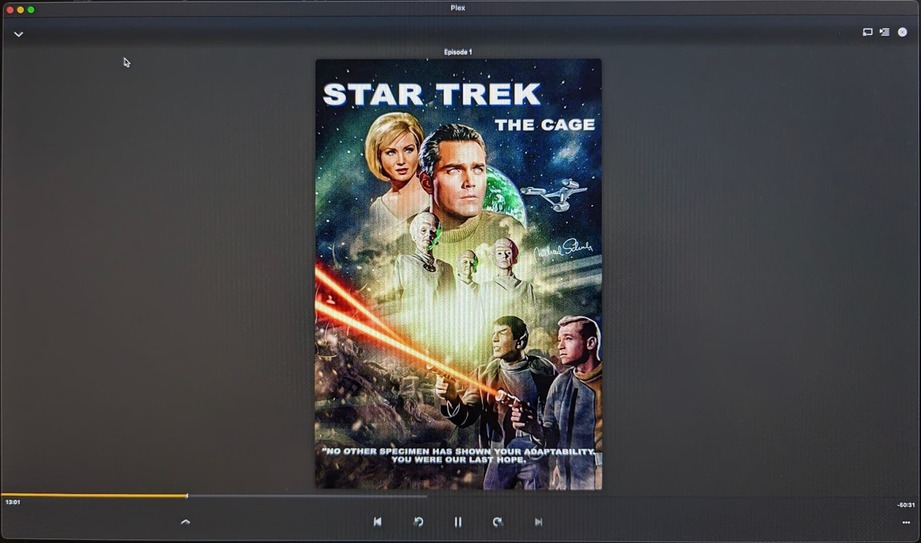
- On Second Monitor once I drag the player to second screen. The video doesnt play but audio does and controls are still at the bottom.
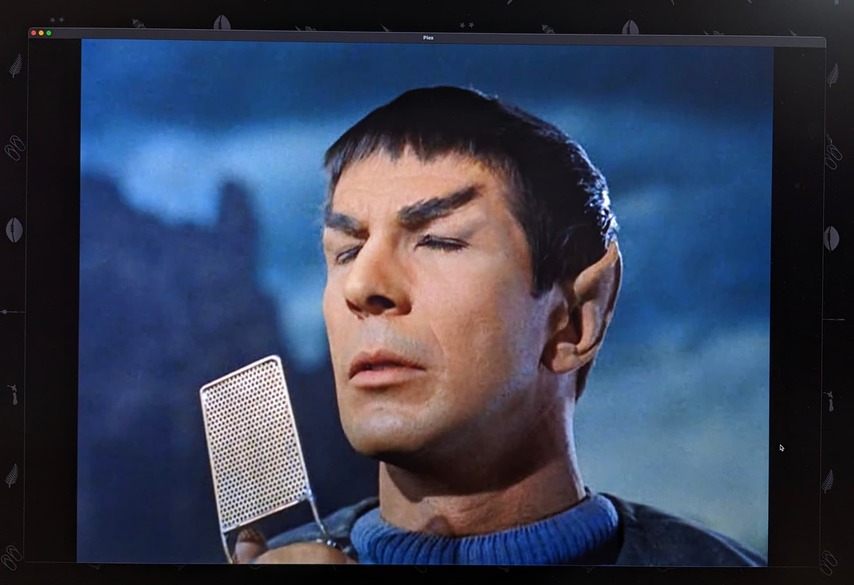
3.. On second monitor: If I stop the video playback, and start video playback again the video now plays but controls disappear and cant be brought back. Keyboard shortcuts e.g. spacebarr for pause still works
Most illogical captain…
