Can you rockstar developers PLEASE add continuous play to playlist?!!?? Please??
It it available on the Mac web app, but not on Roku, Vizio, Chromecast, FireTV, LG… I have all those, and the feature is MISSING!
Please… add it (or tell me what I’m missing!) today. This is maddening that I cannot just have a playlist or set of pics just cycle endlessly.
It should just be automatic. I’m not sure about Chromecast, but for all the others, if you play a playlist, it should just go through the entire list. If this is’t working, please bring it up for each specific client.
it plays through, but does not repeat. I want a playlist to play over and over and over… until I stop it. THAT does not happen with any client, other than Mac web…
I’ll have to check the others but I’m pretty sure that at least Roku allows repeating.
I would love to know how… I cannot find a way on my Roku.
After you click play, click the down arrow on remote; you’ll get a playback bar; navigate left to the loop icon, select all or one or none.
From the app dev.
- After starting playback, bring up the OSD and press the
repeatbutton, next toshuffle. This will bypass Post Play and play all videos continuously.
will this work for pictures as well? that’s what I’m really trying to loop… like a continuous slideshow.
Thanks.
Video playlist on Cromecast (built into Vizio V-series TV) does NOT have any options for loop or repeat. Shuffle, yes, but it still stops after the first run through. 
I’ll have to check the Roku next… (need the Vizio tonight).
I’ve verified it’s available via the Roku per your previous post:
(and the two subsequent posts explain how exactly)
Photos do not use “Playlist”. But there should be the same repeat button. Some clients may be missing this so please bring this up with each client.
When you say “bring up with each client”… what does that mean? I guess I’m too new to this. Do you mean there is a thread per client and I need to post in said thread?
I mean, identify which client doesn’t have the button, then create a post for that client asking for that button to be added. Please include a screenshot/image of the client showing the missing button.
My Plex for Roku, recently installed on a new up-to-date Roku Ultra does not allow continuous play of photos (as in a slideshow ordered the way I want them to come up), at least via the methods described above. The only playback I can obtain is shuffle which is not what I want. The down arrow during playback only gives me Pause/Play, Back, X, and Forward. Prior to initiating playback, the only controls that appear are Play, or Shuffle. The Play button delivers only shuffle, making me wonder why there is even the shuffle button at all. I find no toggles anywhere that provide continuous play straight through the folder(s). Please show me what I’m missing (to get straight playback) or tell me when straight playback will be implemented. Thanks. 
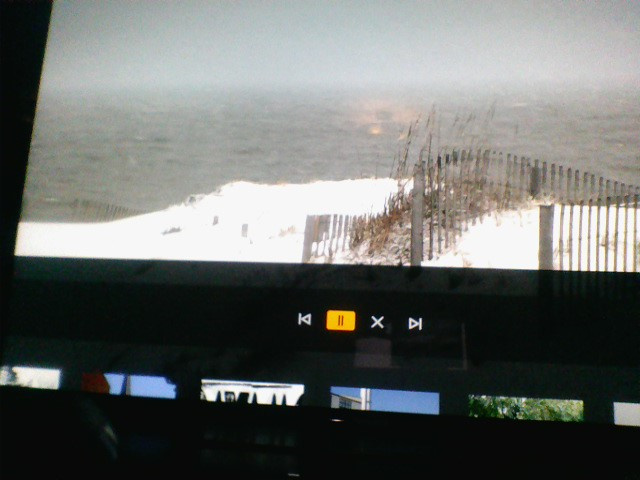
The feature is important for Clients to playback Video/Picture, please help to implement it as soon as possible, thanks!
Same issue here, Plex for Roku. Need a “repeat” button for photo slideshows. Fairly happy with Plex, and honestly surprised this wasn’t already there!
Although it has been playing continuously for a while now so I think it might just automatically repeat without any type of option to select.
I’m trying to do the same with an Amazon Firestick. In the slideshow folder, there are only “Play” and “Shuffle” buttons. Once the show is playing and bringing up the menu (using the three lined button on the remote) there is no option to repeat.
Roku Ultra - repeating playlists (not sure about photos) but for videos, if you’ve created a playlist of videos…and you want it to loop forever until you stop it on your own (or unless something crashes) you just go to the playlist and hit the main play button to start playing the playlist…once the 1st video starts playing, bring up the OSD (on screen display) and select loop ALL (not loop one) and it will play through the entire playlist and when it’s finished, it will start back with the 1st video in the playlist… (this is for Roku only) I’m not sure about other Plex players.
Now for a recent problem I’ve encountered: Using the latest update for my server…Say, for example, I want to start a playlist and I want it to loop continuously…but I want to start at video # 32 in the playlist of ,say 100 videos". If you go to the playlist and scrool to video # 32, start that video, and then click loop all on the on screen display, what happens is when it gets to the LAST video it won’t loop back around and start the playlist over, but instead, it will go back like 20 videos in the playlist, say, # 80 and start back and # 80. I’ve never understood why this happens but it does. This is why you have to start the playlist with the main PLAY button on the playlist.
