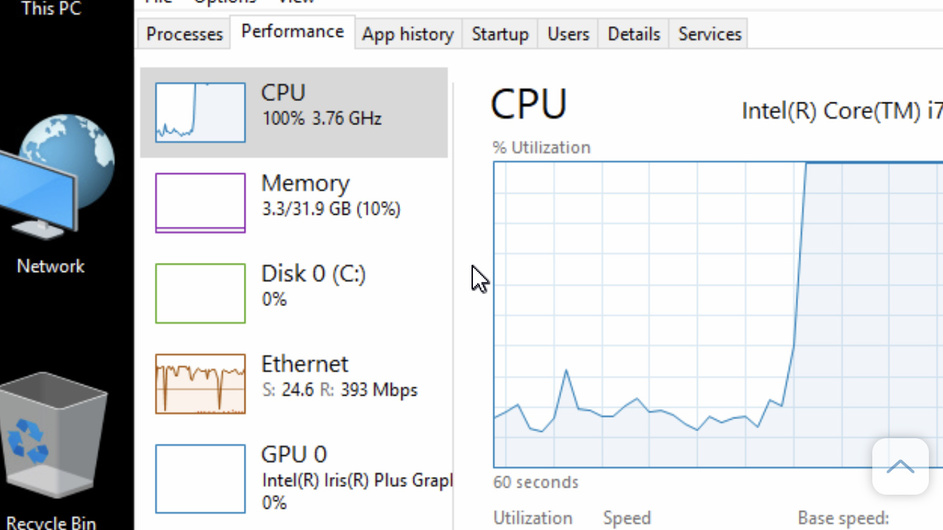
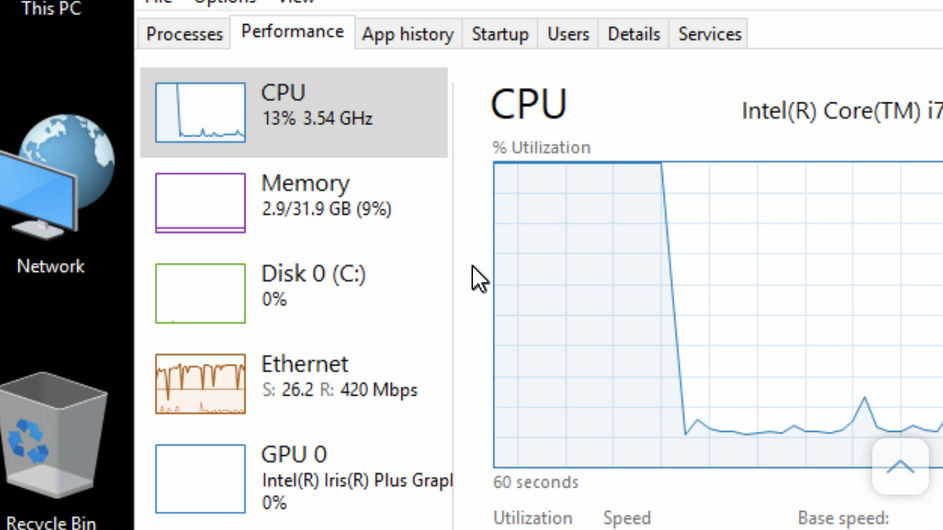
Ok did some testing. Updated all drivers on the NUC, and did a reboot. This morning for the first time the iGPU was utilized while playing a x265 video, and the buffering/stuttering stopped. Weird thing is none of the updates were graphic chip drivers, it was all wifi and bluetooth driver updates.
But after testing multiple videos it seems that Plex’s utilization of the iGPU is completely random.
x265/HEVC 4K video (2 different ones, same result)
mkv container
Main 10@L5.1
Bit Rate 11.2/13.7 Mb/s
And what’s strange is when I fast forwarded to the end of this same video, the GPU stopped being utilized, and again the CPU maxed out to 100% and again some buffering occurred.
===============================================
x264 iphone video, mov container
1920x1080m 60 FPS
Baseline @4.2
my h264 maximum level is 4.1 on the Tivo Plex Client, so I’m not sure if that’s the cause?
Will try setting the level to 4.2 and see what happens.
But 100% CPU usage, no GPU usage, with occasional buffering.
This same video played through the Chrome Web Client, causes only a 13% CPU usage, still no GPU usage, smooth playback, no buffering.
===============================================
x264
Baseline@4.1
1920x1080m 29.9 FPS
drop in CPU usage.
Still no GPU usage, but no buffering, smooth playback.
================
Plex’s implementation of hardware acceleration is all over the place.
What it all comes down to, is that if Plex consistently utilized the iGPU (and probably any dedicated GPU consistently) you would probably get smooth playback on any x264 or x265 video.