same for me.
flatpak list shows:
Plex Media Player tv.plex.PlexMediaPlayer 2.34.0 master plexmediaplayer-origin system
No updates are available. It’s far behind the AppImage equivalent. I much prefer flatpak over AppImage
same for me.
flatpak list shows:
Plex Media Player tv.plex.PlexMediaPlayer 2.34.0 master plexmediaplayer-origin system
No updates are available. It’s far behind the AppImage equivalent. I much prefer flatpak over AppImage
Hello everyone.
Sorry for being so silent for so long. Packaging Plex is done in my spare free time which I just have so little nowadays. But today I bring you some good news!
AppImage build automation was modified and it now uses Ubuntu 18.04 as the base. This means better compatibility with newer systems. This should help with VA-API libraries incompatibilities that some people had experienced. VA-API is enabled once again. The internals (mpv, FFmpeg, Qt) were also updated for better audio/video decoding.
Flatpak will finally get a proper build automation. Previously the releases had to be done manually (build and publish) for which I just didn’t had time to do when not in my regular work. Automation is under final tests so soon it should be up and running. Will inform everyone when it is ready in a separate post.
I wanted to use Flathub for sharing Flatpak packages but due to Flathub restrictions packages won’t build there. That is why those will be built by GitHub+Travis and published on my website.
Great news. I know this is just a hobby project, and it must be hard to balance your real job with this, but know your work is appreciated!
@Knapsu I tried to install the flatpak today and got the following error
flatpak install https://flatpak.knapsu.eu/plex-media-player.flatpakref
error: Unable to load summary from remote plex-media-player: GPG verification enabled, but no summary found (check that the configured URL in remote config is correct)
This is on a new install of Linux Mint 20. I had previously installed the flatpak on LM 19.3 so not sure if something changed with flatpak from 19.3 to 20 or if something with the package itself changed which causes the error.
@rcork Give me few minutes. Filling repository with final packages. That is why you got an error.
Good news everyone. The Flatpak repository is now live! Better than ever. Always latest release. Updated automatically. 
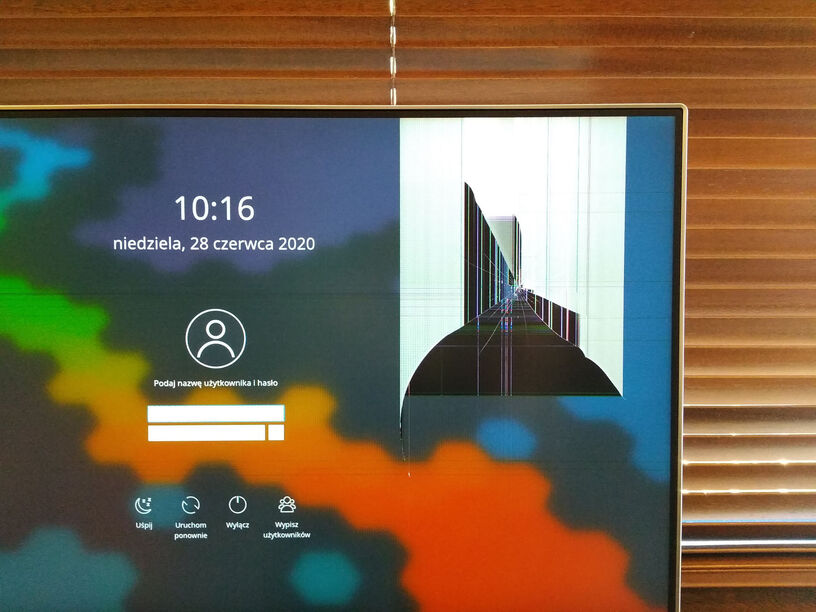
All this took me a lot more time and effort than anticipated but the end result was totally worth it. I’ve made it even despite my beloved cat breaking the monitor… 
Things worth mentioning:
Inbstall instructions:
See Plex Media Player for Linux | knapsu.eu for details.
Enjoy!

Usually Linux distros ship with only “Flathub” repository or no repositories at all. It won’t show you PMP unless you add my Flatpak repository to the list.
Initially I tried to add Plex Media Player to Flathub but their rule of completely offline build was so tedious that I just gave up trying and went with my own repo.
@Knapsu on your site you need to correct the syntax for installing the package. You have
flatpak install tv.plex.PlexMediaPlayer
but it needs the repo specified. After adding your remote repo, i installed with
flatpak install plex-media-player tv.plex.PlexMediaPlayer
You’re right. Will add it.
Hi all
When I run “flatpak install plex-media-player tv.plex.PlexMediaPlayer” I get the error below
“The application tv.plex.PlexMediaPlayer/x86_64/release requires the runtime org.kde.Platform/x86_64/5.12 which was not found” I am running Pop-OS 20.04
Thanks
I have installed Plex from flatpak and I’m trying to make Kubuntu 20.04 in systemd to restart Plex on failure but can’t find Plex in systemd. Any one can help or give a script how to do it. Thanks
Thank you Agentx, that allowed me to install the plex flatpak the only other problem I am having is the time in the plex flatpak in the tv guide is two hour out, but the plex appimage is showing the correct time in the tv guide on the same system. Any help would be appreciated.
All the best.
@Knapsu I’ve tried both the flatpak and AppImage versions but hardware acceleration is not working. I have an XPS 13 9300 with Intel Iris Plus graphics running Linux Mint 20. VAAPI hardware acceleration works fine with mpv and Celluloid.
rob@XPS-13-9300:~$ vainfo
libva info: VA-API version 1.7.0
libva info: Trying to open /usr/lib/x86_64-linux-gnu/dri/iHD_drv_video.so
libva info: Found init function __vaDriverInit_1_7
libva info: va_openDriver() returns 0
vainfo: VA-API version: 1.7 (libva 2.6.0)
vainfo: Driver version: Intel iHD driver for Intel(R) Gen Graphics - 20.1.1 ()
vainfo: Supported profile and entrypoints
      VAProfileNone                   :	VAEntrypointVideoProc
      VAProfileNone                   :	VAEntrypointStats
      VAProfileMPEG2Simple            :	VAEntrypointVLD
      VAProfileMPEG2Main              :	VAEntrypointVLD
      VAProfileH264Main               :	VAEntrypointVLD
      VAProfileH264Main               :	VAEntrypointEncSliceLP
      VAProfileH264High               :	VAEntrypointVLD
      VAProfileH264High               :	VAEntrypointEncSliceLP
      VAProfileJPEGBaseline           :	VAEntrypointVLD
      VAProfileJPEGBaseline           :	VAEntrypointEncPicture
      VAProfileH264ConstrainedBaseline:	VAEntrypointVLD
      VAProfileH264ConstrainedBaseline:	VAEntrypointEncSliceLP
      VAProfileVP8Version0_3          :	VAEntrypointVLD
      VAProfileHEVCMain               :	VAEntrypointVLD
      VAProfileHEVCMain               :	VAEntrypointEncSliceLP
      VAProfileHEVCMain10             :	VAEntrypointVLD
      VAProfileHEVCMain10             :	VAEntrypointEncSliceLP
      VAProfileVP9Profile0            :	VAEntrypointVLD
      VAProfileVP9Profile1            :	VAEntrypointVLD
      VAProfileVP9Profile2            :	VAEntrypointVLD
      VAProfileVP9Profile3            :	VAEntrypointVLD
      VAProfileHEVCMain422_10         :	VAEntrypointVLD
      VAProfileHEVCMain444            :	VAEntrypointVLD
      VAProfileHEVCMain444            :	VAEntrypointEncSliceLP
      VAProfileHEVCMain444_10         :	VAEntrypointVLD
      VAProfileHEVCMain444_10         :	VAEntrypointEncSliceLP
Here are the relevant entries from the flatpak plexmediaplayer.log
2020-07-09 10:58:12 [ DEBUG ] PlayerComponent.cpp @ 598 - libmpv_render: GL_VERSION='3.0 Mesa 19.1.7'
2020-07-09 10:58:12 [ DEBUG ] PlayerComponent.cpp @ 598 - libmpv_render: Detected desktop OpenGL 3.0.
2020-07-09 10:58:12 [ DEBUG ] PlayerComponent.cpp @ 598 - libmpv_render: GL_VENDOR='Intel Open Source Technology Center'
2020-07-09 10:58:12 [ DEBUG ] PlayerComponent.cpp @ 598 - libmpv_render: GL_RENDERER='Mesa DRI Intel(R) HD Graphics (Ice Lake 8x8 GT2) '
2020-07-09 10:58:12 [ DEBUG ] PlayerComponent.cpp @ 598 - libmpv_render: GL_SHADING_LANGUAGE_VERSION='1.30'
2020-07-09 10:58:12 [ DEBUG ] PlayerComponent.cpp @ 598 - libmpv_render: Loaded extension GL_ARB_sync.
2020-07-09 10:58:12 [ DEBUG ] PlayerComponent.cpp @ 598 - libmpv_render: Loaded extension GL_ARB_timer_query.
2020-07-09 10:58:12 [ DEBUG ] PlayerComponent.cpp @ 598 - libmpv_render: Loaded extension GL_ARB_get_program_binary.
2020-07-09 10:58:12 [ DEBUG ] PlayerComponent.cpp @ 598 - libmpv_render: Loaded extension GL_ARB_buffer_storage.
2020-07-09 10:58:12 [ DEBUG ] PlayerComponent.cpp @ 598 - libmpv_render: Loaded extension GL_ARB_shader_image_load_store.
2020-07-09 10:58:12 [ DEBUG ] PlayerComponent.cpp @ 598 - libmpv_render: Loaded extension GL_ARB_uniform_buffer_object.
2020-07-09 10:58:12 [ DEBUG ] PlayerComponent.cpp @ 598 - libmpv_render: Loaded extension GL_ARB_shader_storage_buffer_object.
2020-07-09 10:58:12 [ DEBUG ] PlayerComponent.cpp @ 598 - libmpv_render: Loaded extension GL_ARB_compute_shader.
2020-07-09 10:58:12 [ DEBUG ] PlayerComponent.cpp @ 598 - libmpv_render: Loaded extension GL_ARB_arrays_of_arrays.
2020-07-09 10:58:12 [ DEBUG ] PlayerComponent.cpp @ 598 - libmpv_render: Loaded extension GL_ARB_debug_output.
2020-07-09 10:58:12 [ DEBUG ] PlayerComponent.cpp @ 598 - libmpv_render: Loaded extension GL_MP_MPGetNativeDisplay.
2020-07-09 10:58:12 [ DEBUG ] PlayerComponent.cpp @ 598 - libmpv_render: GL_*_swap_control extension missing.
2020-07-09 10:58:12 [ DEBUG ] PlayerComponent.cpp @ 598 - libmpv_render: Testing FBO format rgba16f
2020-07-09 10:58:12 [ DEBUG ] PlayerComponent.cpp @ 598 - libmpv_render: Using FBO format rgba16f.
2020-07-09 10:58:12 [ DEBUG ] PlayerComponent.cpp @ 598 - libmpv_render: Disabling HDR peak computation (one or more of the following is not supported: compute shaders=0, SSBO=1).
2020-07-09 10:58:12 [ DEBUG ] PlayerComponent.cpp @ 598 - libmpv_render: No advanced processing required. Enabling dumb mode.
2020-07-09 10:58:12 [ DEBUG ] PlayerComponent.cpp @ 598 - libmpv_render: Loading hwdec driver 'vaapi-egl'
2020-07-09 10:58:12 [ DEBUG ] PlayerComponent.cpp @ 598 - libmpv_render/vaapi-egl: VAAPI hwdec only works with OpenGL or Vulkan backends.
2020-07-09 10:58:12 [ DEBUG ] PlayerComponent.cpp @ 598 - libmpv_render: Loading failed.
2020-07-09 10:58:12 [ DEBUG ] PlayerComponent.cpp @ 598 - libmpv_render: Loading hwdec driver 'cuda-nvdec'
2020-07-09 10:58:12 [ DEBUG ] PlayerComponent.cpp @ 598 - libmpv_render/cuda-nvdec: Failed to load CUDA symbols
2020-07-09 10:58:12 [ DEBUG ] PlayerComponent.cpp @ 598 - libmpv_render: Loading failed.
2020-07-09 10:58:12 [ DEBUG ] PlayerComponent.cpp @ 598 - libmpv_render: Loading hwdec driver 'vdpau-gl'
2020-07-09 10:58:12 [ DEBUG ] PlayerComponent.cpp @ 598 - libmpv_render: Loading failed.
2020-07-09 10:58:12 [ DEBUG ] PlayerComponent.cpp @ 598 - libmpv_render: Loading hwdec driver 'drmprime-drm'
2020-07-09 10:58:12 [ DEBUG ] PlayerComponent.cpp @ 598 - libmpv_render/drmprime-drm: Failed to retrieve DRM fd from native display.
2020-07-09 10:58:12 [ DEBUG ] PlayerComponent.cpp @ 598 - libmpv_render: Loading failed.
and the entries from the AppImage plexmediaplayer.log file
2020-07-09 11:00:31 [ DEBUG ] PlayerComponent.cpp @ 598 - libmpv_render: GL_VERSION='4.6 (Compatibility Profile) Mesa 20.0.8'
2020-07-09 11:00:31 [ DEBUG ] PlayerComponent.cpp @ 598 - libmpv_render: Detected desktop OpenGL 4.6.
2020-07-09 11:00:31 [ DEBUG ] PlayerComponent.cpp @ 598 - libmpv_render: GL_VENDOR='Intel'
2020-07-09 11:00:31 [ DEBUG ] PlayerComponent.cpp @ 598 - libmpv_render: GL_RENDERER='Mesa Intel(R) Iris(R) Plus Graphics (ICL GT2)'
2020-07-09 11:00:31 [ DEBUG ] PlayerComponent.cpp @ 598 - libmpv_render: GL_SHADING_LANGUAGE_VERSION='4.60'
2020-07-09 11:00:31 [ DEBUG ] PlayerComponent.cpp @ 598 - libmpv_render: Loaded extension GL_MP_MPGetNativeDisplay.
2020-07-09 11:00:31 [ DEBUG ] PlayerComponent.cpp @ 598 - libmpv_render: GL_*_swap_control extension missing.
2020-07-09 11:00:31 [ DEBUG ] PlayerComponent.cpp @ 598 - libmpv_render: Testing FBO format rgba16f
2020-07-09 11:00:31 [ DEBUG ] PlayerComponent.cpp @ 598 - libmpv_render: Using FBO format rgba16f.
2020-07-09 11:00:31 [ DEBUG ] PlayerComponent.cpp @ 598 - libmpv_render: No advanced processing required. Enabling dumb mode.
2020-07-09 11:00:31 [ DEBUG ] PlayerComponent.cpp @ 598 - libmpv_render: Loading hwdec driver 'vaapi-egl'
2020-07-09 11:00:31 [ DEBUG ] PlayerComponent.cpp @ 598 - libmpv_render: Loading failed.
2020-07-09 11:00:31 [ DEBUG ] PlayerComponent.cpp @ 598 - libmpv_render: Loading hwdec driver 'cuda-nvdec'
2020-07-09 11:00:31 [ DEBUG ] PlayerComponent.cpp @ 598 - libmpv_render/cuda-nvdec: Failed to load CUDA symbols
2020-07-09 11:00:31 [ DEBUG ] PlayerComponent.cpp @ 598 - libmpv_render: Loading failed.
2020-07-09 11:00:31 [ DEBUG ] PlayerComponent.cpp @ 598 - libmpv_render: Loading hwdec driver 'vdpau-glx'
2020-07-09 11:00:31 [ DEBUG ] PlayerComponent.cpp @ 598 - libmpv_render: Loading failed.
2020-07-09 11:00:31 [ DEBUG ] PlayerComponent.cpp @ 598 - libmpv_render: Loading hwdec driver 'drmprime-drm'
2020-07-09 11:00:31 [ DEBUG ] PlayerComponent.cpp @ 598 - libmpv_render/drmprime-drm: Failed to retrieve DRM fd from native display.
2020-07-09 11:00:31 [ DEBUG ] PlayerComponent.cpp @ 598 - libmpv_render: Loading failed.
Here is my system info if it helps:
System:
  Host: XPS-13-9300 Kernel: 5.4.0-40-generic x86_64 bits: 64
  Desktop: Cinnamon 4.6.6 Distro: Linux Mint 20 Ulyana
Machine:
  Type: Laptop System: Dell product: XPS 13 9300 v: N/A
  serial: <superuser/root required>
  Mobo: Dell model: 077Y9N v: A00 serial: <superuser/root required>
  UEFI: Dell v: 1.0.11 date: 05/08/2020
CPU:
  Topology: Quad Core model: Intel Core i7-1065G7 bits: 64 type: MT MCP
  L2 cache: 8192 KiB
  Speed: 1280 MHz min/max: 400/3900 MHz Core speeds (MHz): 1: 1273 2: 1237
  3: 1312 4: 1286 5: 1254 6: 1261 7: 1357 8: 1284
Graphics:
  Device-1: Intel Iris Plus Graphics G7 driver: i915 v: kernel
  Display: x11 server: X.Org 1.20.8 driver: modesetting unloaded: fbdev,vesa
  resolution: 2560x1440~60Hz, 2560x1440~60Hz
  OpenGL: renderer: Mesa Intel Iris Plus Graphics (ICL GT2)
  v: 4.6 Mesa 20.0.8
I have these flatpaks installed:
rob@XPS-13-9300:~$ flatpak list
Name                               Application ID                                Version          Branch          Origin                    Installation
MediaInfo                          net.mediaarea.MediaInfo                       20.03            stable          flathub                   system
MKVToolNix                         org.bunkus.mkvtoolnix-gui                     48.0.0           stable          flathub                   system
Freedesktop Platform               org.freedesktop.Platform                      19.08.11         19.08           flathub                   system
default                            org.freedesktop.Platform.GL.default                            19.08           flathub                   system
Intel                              org.freedesktop.Platform.VAAPI.Intel                           18.08           flathub                   system
Intel                              org.freedesktop.Platform.VAAPI.Intel                           19.08           flathub                   system
html5-codecs                       org.freedesktop.Platform.html5-codecs                          18.08           flathub                   system
openh264                           org.freedesktop.Platform.openh264             2.1.0            2.0             flathub                   system
Mint-Y Gtk Theme                   org.gtk.Gtk3theme.Mint-Y                                       3.22            flathub                   system
Mint-Y-Blue Gtk Theme              org.gtk.Gtk3theme.Mint-Y-Blue                                  3.22            flathub                   system
Mint-Y-Dark-Blue Gtk Theme         org.gtk.Gtk3theme.Mint-Y-Dark-Blue                             3.22            flathub                   system
Mint-Y-Dark-Red Gtk Theme          org.gtk.Gtk3theme.Mint-Y-Dark-Red                              3.22            flathub                   system
KDE Application Platform           org.kde.Platform                                               5.12            flathub                   system
KDE Application Platform           org.kde.Platform                                               5.14            flathub                   system
Plex Media Player                  tv.plex.PlexMediaPlayer                                        release         plex-media-player         system
Also, when i run the flatpak version, the app renders incorrectly. The AppImage doesn’t have this issue.
I’ve attached the full logs for you reference.
pmp_logs.tar.gz (15.1 KB)
Thank you @rcork for the detailed debug info. It is very valuable 
In the logs there is this line that suggests that X11 server does not seem to support EGL that VA-API wants to use. Probably it wants GLX or does not see those at all.
Generally Linux video acceleration layers are complicated and the best would be for me to experiment to find out combiantions which graphics context work best for each driver and based on this choose what should be enabled/disabled during compilation. EGL is a successor of the old GLX that is binded to X11. GLX will not work with Wayland and should not be used but for example old VDPAU will only work with it. Another thing is which of those systems are available for AppImage / Flatpak. Unfortunately at this time I do not have an equipment with Intel cards on which I could experiment.
Will keep this in mind and when I will get my hands on some laptop with such card then will get back to this issue.
Hi,
I am trying to use Plex Media Player with the flatpak solution but I am having some issue when running it in full screen mode. It makes some short black flash even being in the menu and playing a video it is worse, short black flash and the video is lagging a lot. Please let me know if you need any more information to solve the problem.
Use the Appimage cause it doesn’t have this issue.
I suffer from the same issue. Kodi is working flawless with vaapi but I cannot get the Plex client use this Hw accel. in Hd-station 4.09 of QNAP, which is ubuntu 18.04 in fact. My platform is a J1900 Celeron. Really frustrating, would volunteer to play the debugging testbed if you want.
i‘m also trying to get OpenPHT compiled for bionic, to solve the libva mismatch with the xenial AppImage.
Hi, using this build for quiet a while now and it’s awesome. I somehow was forced to use the AppImage version because Flatpak didn’t work. Have you considered to build in support for AppImageUpdate? That would be great!
Hi perfectv
how did you fix this issue? I am not sure I am understanding your follow up once you were able to install it. Thank you.
Hi,
I have not seen a new version of the Appimage for Plex Media Player for a while. I wonder why. Is there simply no new source version because Plex is trying to phase out PMP? Or is flatpack now the go to repository that is kept up to date?
I really appreciate your work to keep a Linux version available. I love it and my wife loves it and I would not know what to do with the media center PC that drives the TV without it. I never really understood why Plex was trying to abandon support for this use case and I suspect they still want to phase it out eventually.