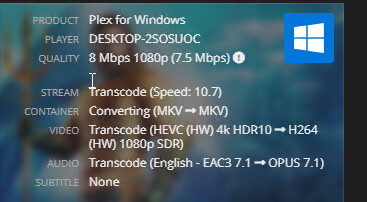
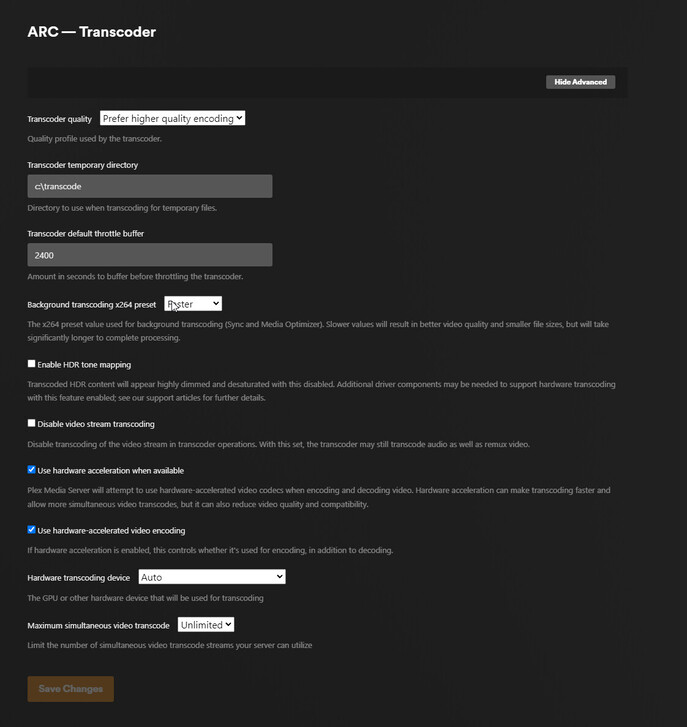
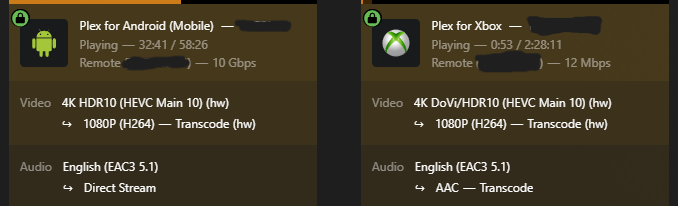
Update to this.
I disable HDR Tone mapping, its doing Tone Mapping anyway, but now using hardware HDR to SDR with it unchecked!
Update to this.
I disable HDR Tone mapping, its doing Tone Mapping anyway, but now using hardware HDR to SDR with it unchecked!
Can you please attach your logs of this happening?
it is truncating the extra data, not tone mapping.
Ahh bummer. I guess tatulli was confusing me by saying HDR to SDR.
Issue remains though that when enabled. Encoding goes to CPU.
Is this Windows Intel HDR HW tonemapping only implemented in the build linked here correct? Not the official build?
1.40.2.8441-975418325 Working
1.40.3.8555-fef15d30c Not Working
New drivers released for the N100, no mention of anything related to quicksync
https://www.intel.com/content/www/us/en/products/sku/231803/intel-processor-n100-6m-cache-up-to-3-40-ghz/downloads.html
I think Intel fixed it! Preview build 1.40.2.8441, using an Intel N95 CPU.

Regular hardware transcoding of a non-HDR file seems to be working fine now.
And hardware HDR tonemapping is also working!

I haven’t tested more than that, but I’ll remain on this version and see how it goes for now. Also I observed CPU and iGPU performance during transcoding, seems normal.
Tonemapping 4k HDR to 1080p on software transcoding was near impossible before, but on hardware transcoding it only uses about 30% CPU, (maxing out iGPU load for buffering), loads pretty fast too.
Yup, working here on a Beelink N100
However I don’t like the look of the tonemapping in Chrome so I am going to switch back to the public server build until it gets sorted out
You can tinker with the image settings on this preview build if you want
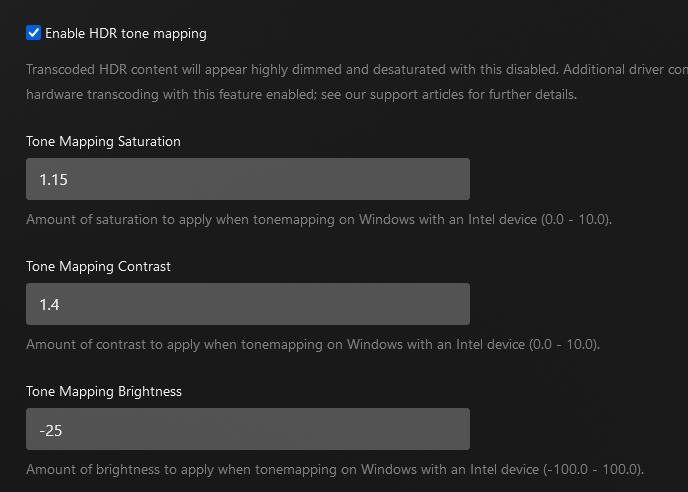
I’ve been at it for a few minutes and landed on some okay ones for me, they’re definitely not perfect, but better, (I am slightly colorblind lol)
The problem it seems is that accurate tonemapping isn’t standard across all media in this iteration. What looks good for one file may not look right on another
Now that the intel drivers are fixed, this will likely be included 3 releases from now (tentatively 1.40.6). I will also include an option to force sw transcoding for those who do not like how the qsv (intel) tone mapping appears (encoding and decoding will still be hw in this case).
Any update on the quality issue regarding intel arc?
Working for me, using Intel N100 NUC, look forward to it in the official release 
Just wanted to share my experience using this build with a 12600k/Intel UHD 770/Windows Server 2022. With the previous Intel GFX drivers and this beta build, I ran into the issue of Plex failing to HW transcode anything so I temporarily uninstalled it. Last night I updated my Intel drivers then reinstalled the Plex beta build, and so far HW tonemapping works great! I have thrown countless HDR content at it since then, and it has yet to fail HW tone mapping a single file or interfere with regular transcodes.
The only thing I’d say is it’d be nice if there was more info under each new Intel tone mapping option in the ‘Transcoder’ settings. I.E. what the setting actually does, warnings, etc. I could totally see someone mindlessly setting their ‘tone mapping contrast’ to 0 and then wondering why all their HDR movies appear as a blank black screen. Otherwise, this is definitely the most excited I’ve been for a Plex release in a very long time.
Really happy to see Plex making such a huge feature available to those of us relying on an iGPU for transcoding in Windows. Total game changer. Thanks @chris_decker08 and the team for putting in the work and keeping this thread thoroughly informed! Looking forward to the official build
You won’t have to worry about it since @chris_decker08 has stated these settings won’t be released.
I hope this changes since the proposed defaults don’t look very good for me. I’d like to see these settings remain in “Advanced”.
Ah I missed that. Thanks for the clarification.
I also needed to make some heavy adjustments to these settings for them to look objectively “good” on 3 of my different displays. I really hope these settings are left in under ‘Advanced’ as well since I simply can’t watch anything at the default settings.
If these settings are actually removed I can’t imagine I’ll upgrade from the beta build. These are absolutely necessary to make content watchable for me and my users that have tried this build. I struggle to see a reason why Plex would approach these highly subjective settings with a “one-size-fits-all” approach when this is a perfect example of settings that should be left up to the user.
@chris_decker08 besides asking you to reconsider this, can you explain why these settings wouldn’t be left in the official build?
@chris_decker08 please do not remove advanced customization from users!
Keep it “hidden” in the advanced section so users will only fiddle with it if choose to
Becuase if you need to manually adjust tonemapping settings every time you play a new peice of content, then something is wrong…
Tonemapping from one colorspace to another should just work and be accurate, it shouldn’t require serverside fiddling every time you or a user watches something new
Huh? Are you needing to fiddle with the settings every time you watch something new? Who is doing that?
The only thing I described in my reply was needing to change the default settings to custom, permanent values that my users and I found to be the best for us. I haven’t touched the settings since changing their default values, and I’m glad I was able to do that since my content would be unwatchable otherwise.