Plex server - issue with IP of clients

Hi,
I have one plex media server (10.0.1.10) with plex pass. I have 2 devices with plex for kodi plugin.

One device is on network 10.0.1.5 and other is on network 192.168.0.5

What is happening right now is that if I try to execute playback from device 10.0.1.5 it shows in dashboard on playback details that it’s running on client remote 192.168.0.1… Why?

Doesn’t make any sense to me.

The network topology and routing is set up that both 10.0.1.x and 192.168.0.x hosts can access plex media server 10.0.1.5.

Also client 10.0.1.5 is linked under plex user id that owns plex pass.

192.168.0…5 is plex id without plex pass but I set it that it can access few libraries from plex server.

I think right new plex server sees both clients as remote with 192.168. 0.5…but why? Doesn’t make any sence to me…

Server 10.0.1.10 and client 10.0.1.5 are on same physical local network 10.0.1x…

192.168.0.5 is remote network via ipsec that is routed to 10.0.1.0 so it can access plex media sever…

Hi heap0,
does it cause any problems? If it does, you can send us the logs, if not, you should be fine, I imagine communication between OS and PMS might be the issue.

Hi,
It does. It’s not doing playback on 10.0.1.5, it starts, got paused and exits.

Playback from 192.168.0.5 works fine.

What logs from server? I was looking into the plex media server logs but there is nothing specific.

If it pauses and exits, PMS will notice that. I don’t know what OS PMS is using, if it is Linux, type in ifconfig, if it’s Windows, type in ipconfig. Default Gateway and IPv4 address are the important bits. Are they both 10.0.x.x? (Linux: inet address)

@Super4Jet
hi its linux ubuntu, but as i said ipsec server is running on that host

root@ronn-core:/var/lib/plexmediaserver/Library/Application Support/Plex Media Server/Logs# ifconfig
enp0s3 Link encap:Ethernet HWaddr 00:a0:98:1d:73:86
inet addr:10.0.1.44 Bcast:10.0.1.255 Mask:255.255.255.0
inet6 addr: fe80::2a0:98ff:fe1d:7386/64 Scope:Link
UP BROADCAST RUNNING MULTICAST MTU:1500 Metric:1
RX packets:954305119 errors:0 dropped:0 overruns:0 frame:0
TX packets:769780183 errors:0 dropped:0 overruns:0 carrier:0
collisions:0 txqueuelen:1000
RX bytes:777777356164 (777.7 GB) TX bytes:670453911550 (670.4 GB)

lo Link encap:Local Loopback
inet addr:127.0.0.1 Mask:255.0.0.0
inet6 addr: ::1/128 Scope:Host
UP LOOPBACK RUNNING MTU:65536 Metric:1
RX packets:39454584 errors:0 dropped:0 overruns:0 frame:0
TX packets:39454584 errors:0 dropped:0 overruns:0 carrier:0
collisions:0 txqueuelen:1
RX bytes:4550401991 (4.5 GB) TX bytes:4550401991 (4.5 GB)

tap0 Link encap:Ethernet HWaddr 4a:08:f3:46:7c:d4
inet addr:10.8.0.1 Bcast:10.8.0.255 Mask:255.255.255.0
inet6 addr: fe80::4808:f3ff:fe46:7cd4/64 Scope:Link
UP BROADCAST RUNNING MULTICAST MTU:1500 Metric:1
RX packets:49366 errors:0 dropped:0 overruns:0 frame:0
TX packets:1108729 errors:0 dropped:0 overruns:0 carrier:0
collisions:0 txqueuelen:100
RX bytes:13453660 (13.4 MB) TX bytes:109344684 (109.3 MB)

tun0 Link encap:UNSPEC HWaddr 00-00-00-00-00-00-00-00-00-00-00-00-00-00-00-00
inet addr:10.9.0.1 P-t-P:10.9.0.2 Mask:255.255.255.255
UP POINTOPOINT RUNNING NOARP MULTICAST MTU:1500 Metric:1
RX packets:113429788 errors:0 dropped:0 overruns:0 frame:0
TX packets:191531432 errors:0 dropped:1223 overruns:0 carrier:0
collisions:0 txqueuelen:100
RX bytes:7411069833 (7.4 GB) TX bytes:221195771561 (221.1 GB)

tun1 Link encap:UNSPEC HWaddr 00-00-00-00-00-00-00-00-00-00-00-00-00-00-00-00
inet addr:10.10.0.1 P-t-P:10.10.0.2 Mask:255.255.255.255
UP POINTOPOINT RUNNING NOARP MULTICAST MTU:1500 Metric:1
RX packets:355091 errors:0 dropped:0 overruns:0 frame:0
TX packets:683800 errors:0 dropped:0 overruns:0 carrier:0
collisions:0 txqueuelen:100
RX bytes:45266191 (45.2 MB) TX bytes:756898997 (756.8 MB)

root@ronn-core:/var/lib/plexmediaserver/Library/Application Support/Plex Media Server/Logs# route
Kernel IP routing table
Destination Gateway Genmask Flags Metric Ref Use Iface
default LEDE.lan 0.0.0.0 UG 0 0 0 enp0s3
10.0.1.0 * 255.255.255.0 U 0 0 0 enp0s3
10.8.0.0 * 255.255.255.0 U 0 0 0 tap0
10.9.0.0 10.9.0.2 255.255.255.0 UG 0 0 0 tun0
10.9.0.2 * 255.255.255.255 UH 0 0 0 tun0
10.10.0.0 10.10.0.2 255.255.255.0 UG 0 0 0 tun1
10.10.0.2 * 255.255.255.255 UH 0 0 0 tun1

ipsec statusall
Status of IKE charon daemon (strongSwan 5.3.5, Linux 4.4.0-171-generic, x86_64):
uptime: 29 days, since Mar 22 19:14:43 2020
malloc: sbrk 1511424, mmap 0, used 369824, free 1141600
worker threads: 11 of 16 idle, 5/0/0/0 working, job queue: 0/0/0/0, scheduled: 3
loaded plugins: charon test-vectors aes rc2 sha1 sha2 md4 md5 random nonce x509 revocation constraints pubkey pkcs1 pkcs7 pkcs8 pkcs12 pgp dnskey sshkey pem openssl fips-prf gmp agent xcbc hmac gcm attr kernel-netlink resolve socket-default connmark stroke updown
Listening IP addresses:
10.0.1.44
10.9.0.1
10.8.0.1
10.10.0.1
Connections:
vpn: %any4…domov01.dynu.com IKEv1/2
vpn: local: [10.0.1.44] uses pre-shared key authentication
vpn: remote: uses pre-shared key authentication
vpn: child: 10.0.1.0/24 === 192.168.1.0/24 TUNNEL
Routed Connections:
vpn{1}: ROUTED, TUNNEL, reqid 1
vpn{1}: 10.0.1.0/24 === 192.168.1.0/24
Security Associations (1 up, 0 connecting):
vpn[503]: ESTABLISHED 91 minutes ago, 10.0.1.44[10.0.1.44]…94.136.128.XXX[94.136.128.XXX]
vpn[503]: IKEv1 SPIs: ee014042c513e2ef_i* 6de76ca875131857_r, pre-shared key reauthentication in 72 minutes
vpn[503]: IKE proposal: AES_CBC_256/HMAC_SHA1_96/PRF_HMAC_SHA1/MODP_2048
vpn{1175}: REKEYED, TUNNEL, reqid 1, expires in 14 minutes
vpn{1175}: 10.0.1.0/24 === 192.168.1.0/24
vpn{1176}: INSTALLED, TUNNEL, reqid 1, ESP SPIs: cb097efc_i 0ddc72de_o
vpn{1176}: AES_CBC_256/HMAC_SHA1_96, 84 bytes_i (1 pkt, 1s ago), 168 bytes_o (2 pkts, 1s ago), rekeying in 43 minutes
vpn{1176}: 10.0.1.0/24 === 192.168.1.0/24
root@ronn-core:/var/lib/plexmediaserver/Library/Application Support/Plex Media Server/Logs#

route -n
Kernel IP routing table
Destination Gateway Genmask Flags Metric Ref Use Iface
0.0.0.0 10.0.1.1 0.0.0.0 UG 0 0 0 enp0s3
10.0.1.0 0.0.0.0 255.255.255.0 U 0 0 0 enp0s3
10.8.0.0 0.0.0.0 255.255.255.0 U 0 0 0 tap0
10.9.0.0 10.9.0.2 255.255.255.0 UG 0 0 0 tun0
10.9.0.2 0.0.0.0 255.255.255.255 UH 0 0 0 tun0
10.10.0.0 10.10.0.2 255.255.255.0 UG 0 0 0 tun1
10.10.0.2 0.0.0.0 255.255.255.255 UH 0 0 0 tun1

And Plex server is running on that host ie 10.0.1.44 not 10.0.1.10 - was typo.

Your ifconfig seems fine, both Gateway (router) and PMS share the same ip address pool.
I host my PMS on a raspberrypi with an OpenVPN Server, but going from clients (e.g. my phone) to the Server (RPi), but the server itself got normal access to the internet. Is your (that means PMS’s) internet connection tunneled?
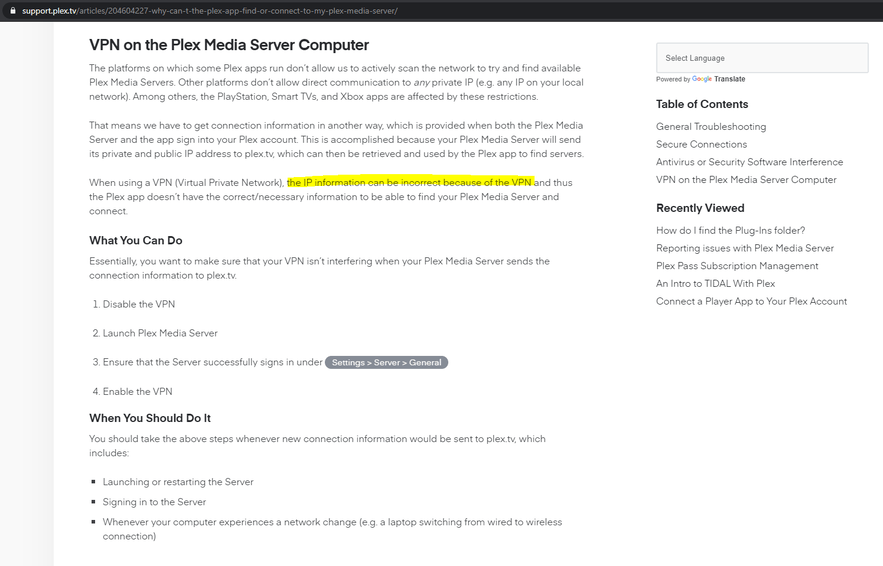
General (VPN-) troubleshooting can be found here: https://support.plex.tv/articles/204604227-why-can-t-the-plex-app-find-or-connect-to-my-plex-media-server/

Hi,
the articled you posted is different thing, they say " can’t the Plex app find or connect" My plex plugin for kodi running on osmc host 10.0.1.5 can connect to the PMS.

What i am saying once i execute playback from 10.0.1.5 it shows in PMS dashboard that client is connected from 192.168.0. which doesnt make any sense.

No, my PMS has no tunneled connection, its normally conected to internet… I run openvpn servers on that host but there is no connection with PMS and subnets are totaly different.

When i connect to PMS from same local network ie my ipad 10.0.1.100 all works fine … so there has to be some issue with plex for kodi plugin or i dont know what a nonsense is going on here.

you can see dashboard here … https://imgur.com/a/qyPV3F3

even plexforkodi is running on 10.0.1.5 it shows remote and 192.168.0.1

Okay one more thing, the other subnet is 192.168.1.0x and client 192.168.1.5… so i dont understand from where 192.168.0.1 comes from …

Hm so more details then no answer?

No, to be honest i’ve lost track.
But what you can try is go to Settings>Network>Advanced>Preferred Network Interface, what does it say there? Any or Eth0 or wlan0 or tun0 or …? This usually tells ou how Plex tries to connect to other devices in LAN and WAN.

lost track of what? as i said it works from ipad on same subnet ie 10.0.1.x

it doest work from vero where plex for kodi plugin is installed… when i execute playback in Dashboard on PMS i see Remote (192.168.0.1)—13 Mbps … then it stop playback after few seconds … how it can shows 1926.168.0.1?

I forgot to add one more thing … ie whole network topology…

coax -> public IP [Router1] Lan (192.168.0.1) NAT 192.168.0.x ->>>> wan 192.168.0.4 [Router2] Lan (10.0.1.1) NAT 10.0.1.x …

vero4k is connected via eth cable to the router2 and has ip 10.0.1.5

Once i execute playback you can see it is shown in Dashboard on PMS as 192.168.0.1 which is IP of lan of the router1. And router1 is reseting / reinitializing connection to internet… i think thats why playback is paused/canncelled… looks like some strange packets are flowing in the network once i use plex-for-kodi… question is what is happening …

There is option to Debug Loggin in plex-for-kodi … where exactly are these logs?

PMS
its Eth0 with ip 10.0.1.10,
LAN Networks 10.0.1.0/255.255.255.0

kodi:
osmc@osmcpraha:~ route -n Kernel IP routing table Destination Gateway Genmask Flags Metric Ref Use Iface 0.0.0.0 10.0.1.1 0.0.0.0 UG 0 0 0 eth0 10.0.1.0 0.0.0.0 255.255.255.0 U 0 0 0 eth0 10.0.1.1 0.0.0.0 255.255.255.255 UH 0 0 0 eth0 osmc@osmcpraha:~ ifconfig
eth0: flags=-28605<UP,BROADCAST,RUNNING,MULTICAST,DYNAMIC> mtu 1500
inet 10.0.1.5 netmask 255.255.255.0 broadcast 10.0.1.255
ether c4:4e:ac:10:ba:0d txqueuelen 1000 (Ethernet)
RX packets 8364 bytes 9148885 (8.7 MiB)
RX errors 0 dropped 1 overruns 0 frame 0
TX packets 6675 bytes 669728 (654.0 KiB)
TX errors 0 dropped 0 overruns 0 carrier 0 collisions 0
device interrupt 40

lo: flags=73<UP,LOOPBACK,RUNNING> mtu 4096
inet 127.0.0.1 netmask 255.0.0.0
inet6 ::1 prefixlen 128 scopeid 0x10
loop txqueuelen 0 (Local Loopback)
RX packets 1 bytes 51 (51.0 B)
RX errors 0 dropped 0 overruns 0 frame 0
TX packets 1 bytes 51 (51.0 B)
TX errors 0 dropped 0 overruns 0 carrier 0 collisions 0

osmc@osmcpraha:~$

logs from PMS once i execute playback on kodi via plex-for-kodi
Apr 25, 2020 23:42:19.588 [0x7f72f5ff3700] ERROR - ClientProfileExtra: missing protocol parameter
Apr 25, 2020 23:42:19.588 [0x7f72f5ff3700] WARN - ClientProfileExtra: ignoring directive: append-transcode-target-audio-codec(type=videoProfile&c
ontext=streaming&audioCodec=ac3)
Apr 25, 2020 23:42:19.589 [0x7f72f5ff3700] ERROR - ClientProfileExtra: missing protocol parameter
Apr 25, 2020 23:42:19.589 [0x7f72f5ff3700] WARN - ClientProfileExtra: ignoring directive: append-transcode-target-audio-codec(type=videoProfile&c
ontext=streaming&audioCodec=eac3)
Apr 25, 2020 23:42:19.589 [0x7f72f5ff3700] ERROR - ClientProfileExtra: missing protocol parameter
Apr 25, 2020 23:42:19.589 [0x7f72f5ff3700] WARN - ClientProfileExtra: ignoring directive: append-transcode-target-audio-codec(type=videoProfile&c
ontext=streaming&audioCodec=dca)
Apr 25, 2020 23:42:19.589 [0x7f72f5ff3700] ERROR - ClientProfileExtra: missing protocol parameter
Apr 25, 2020 23:42:19.589 [0x7f72f5ff3700] WARN - ClientProfileExtra: ignoring directive: append-transcode-target-codec(type=videoProfile&context
=streaming&videoCodec=vp9)
Apr 25, 2020 23:42:19.589 [0x7f72f5ff3700] WARN - TranscodeUniversalRequest: at least one profile extra directive could not be read
Apr 25, 2020 23:42:19.595 [0x7f72f5ff3700] WARN - Streaming Resource: Bandwidth exceeded: 24680 kbps > 16000 kbps
Apr 25, 2020 23:42:19.597 [0x7f72f5ff3700] ERROR - [FFMPEG] - Cannot load libcuda.so.1
Apr 25, 2020 23:42:19.597 [0x7f72f5ff3700] ERROR - [FFMPEG] - Could not dynamically load CUDA
Apr 25, 2020 23:42:19.597 [0x7f72f5ff3700] ERROR - [FFMPEG] - Cannot load libcuda.so.1
Apr 25, 2020 23:42:19.597 [0x7f72f5ff3700] ERROR - [FFMPEG] - Could not dynamically load CUDA
Apr 25, 2020 23:42:19.598 [0x7f72f5ff3700] ERROR - [FFMPEG] - Cannot load libcuda.so.1
Apr 25, 2020 23:42:19.598 [0x7f72f5ff3700] ERROR - [FFMPEG] - Could not dynamically load CUDA
Apr 25, 2020 23:42:19.598 [0x7f72f5ff3700] ERROR - [FFMPEG] - Cannot load libcuda.so.1
Apr 25, 2020 23:42:19.598 [0x7f72f5ff3700] ERROR - [FFMPEG] - Could not dynamically load CUDA
Apr 25, 2020 23:42:19.599 [0x7f72f5ff3700] ERROR - [FFMPEG] - Cannot load libcuda.so.1
Apr 25, 2020 23:42:19.599 [0x7f72f5ff3700] ERROR - [FFMPEG] - Could not dynamically load CUDA
Apr 25, 2020 23:42:19.599 [0x7f72f5ff3700] ERROR - [FFMPEG] - Cannot load libcuda.so.1
Apr 25, 2020 23:42:19.599 [0x7f72f5ff3700] ERROR - [FFMPEG] - Could not dynamically load CUDA
Apr 25, 2020 23:42:19.600 [0x7f72f5ff3700] ERROR - [FFMPEG] - Cannot load libcuda.so.1
Apr 25, 2020 23:42:19.600 [0x7f72f5ff3700] ERROR - [FFMPEG] - Could not dynamically load CUDA
Apr 25, 2020 23:42:19.600 [0x7f72f5ff3700] ERROR - [FFMPEG] - Cannot load libcuda.so.1
Apr 25, 2020 23:42:19.600 [0x7f72f5ff3700] ERROR - [FFMPEG] - Could not dynamically load CUDA
Apr 25, 2020 23:42:20.328 [0x7f72f67f4700] ERROR - ClientProfileExtra: missing protocol parameter
Apr 25, 2020 23:42:20.328 [0x7f72f67f4700] WARN - ClientProfileExtra: ignoring directive: append-transcode-target-audio-codec(type=videoProfile&context=streaming&audioCodec=ac3)
Apr 25, 2020 23:42:20.328 [0x7f72f67f4700] ERROR - ClientProfileExtra: missing protocol parameter
Apr 25, 2020 23:42:20.328 [0x7f72f67f4700] WARN - ClientProfileExtra: ignoring directive: append-transcode-target-audio-codec(type=videoProfile&context=streaming&audioCodec=eac3)
Apr 25, 2020 23:42:20.328 [0x7f72f67f4700] ERROR - ClientProfileExtra: missing protocol parameter
Apr 25, 2020 23:42:20.328 [0x7f72f67f4700] WARN - ClientProfileExtra: ignoring directive: append-transcode-target-audio-codec(type=videoProfile&context=streaming&audioCodec=dca)
Apr 25, 2020 23:42:20.328 [0x7f72f67f4700] ERROR - ClientProfileExtra: missing protocol parameter
Apr 25, 2020 23:42:20.328 [0x7f72f67f4700] WARN - ClientProfileExtra: ignoring directive: append-transcode-target-codec(type=videoProfile&context=streaming&videoCodec=vp9)
Apr 25, 2020 23:42:20.328 [0x7f72f67f4700] WARN - TranscodeUniversalRequest: at least one profile extra directive could not be read
Apr 25, 2020 23:42:20.562 [0x7f73217ee700] ERROR - ClientProfileExtra: missing protocol parameter
Apr 25, 2020 23:42:20.562 [0x7f73217ee700] WARN - ClientProfileExtra: ignoring directive: append-transcode-target-audio-codec(type=videoProfile&context=streaming&audioCodec=ac3)


The most likely reason it shows as remote, from 192.168.0.1, is because the Plex network requests from the client to the server are not direct for some reason. It is egressing the 10.0.1.x network up to the 192.168.0.x network and is likely being reflected back (via NAT hair-pinning). There are various reasons why this would be, but DNS rebinding protection is the most likely culprit.

What does the client having the issue use for DNS? Is it a public DNS server (Google, Cloudflare, etc…) or a local router’s built-in DNS? If local DNS, try changing it to use a public one as a test.

Also, just as a sanity test, run a traceroute on the client to the server to ensure IP routing is working properly. Based on your routes I think it should, but it won’t hurt to test:
traceroute 10.0.1.44 and sudo traceroute -i enp0s3 10.0.1.44

hello,

from the machine where plex-for-kodi is installed:

osmc@osmcpraha:~$ cat /etc/resolv.conf

Generated by Connection Manager

search lan
nameserver 10.0.1.1

ie it has DNS defines as IP address of local router ie Router2

traceroute to 10.0.1.44 (10.0.1.44), 30 hops max, 38 byte packets
1 ronn-core.lan (10.0.1.44) 0.813 ms 0.755 ms 0.719 ms
osmc@osmcpraha:~$

osmc@osmcpraha:~$ traceroute google.com
traceroute to google.com (216.58.201.110), 30 hops max, 38 byte packets
1 gateway (10.0.1.1) 0.787 ms 0.663 ms 0.731 ms
2 192.168.0.1 (192.168.0.1) 1.948 ms 1.973 ms 1.915 ms
3 * * *
4 ip-XXX.net.upcbroadband.cz (86.49.55.XXX) 10.033 ms 9.639 ms 9.100 ms
5 cz-prg01a-ra4-vla2156.net.upc.cz (84.116.221.225) 9.948 ms 9.571 ms 9.456 ms
6 cz-prg02b-ri1-ae-0-0.aorta.net (84.116.136.169) 9.965 ms 11.407 ms 9.610 ms
7 213.46.180.74 (213.46.180.74) 11.049 ms 10.408 ms 9.873 ms
8 108.170.245.33 (108.170.245.33) 10.548 ms 108.170.245.49 (108.170.245.49) 9.626 ms 108.170.245.33 (108.170.245.33) 11.246 ms
9 108.170.238.235 (108.170.238.235) 19.556 ms 108.170.238.233 (108.170.238.233) 10.413 ms 9.720 ms
10 prg03s02-in-f14.1e100.net (216.58.201.110) 9.265 ms 14.309 ms 9.765 ms

not sure where i have to execute that command:
sudo traceroute -i enp0s3 10.0.1.44

enp0s3 is on PMS and its ip address is 10.0.1.44, therefore following commands were executed from host 10.0.1.44 ie PMS server.

root@ronn-core:/var/lib/plexmediaserver/Library/Application Support/Plex Media Server/Logs# sudo traceroute -i enp0s3 10.0.1.44
traceroute to 10.0.1.44 (10.0.1.44), 30 hops max, 60 byte packets

1 * * *
2 * * *
3 * * *
4 * * *
5 * * *
6 * * *
7 * * *
8 * * *
9 * * *
10 * * *
11 * *
root@ronn-core:/var/lib/plexmediaserver/Library/Application Support/Plex Media Server/Logs# sudo traceroute -i enp0s3 10.0.1.1
traceroute to 10.0.1.1 (10.0.1.1), 30 hops max, 60 byte packets
1 LEDE.lan (10.0.1.1) 0.428 ms 0.415 ms 0.509 ms
root@ronn-core:/var/lib/plexmediaserver/Library/Application Support/Plex Media Server/Logs# sudo traceroute -i enp0s3 google.com
traceroute to google.com (216.58.201.110), 30 hops max, 60 byte packets
1 LEDE.lan (10.0.1.1) 0.330 ms 0.331 ms 0.349 ms
2 192.168.0.1 (192.168.0.1) 1.636 ms 2.383 ms 3.353 ms
3 * * *
4 ip-XXX.net.upcbroadband.cz (86.49.55.XXX) 25.713 ms 26.007 ms 26.421 ms
5 cz-prg01a-ra4-vla2156.net.upc.cz (84.116.221.225) 26.898 ms 26.568 ms 27.006 ms
6 cz-prg02b-ri1-ae-0-0.aorta.net (84.116.136.169) 39.337 ms 38.880 ms 36.804 ms
7 213.46.180.74 (213.46.180.74) 26.853 ms 36.972 ms 37.001 ms
8 108.170.245.49 (108.170.245.49) 35.424 ms 108.170.245.33 (108.170.245.33) 14.235 ms 108.170.245.49 (108.170.245.49) 25.514 ms
9 108.170.238.235 (108.170.238.235) 26.068 ms 108.170.238.233 (108.170.238.233) 25.380 ms 108.170.238.235 (108.170.238.235) 31.996 ms
10 prg03s02-in-f110.1e100.net (216.58.201.110) 26.020 ms 30.898 ms 23.511 ms
root@ronn-core:/var/lib/plexmediaserver/Library/Application Support/Plex Media Server/Logs#

not sure why step 3. in traceroute is ***

Both commands were intended to be run on the client system. However, the second was just a backup in case the first didn’t pick enp0s3 as the default interface.

Since you’re using your local router as your DNS server, I’d recommend changing the client experiencing the problem to use Google (8.8.8.8, 8.8.4.4) or Cloudflare (1.1.1.1, 1.0.0.1) temporarily, and flushing your DNS cache to see if that helps. If it does, that isolates DNS as being the issue. How you change your DNS and flush your cache are distribution-dependent.

The reason for all this is due to the way Plex implements secure server connections. In order to provide a valid certificate for all possible PMS installs, Plex uses the domain “plex.direct.” Each server has a couple of host names based on this, a private one and a public one, if remote access is enabled. These FQDNs are in the form:

dash-separated-ip-address.servertoken.plex.direct

For example:
10.0.1.44.abcdefghijklmnopqrstuvwxyz012345.plex.direct

If you search your PMS server logs for “plex.direct” you may see references to these. At any rate, when a local Plex client needs to make a secure connection to the server, it does so by first trying to use the local FQDN; if it succeeds, it will resolve to a local IP address. If it doesn’t succeed, it will attempt to connect using the public FQDN for your server. The reason for the failed local FQDN lookup is usually a feature of some DNS servers called DNS rebinding protection. It’s more complicated than this, but put simply, DNS rebinding protection prevents public DNS lookups from resolving to local IP addresses.

That’s what I suspect is happening in your case. The lookup of the local FQDN is failing for some reason, so the client falls back to the public FQDN. This causes the traffic to be routed off the local network, up to your 192.168.x.x network. Most routers are intelligent enough to not send traffic destined for their own WAN IP address off-net. And, assuming you have appropriate port-forwarding rules configured, the traffic is just reflected (AKA hair-pinned) back down to the local, internal destination. That’s likely why you’re seeing the source as being remote, from 192.168.0.1.

There’s more information about how secure connections are implemented in this support article. There’s a section at the bottom, “Why Isn’t It Working,” which talks about what I described above and essentially suggests the same solution (it also make some suggestions as to how to configure different DNS servers to whitelist plex.direct):

https://support.plex.tv/articles/206225077-how-to-use-secure-server-connections/#toc-4

@pshanew,
hello, thank you so much for a fix plus detailed explanation!

I set dns as primary 8.8.8.8 , sec 1.1.1.1 and all works fine now, also client is shown in PMS dasboard correctly now with local ip.

May I ask one more question… is that some issue of my DNS server conf … or should i leave it as it is?
thanks!

1 Like

No problem, glad it worked.

There’s not necessarily a problem with your DNS configuration, but it could possibly be changed to better handle Plex’s DNS requirements. Since your DNS server is embedded on your router, the changes would need to be made there.

What specifically needs to happen is that any lookups for *.plex.direct FQDNs need to be excepted from the DNS rebinding protection rules. How this is done is dependent upon your router and the DNS server it uses. There are couple of examples in the last document I linked. I’d recommend checking the docs for whatever router you’re using to see if there are instructions on how to configure its DNS rebinding settings.

1 Like

Hello,
Will check. Its openwrt.

It looks like OpenWrt uses dsnmasq. You can change its configuration using the information here:
https://openwrt.org/docs/guide-user/base-system/dhcp

If you want to disable DNS rebinding protection entirely, set rebind_protection to 1. Or, you can just create an exception for plex.direct by setting rebind_domain to /plex.direct/.

This topic was automatically closed 90 days after the last reply. New replies are no longer allowed.