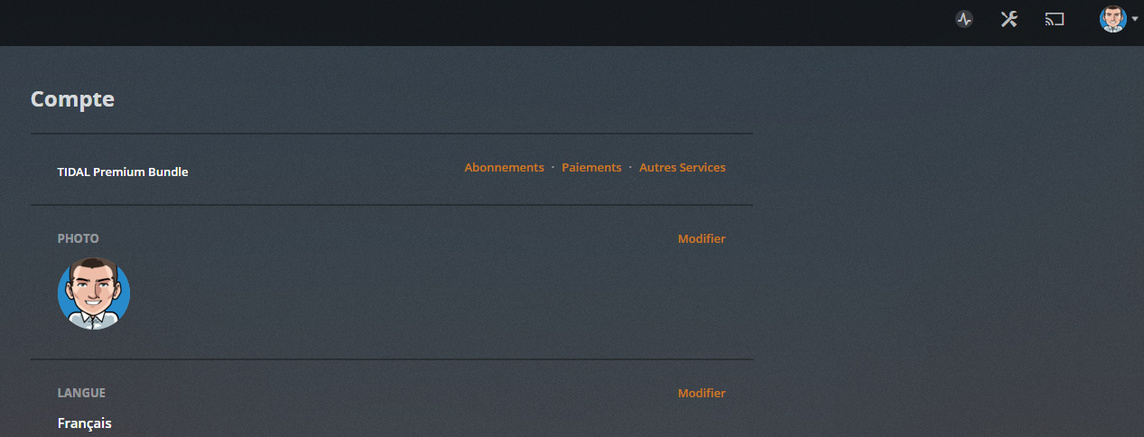
I have exactly de same problem. I just bought plex pass (TIDAL Premium Bundle with 30 days Plex pass free) but my DS918+ plex server doesn’t have hardware transcode settings.
I disconnect and reconnect my account on “general” but not work.
How can I verify my installation (64 bits or not) ?
(I think i’m on 64 bits, here the installed package name : PlexMediaServer-1.14.1.5488-cc260c476-x86_64.spk)
I try to restart Plex server too but option doesn’t appear. I also try to uninstall plex server and reinstall from package download from https://www.plex.tv/media-server-downloads/ => Intel 64bits but same problem.
There are 2 different Tidal bundles.
Tidal premium
and
Tidal HiFi
Tidal Premium only offers access to music-related Plex Pass features and grants free access to the mobile Plex apps.
All other Plex Pass features like hardware transcoding, Plex Home, or Mobile Sync are not available.
Tidal HiFi will unlock the full Plex Pass features (and gives access to losslessly compressed music on Tidal).
Ok, with “normal” TIDAL Premium subscribtion there is no Plex pass. And with TIDAL HiFi
there is Plex pass.
But with the current offer “30 days free trial” : Premium page => https://www.plex.tv/plex-pass/
=>
Just had to comment, this thread is the reason I just purchased the DS918+ with 4 x 10TB WD Red and also upgraded to 16GB RAM.
I had a QNAP TS-410 for about 7 years, it’s been good, but performance is abysmal. I have a really old Intel NUC as a Plex Server and it can’t do hardware transcoding.
I watch a lot of 4K HDR with Dolby ATMOS content on my Nvidia Shield (with Plex Client) as that is what my main TV setup supports. But could never watch that content on the other 1080p TVs in the house which have AppleTV devices connected.
HOLY COW! This DS918+ is awesome. Just streamed Endgame in 4K HDR10 with ATMOS to my AppleTV. Took about 2-4 seconds to start (and the same small delay when skipping around in the movie), but it plays flawlessly. And a max of 27% CPU on the NAS.
Turn off hardware transcoding and the CPU jumps to 100% and playback takes up to a minute to begin and the buffering can’t keep up. This NAS is great for my needs.
I have Qty(3) DS918+ systems. 4, 8, and 16 GB RAM. Each has the same issue when attempting to fast forward (30 second jump) more than what is in the buffer. IE: if I press the 30 sec skip 10 times, the PLEX software never comes back - just spinning wheel. I have the latest version as of today 1.18.9.2578 (I have gone through several versions), have tried many different iterations of hardware/software decode, and nothing works. I will be more than happy to install a Video Card if that helps, however, have not found what video card would work inside DS918 – does anyone else have this issue, or, use a video card in their DS918?