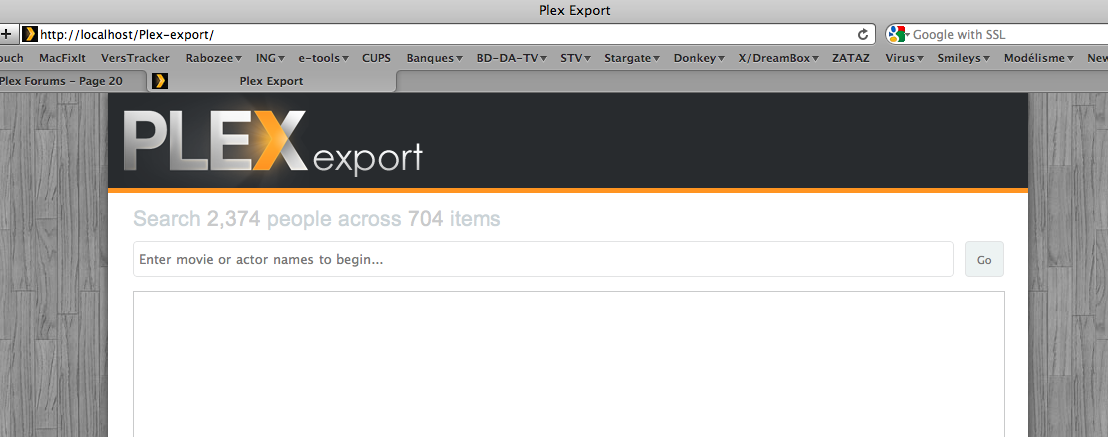
I just tried the Bacon template too and only get a “Search” form too. I am using Firefox 4.0.1 on Mac OS X 10.6.7. Also, trying to do a search doesn’t seem to do anything.
When using the default template (isotope) I get a properly formatted page, but it runs very slowly.
Im, using firefox latest version 4.0.1 and safari on the ipad…
If you need a free host/ mirror, I have plenty of bandwidth…
One other thing… with the latest version 2 I just downloaded, it doesnt work well on safari on teh ipad… When you click a title in the last build, another page came up. The float command you are back to using, doenst load on an ipad… My application is to run this on my ipad to let people browse my library and with TV shows you cant go past the title and movies you cant read the description because the lightbox effect doenst pop up… Am I doing something wrong here?
Version 2 doesn’t use a lightbox pop-up anymore, instead it takes you through to a dedicated page for that item with a lot more information. As for the performance, it’s something I’m actively looking into to make it faster for everyone.
Hi hb2011, I’ve replied to you on my blog but basically within the API you need to look at the XML tags which contains all of the files that make up an item (usually just the one).
Hi - New user here (that’s new to Plex Web Export) … WOW !!! I’ve just tried V1 and V2 and V2/bacon … Good stuff !!! I’m a movie buff - big collection. I’ll probably have more comments (and kudos) shortly. One thing I noticed right off the bat: movie titles are missing release years. From this collector’s perspective, the release year is as much a distinguishing factor OF the title as the actual “title” itself. I must have some 40 distinct “titles” representing 90+ movies (yeah, there has been more than one remake of some films). As the curator of this collection, I don’t personally really need the year; but as someone preparing the exhibit, I can tell you that the year really helps as an early-in the-process navigational aid. Is this msg good enough as an RFE or do I need to post such someplace more explicit?
iam using v1 of your amazing work because i love that not all images are loading when opening the side, it takes just to long
so i have created some categories with a timeline e.g. movies 2002, movies 2003… but now i just can search each categorie, is it possible to get a global search, that searches all the categories?
Hi bam, I’m not actively updating v1 anymore so can’t really go too much into it, but in answer to your question; each section (I am assuming that is what you’re referring to) is separate from each other, so you would have to loop through each section as well as each item in the JavaScript.
One question though, can’t seem to find it on your github: What is the bacon template? What does it do? Doesn’t seem to work for me, well maybe it does, but it only presents a search box in which I can enter ID’s? And it looks the same as Isotope, so I really don’t know…
@Lexis the bacon template is an experiment based on the Six Degrees of Kevin Bacon game i.e. all actors are linked. Enter two or more actors/films and the template will show how they’re linked. As I said it’s experimental do won’t work in all browsers and may take a while on slower computers.
Think of actor Kevin \Bacon/ and that whole six degrees of separation thing. The interface wil show you, given a focus on a movie, actor or director, other like entities in your library that are somehow related to the one you've focused upon. So, for instance, if you focus on a director, the surrounding links will likely be other movies "IN YOUR LIBRARY" that have been directed by the same director. Focus on an actor? You see movies in which the actor has appeared. Focus on a movie? You see the main actors and director associated with that movie. These represent the "first degree of separation" from the focal point. The interface then spirals outward from there into more degrees of separation. The interface provides you, and folks who might want to understand your viewing interests better, a perspective of your viewing interest likes/dislikes; not by what you might state your interests are if asked but rather, by what you've already collected. You can click on any item that is displayed and the focus will then be shifted to that item.
Coud anyone provide me with a link to a live version of v2 please? Both the original skin & bacon theme if possible please. I’m interested how this should be working, as I can’t seem to get it to work properly.
At the moment when I drag cli.php onto Terminal and press return I;m getting:
/Users/michaelnisbet/Dropbox/Public/Plex/v2/cli.php: line 1: ?php: No such file or directory
/Users/michaelnisbet/Dropbox/Public/Plex/v2/cli.php: line 2: /Applications: is a directory
/Users/michaelnisbet/Dropbox/Public/Plex/v2/cli.php: line 3: Plex: command not found
/Users/michaelnisbet/Dropbox/Public/Plex/v2/cli.php: line 4: syntax error near unexpected token newline'<br /> /Users/michaelnisbet/Dropbox/Public/Plex/v2/cli.php: line 4: Luke Lanchester luke@lukelanchester.com’
just upgraded to the latest v2 and noticed you removed the “Watched/Unwatched”-filter - any particular reason for this? I really liked it, and it was a much better option than sorting by view count.


 )
)