Plex-web UI Tooltip Issue

Server Version#: 1.32.0.6973
Player Version#: 4.100.1

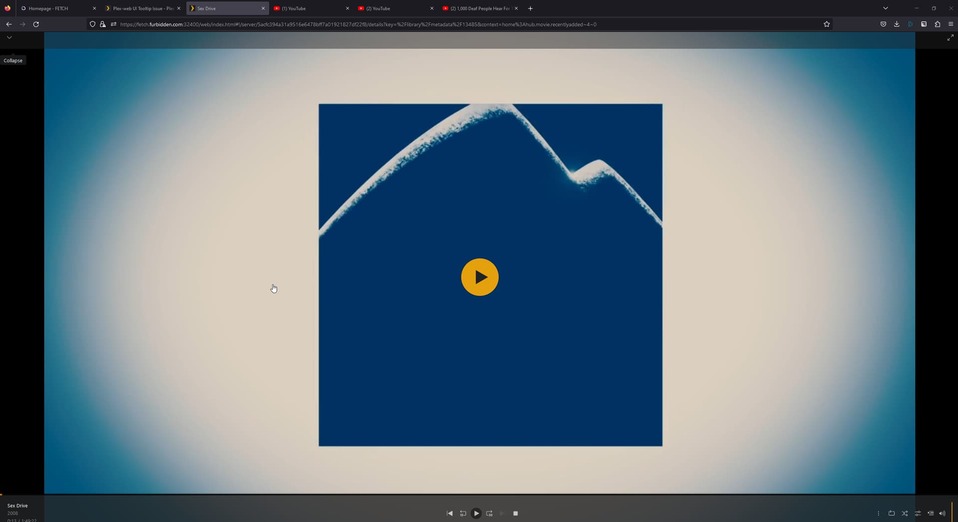
While playing a video, hitting tab on the keyboard causes the Expand/Collapses tooltip to get stuck on the screen behind the video player and will not disappear until you click the interface multiple times or refresh the page. Seems like an issue with javascript code.

To reproduce, play a video and ensure the “burger” menu is available behind the video. Hit tab and the collapse tooltip should appear stuck. I am using firefox (latest).

image
image

Can you screenshot the entire page? You should not see the menu while a video is playing.

The collapse shown is actually from the menu behind the video. Hence the bug report. This is possible to hit via tab.

Can you provide the exact steps are you doing? I can’t get that to appear. As soon as I hit play, the sidebar goes away so I can’t put the mouse over that area to bring that up. If I tab over to it before hitting play, it also goes away.

This topic was automatically closed 90 days after the last reply. New replies are no longer allowed.