I think I have found the problem. Not really sure why as I haven’t programmed with python before, but it looks like it is to do with the line feed LF at line 224. If I delete the LF then I think my problem may go away. Much prefer languages where you have an end of line character like ;
        log('setValues', 'episode date: %s', str(self.episodeReleaseDate))

        # compute the episode index using the episode's day of year and index values
No No No… Changed my mind. I think it could be the TAB’s that are being put in indent as they create a “-” sign in the boarder. I need to see how to change the auto indent to spaces.
Program flow in Python requires that all blocks of code be indented to the same level (which you have already found out). If using Notepad++ (or similar software) I would recommend changing tabs to spaces (see the Settings > Preferences > Languages panel in NotePad++) and pay close attention to indentation.
Yep, it was the TABs. Thanks for the info, I used to program in ‘C’ years ago. I eventually worked it out yesterday (last night UK time) and after Googling about Notepad++ found how to change from tabs to spaces (the same as your advise above) - so many different versions of coding/encoding/languages etc… I can confirm that I can now edit the code ok. At what point does civilisation give up and return to the abacus (I’m thinking of digging mine out of the attic now!!)?
Season titles are supported. See the readme file linked above. NOTE: This feature requires you to set your Plex.tv account token within the plugin.
Added support for “Use media file created timestamp as media original aired date”. Can only be selected if "Use media file last modified timestamp option is disabled.
Fixed issue where episode summary files could incorrectly be associated with the next episode if the next episode doesn’t have a summary file
Please report back here if you find any issues. Thanks.
Hi, been away and just got back. I will download over the next day or so and have a look. Thanks for all the work.
Does anyone know of an “auto create season poster” artwork type of program. i.e. it picks multiple random time frames and then creates 2x3 images and you can pick one quickly? I know I can grab an image using VLC and then edit etc. but I just wondered if there was a quicker way.
Individual show .summary file updates are not being picked up within Plex. It does see the .summary contents properly when the file is first added but not any subsequent modifications to that .summary file. How can I get the Extended Personal plugin to update with the changes?
I’ve set the library up properly as a “TV Show” using the Extended Personal Media scanner and agent (agent beta version mjarends-extendedpersonalmedia-agent.bundle-2d3b00b8d6ea. The workaround may be to remove and re-add the show but i’m hoping there’s an easier way (e.g. “refresh metadata” menu).
From the Plex web app, navigate to the show you want to refresh and select the “Refresh metadata” option which will force the agent to run against the show, season and episodes.
Hi there, thanks for this amazing plug-in, it’s a real lifesaver when organising other media like sports. Could I make a feature request? Any chance of integrating a feature where episode thumbnails are replaced with a blank image to avoid spoilers? Sadly Plex hasn’t seen fit to add such a feature. Thanks!
In the scanner instructions for Windows it says to put yours in a directory named Scanners at the same level as the plugins directory. I have no Scanners directory. I tried making one there but it didn’t seem to work. That is, no “Extended Personal Media Scanner” was in my scanner dropdown after restarting PMS. Edit: Now that I think about it, I may have created just a normal library and not a tv-shows section. I’ll check that tonight.
Yeah, number 2 was human error. But still would like to know about the token.
But am having an issue where, after removing folders or files and rescanning the library it does not mark the media as deleted, so I can not remove media after it has been added.
If you go to a file it does show it as unavailable.
If i empty trash the files and folders remain.
I tried deleting a folder from another Library using the regular TV Show Scanner and that worked correctly when removing a folder.
I can’t get Plex Media Server to recognize the new scanner. There was no scanners folder, so I created one, so there are bunch of folders in the directory, including Metadata, Plug-ins, Plug-in Support, and now Scanners. In side the Scanners folder is the Series folder and inside that us the python file “Extended Personal Media Scanner”. But the new scanner doesn’t appear in the list. I even rebooted the server but no luck.
Just checking, but did you install the agent as well, as you need both.
Firstly the scanner.
I have the Scanners directory as you describe, and inside that I have a folder called Series and in that is Extended Personal Media Scanner.py, note the .py extension. (But I guess you might be using an os that does not show file extensions)
Then you also need the ExtendedPersonalMedia-Agent.bundle
You will need to rename the downloaded agent to ExtendedPersonalMedia-Agent.bundle as when you unzip the download it will be named something like:
mjarends-extendedpersonalmedia-agent.bundle-54da5bafd857
Once you have renamed it, this needs to go in to the Plex Plug-ins folder
Then the agent should show up when you go to
Server Settings -> Agents -> Shows
There was a mention that this agent will use the filename for the episode name if you put it in a certain structure when running the extendedpersonalmediaagent. I’ve tried that with no success, does anyone know how this could be done (if at all) and can it be down when refreshing the media data or does it have to be done when first adding the file. This would be a game changer since I’m currently renaming the episodes, (Episode 1, Episode 2, etc…)
Albert Collins & The Icebreakers - 3x03 - Live At Rockpalast (1980)
Alice Cooper - 3x05 - The Nightmare (with Vincent Price) (1975)
Bob Marley - 3x02 - The Legend Live (Santa Barbara County Bowl-1979) (2003)
Black Sabbath - 3x06 - Rock Family Trees - Sabbath Bloody Sabbath (1998)
Just checking, are these music videos?
And what sort of Library type is it?
My Library is set as a TV Shows and My folder and naming structure goes like this:
Name of Series
— Season 01
------ Series name - s01e01 - Episode Title One.mp4
------ Series name - s01e02 - Episode Title Two.mp4
And that picks up Episode Title One and Episode Title Two as the tiltles
So using your examples you could try
Albert Collins & The Icebreakers
— Season 03
------- Albert Collins & The Icebreakers - s03e03 - Live At Rockpalast (1980).mp4
That should make the title be: Live At Rockpalast (1980)
or if you are keeping then all together, maybe try
Music Videos
— Season 03
------ Music Videos - s03e03 - Albert Collins & The Icebreakers Live At Rockpalast (1980).mp4
------ Music Videos - s03e05 - Alice Cooper The Nightmare (with Vincent Price) (1975).mp4
which I would expect the episode names to be:
Albert Collins & The Icebreakers Live At Rockpalast (1980)
Alice Cooper The Nightmare (with Vincent Price) (1975)
Right… I’ve set them up as you would a TV Show Library, so the title of the TV Show would be the Artist Name
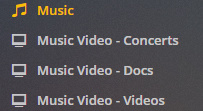
Because I have such a enormous collection, I’ve broken it down to 3 different libraries on each Hard-drives for Music Videos all marked as the following
Concerts : Self Explanatory
Docs: Documentaries / Making Of / Interviews, etc.
Videos: Single videos and such
Albert Collins
… Albert Collins - 1x01 - Live From Austin, Tx 1991 (2008)
… Albert Collins & The Icebreakers - 3x03 - Live At Rockpalast (1980)
Alice Cooper
… Alice Cooper - 3x05 - The Nightmare (with Vincent Price) (1975)
… Alice Cooper - 4x07 - Alice Cooper’s Halloween Night Of Fear (2011)
As you notice the season is 1x01 or 3x03, basically I use the Season as a notation on which Harddrive it’s on … Season 1 is on Hardrive 1, etc… and the episode usually pertains to the number of videos I have from the artist, which sometimes gets into the hundreds.
Now here’s the kicker does the file have to be in mp4 format to be picked up by the agent, since I’ve run a refresh of the metadata and it doesn’t seem to work
afaik, the format should not make any difference, that was just an example. (although I have not tried any other formats, mine were already mp4)
If I get a chance i might test with some mkv files tomorrow.
What I did find, when i started using this was if the scanner does not like some naming it would not match anything.
So if you haven’t already, i might be tempted to just create a small test library and try to work it out from there. Sorry I can’t be more help.