Thank you! Is it also possible to write the original file name in the file name?
In my experiments, the original file name is unknown to mpv. Instead it is receiving a large string from PlexHTPC which includes parameters and your Plex Token. Not recommended.
I also was unsuccessful with HDR videos. The output file was always tagged as sRGB.
Additional host functionality is now exposed via the mpv scripting interfaces. See scripts/scripting.md in the app’s configuration directory for more details
Scripts can read a variety of data provided by Plex from mpv
user-datasub-properties: -user-data/plex/playing-mediacontains a variety of metadata about the file currently being played and the mechanisms being used to play it.
Seems like it’s now possible to get the file name?
Edit: %F and %f don’t work. 
Parsing the server’s JSON-formatted user-data did, indeed, work for me. I arbitrarily assigned the F-key a couple of functions and tossed those into nowPlaying.lua:
f - Show the filename and full filepath of the playing video, and return them to other script functions: filename,filepath = nowFile()
F - Show descriptive metadata for the video, and return them to other script functions: title,rating,year,release,summary,show,s00e00,episode = nowPlaying()
Caveats:
- I use Windows PMS, with UNC paths to NAS media, and tried to accomodate others, but you may need to tweak.
- If a match does not occur, the value will contain the entire playing-media json.
- “f” is pretty ugly unformatted, and “F” provides a formatted example. Among other apporoaches, OSD settings can be added to the mpv.conf (e.g.,
–osd-font-size=24,–osd-color=“#FFEBAF00”,–osd-border-size=“0.5” - I only started scripting with Lua when I read this post (lots of room for improvement), and I have even less idea how to correctly post a script here.
function nowFile()
	local media, filepath, filename
    media = mp.get_property("user-data/plex/playing-media")
    filepath=".+\"file\":\"(.-[%w%s%p])\".+$"
    filepath=string.gsub(media,filepath,"%1")
    if string.match(filepath, "\\") then --## Windows?
        filepath=string.gsub(filepath,"[\\][\\]","\\")
        filename=string.gsub(filepath,".+\\(.-[%w%p])","%1")
    elseif string.match(filepath, "/") then --## Linux, etc.?
        filename=string.gsub(filepath,".+/(.-[%w%p])","%1")
    end
    mp.osd_message("Filename: "..filename.."\n\nFilepath: "..filepath, 4)
    return filename, filepath
end

function nowPlaying()
    local media, title, episode, rating, release, year, summary, show, s00e00, msg
    local format="{\\a6\\fs12\\bord0.25\\c&H00AFEB&}" --## ASS formatting
    --## Create patterns and gsub media to collect values
    media = mp.get_property("user-data/plex/playing-media")
    title=".+\"summary\":\".-\"title\":\"(.-[%w%s%p])\".+$"
        title=string.gsub(media,title,"%1")
        episode=title
        title="{\\fscx120\\fscy120\\b1}"..title.."{\\b0}\\h"
        episode="{\\fscx90\\fscy90\\b1}\\h·\\h"..episode.."\\h·\\h{\\b0}"
    rating=".+\"contentRating\":\"(.-[%w%s%p])\".+$"
        rating=string.gsub(media,rating,"%1")
        rating="{\\fscx70\\fscy70}\\h\\h["..rating.."]"
    release=".+\"originallyAvailableAt\":\"(.-[%w%s%p])\".+$"
        release=string.gsub(media,release,"%1")
        year=string.sub(release, 1, 4)
        release="{\\fscx70\\fscy70}("..release..")"
        year="{\\fscx70\\fscy70}("..year..")"
    summary=".+\"summary\":\"(.-[%w%s%p])\",\".-[^tagline][^thumb].+$"
        summary=string.gsub(media,summary,"%1")
        summary = string.gsub(summary,"[\\]([\"])","%1") --## fix escaped quote marks
        summary="{\\fscx60\\fscy60\\q0}"..summary.."\n"
    --## Spit out the formatted message
    if string.match(media, "\"type\":\"episode\"") then
        --## Parse for some tv-only fields
        show=".+\"grandparentTitle\":\"(.-[%w%s%p])\".+$"
        	show=string.gsub(media,show,"%1")
	    	show="{\\fscx120\\fscy120\\b1}"..show.."{\\b0}"
        s00e00=".+\"file\":\".-([Ss][0-9][0-9][Ee][0-9][0-9]).+$"
            s00e00=string.gsub(media,s00e00,"%1")
            s00e00="{\\fscx70\\fscy70}("..s00e00..")"
        msg=format..show..rating.."\n"
        msg=msg..format..s00e00..episode..release.."\n"
    	title=nil
    elseif string.match(media, "\"type\":\"movie\"") then
    	episode=nil
        msg=format..title..year..rating.."\n"
    end --## Comment out the line below to prevent display of summaries
    msg=msg..format..summary
    mp.osd_message(mp.get_property_osd("osd-ass-cc/0")..msg..mp.get_property_osd("osd-ass-cc/1"), 4)
    return title, rating, year, release, summary, show, s00e00, episode
end

mp.add_forced_key_binding("f", "nowFile", nowFile)
mp.add_forced_key_binding("Shift+F", "nowPlaying", nowPlaying)
1 Like
Is it possible to pass the filename to the screenshot function of mpv?
FWIW, my mpv.conf setting for screenshots are:
–screenshot-high-bit-depth=yes ## Default=no

–screenshot-tag-colorspace=yes  ## Default=yes

–screenshot-jpeg-quality=80  ## (0-100) Default=90

–screenshot-png-compression=5 ## Default=7

–screenshot-directory=~~desktop

–screenshot-template=PlexHTPC-(%wH-%wM-%wS)
Try putting the filenameShot function and binding (Alt+f) into the nowPlaying.lua file above.
function filenameShot()
    -- ## check for path specified in mpv.conf, or ...
    dir = mp.get_property_native("screenshot-directory")
    if (string.len(dir) > 0) then dir = dir..'/' end
    dir = mp.command_native({"expand-path", dir})
    -- ## ... uncomment line below to specify 'dir'
    -- dir = "C:/Users/YourUsername/Desktop/"
	filename,filepath=nowFile()
    mp.osd_message("", 0.1) --## clear off nowFile msg
	filename=string.gsub(filename,"(.+[%S%s])[%.].+$","%1")
    position = mp.get_property_osd("time-pos")
    position=string.gsub(position,"[:]","-")
    -- shotname=filename..".jpg" --## swap with line below to overwrite snapshot
    shotname=filename.." ("..position..").jpg" --## add time-pos to snapname
    mp.commandv("screenshot-to-file", dir..shotname, "window")
    mp.osd_message('Screenshot: '..shotname)
end
mp.add_forced_key_binding("Alt+f", "filenameShot", filenameShot)
I got Plex HTPC works by this, Thanks a lot. But is there a way to make Plex for MAC also work like this? I tried to copy the keyboard.json to the corresponding folder in Plex, but it didn’t work, is there another way to achieve it?
Likely the key modifiers are different from what you expect; see the docs for more information.
I got this error when running lua script, how should I fix it? I am using MacOS.
lua: subpos-keybinds.lua:20: attempt to index a nil value (global 'mp')
stack traceback:
	subpos-keybinds.lua:20: in main chunk
	[C]: in ?
I’m on mac so yeah, my instructions shud be fine.
Wow, that’s awesome! Thank you so much!
I have one more specific request, if you could help me with that, that would be really great!
Sometimes I want to take screenshots of errors in subtitles. For the people I send this to, it would certainly be a relief if the screenshots themselves had as text the series name, episode number and time. For example:
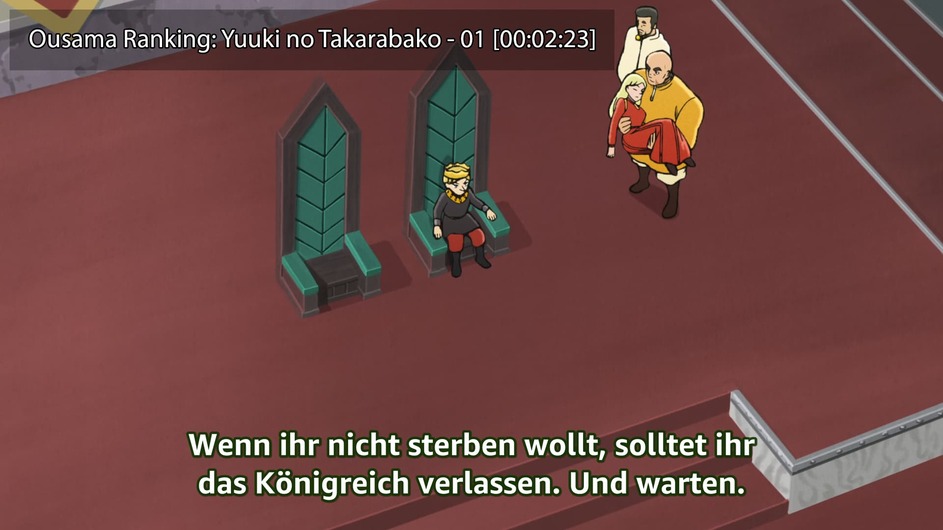
So “title - episode [Time]” for example. Would this be possible?

I mean that the text at the end is directly in the screenshot.
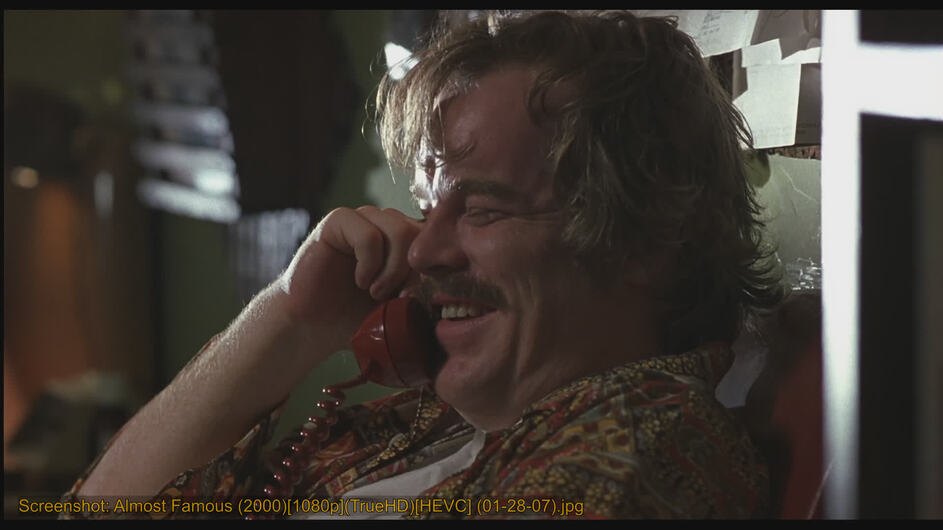
Swap the last two lines of the function so that the message command comes before the screenshot:
mp.osd_message('Screenshot: '..shotname)

mp.commandv(“screenshot-to-file”, dir..shotname, “window”)
You can also remove the ..dir from the message command so that the path isn’t displayed:
1 Like
Is it possible that the value “deband” in mpv.conf is set to “yes” if the video format is yuv420p? I want to enable deband only if the video is h264 8-bit.
Edit: Got it. Here is the lua script. I also added the “ref-frame 12” rule for my special case:
function deband()
    local media = mp.get_property("user-data/plex/playing-media")
    local bit_depth = tonumber(media:match('"bitDepth":(%d+)'))
	local ref_frames = tonumber(media:match('"refFrames":(%d+)'))

    if bit_depth == 8 then
		mp.set_property("deband", "yes")
	end

	if ref_frames == 12 then
		mp.set_property("deband", "no")
	end
end

mp.register_event("start-file", deband)
For mpv.conf:
deband=no
deband-iterations=6
deband-threshold=64
deband-range=32
deband-grain=0
The nowfile and nowplaying parts of the script work, but when I try taking a screenshot, the mpv osd prints the filename but I just get a “Taking Screenshot failed” error message in the console, I’m on linux if that matters, anyone has any ideas on what am I doing wrong? I can save screenshots normally otherwise.
EDIT: solved it by modifying the following line mp.commandv("screenshot-to-file", dir..shotname, "window") and removing “window”. This allows to take screenshots with subtitles however it won’t capture any osd elements , but it is equivalent to the regular mpv screenshot.
I guess the issue stems from the mpv that’s packaged with the snap, it would be nice if I was able to just use my system mpv.
Is it possible to define controller keys in a mpv lua script?
I tried something like this but it doesn’t work:
mp.add_forced_key_binding("KEY_AXIS_1_UP", "screenshot", screenshot)
You have to use input maps to map or modify controller keys. Check out the Plex input map support article.
And how can I map my own written lua functions in the input map file?
Edit: Found it:
"KEY_AXIS_0_DOWN": "mpv:script-message function_from_lua_script",
I’ve written some Lua scripts for the MPV player in Plex, using many shortcut keys. However, I’ve encountered an issue: when playing certain audio files, perhaps due to embedded album cover images, MPV recognizes the video codec of these files as an image format, such as MJPEG (Motion JPEG) or PNG (Portable Network Graphics) image. As a result, all custom shortcut keys become active, preventing me from entering characters in the search bar using these shortcut keys because they’ve been assigned new functions. This issue doesn’t affect playback of other audio files, as MPV doesn’t recognize their video codec, so the custom shortcut keys remain inactive (these shortcut keys are intended for video/image playback).
So, how can I resolve the problem of being unable to enter characters in the search bar using custom shortcut keys while playing audio files containing images? How can I automatically disable custom shortcut keys when playing media files with a video codec recognized as an image?
One thing I don’t understand is that when playing video files, I can minimize the video and then use the search box to enter characters using those shortcut keys, but when playing audio files with a video codec recognized as an image, I can’t use those keys to input anything.
