We, I for sure, really need a better APP

All the time I try to hold back, gnawing my nails and grinding my teeth over such incompetent thing.
I am no programmer, lets say this before hand anyone tells me, but I have been trying this for a long, long long time and on 5 android devices now.
The webbased plexplayer, the app, they all seems fine but, this is the thing.
I used the APP before, did not hold, so I avoided that like hell and stepped to webbased connection to my server over the internet.
So, this kinda works, but the weird thing is, while playing a song, the screen, and I do not mean the current screen but the total content of what plex based view gives on the screen, the drawn lines and characters, they start shrinking and shrinking and it annoys me so much that I almost out of anger destroyed my new galaxy S6.
Why did no one else at plex see this?
Why do we keep a smile on our face when (if this is not known by the team, then they have not paying attention) obviously this is a programming error.

Please, make a good player/playersoftware that is reliable and not full of bugs.
Those bugs are jumping from one song in a folder to the next folder or somewhere else. (notice the fact that random is OFF!!!)
This happened not once but I noticed it a few times now when I know that the order of the songs in the folder are as it should like on an album, the right order, yet Plex thinks it is not.
It shows them in an erratic order, and that is not logical.

So, we do need a better plex player, for android, webbased and IOS.

In a nutshell?
The server software is perfect, never had a worry, totally happy with that…
The player based CRAP that is out there? well, I told you that it is crap and unreliable and if you think I am wrong, I would like to see solid proof of that, because only webbased connection to my server via a PC, is the only thing that works smooth, so do not go there and accuse me of something I haven’t tried! because, oh boy, I tried… with tears in my eyes…

1 Like

I mean you have tagged your post with a couple of clients then in the body then mentioned the iOS client is just as crap.
So perhaps tell us specifically what clients you are using and what specific issue you are having with each specific client. Also are your issues related to music?

That said, generally all Android devices seem to have at least 2 beta releases each week fixing whatever the last fix broke so I do have sympathy. Hence my nvidia Shield gathers dust.

If you are particularly music orientated have you tried Plex Amp?

Plex is designed to organize music by Artist/Albums/Tracks. The tracks are based on the track number assigned. If you don’t have track numbers and just want Plex to play things in the order you have them in a folder, that won’t work. Plex does not actually store your files in a folder like a file explorer does. Plex still tries to organizes them in track order and if it can’t, it just guesses. Viewing these in folder view still shows them in the order Plex thinks because folder view is just listing the tracks based on the folder they came from but not necessarily the order they are shown in a file explorer.

If you want to listen to your music in the order you have them in a file explorer view, Plex is not the right program for you.

1 Like

And there I have my answer! Right on the head.
PLEX clients fail all the time, in the past, present and future

And there is really no one that can GUESS a better piece of software?
Sad to see this… really… a huge disappointment and no good advertisement of the product.

So, what player does work well with Plex server then???

If you want to see your music as you have it in your files, there aren’t any Plex clients that will work well with Plex Media Server (PMS). PMS is what catalogs your files so all clients work the same.

If you want to use Plex, then you’ll need to give your files track numbers in the order you want them to show up. i.e. If your files are currently SomeMusic.mp3, SomeOtherMusic.mp3, in that ordered rename them 1 - SomeMusic.mp3, 2 - SomeOtherMusic.mp3, then your folder will look the way you want. That’s exactly what I’ve done for my Anime Theme songs library. You can see, they are in the exact same order as they are in File Explorer.

Weird though, this particular album I wanted to listen to at that moment is in the order of:
a01, a02, a03, a04 …
b01, b02, b03 etc etc
So it is in the right order, but plex player, webbased client, whatever, thinks (and there is the mistake it makes - thinking for us - i.e. programmers fault) it should be alphabetically. I disagree on that totally.

I wondered why it would do such thing, if I go to the music folder, I have everything nice and neatly categorized, but every-time I opened up a plex client, my heart sank to my shoes.
Did anyone ever thought to take an example of a program like Winamp?

Well, if this is what it is, then I do not understand why staff wants this, this is leading people on onto a product where one half works and the other not.

It is not in my power to make something in the programming sense, but I bet there are a lot of people who can…

I don’t get it. File explorer is also alphabetical so if Plex has it alphabetical, isn’t that the same as what you want? Maybe a shots showing what is wrong vs what you expect would help.

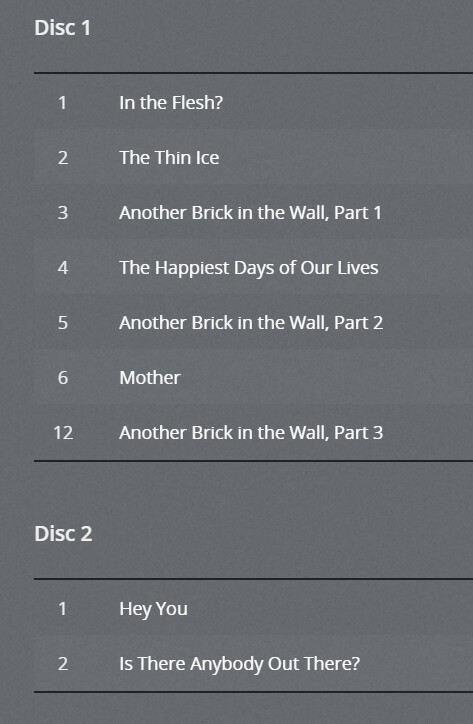
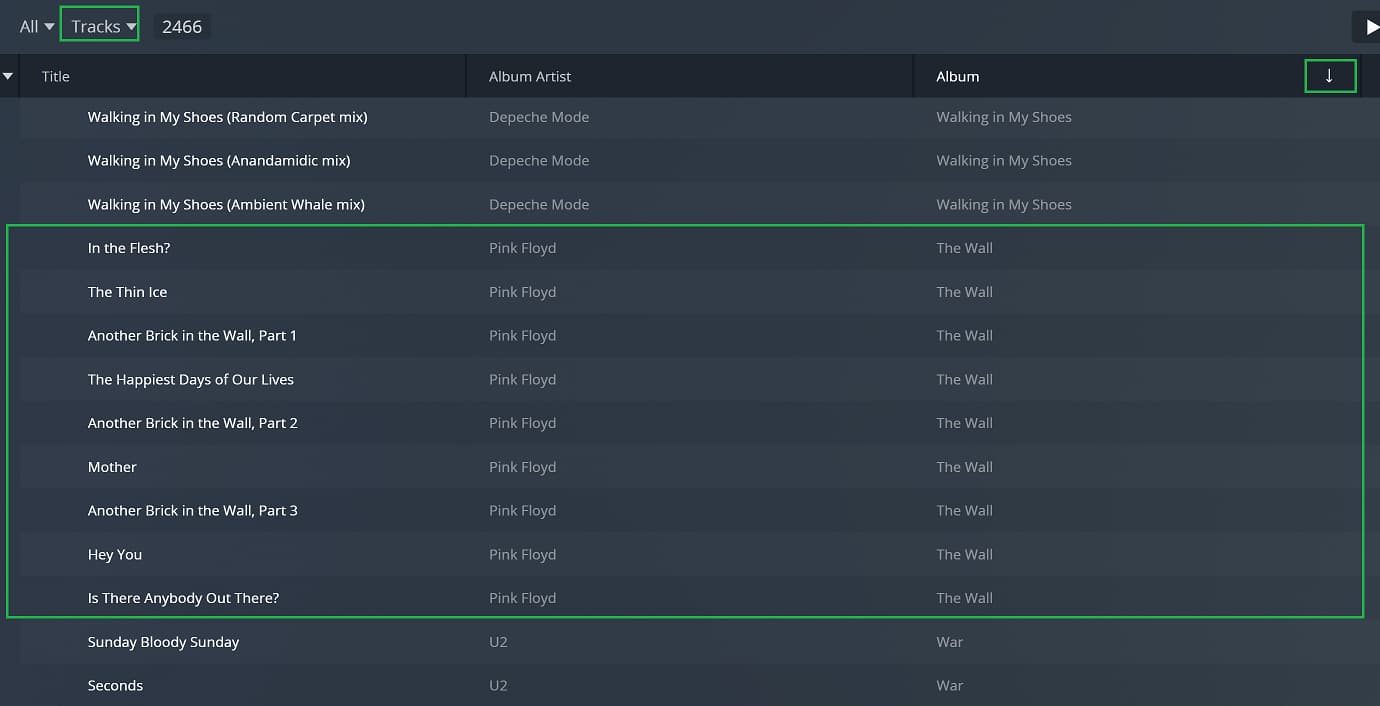
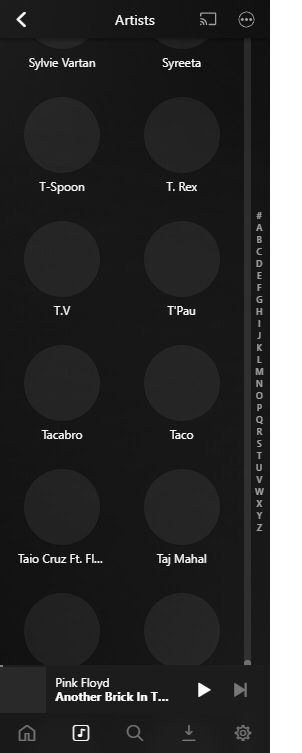
Three pictures, folder, webbased and plexamp.


I recreated part of that album using your naming scheme.

It correctly ordered everything, even splitting the discs.

In Web you are looking at it by “Track” and you have it sorted by the title, so it will show up alphabetical. Change it to sort by album. Click on the header where it says album, you can any column to set the sort order. You will see an arrow on the column and it will indicate the sort order either ascending or descending.

For PlexAmp, I’m not sure how you got that. Where did you hit play? I played that album and it shows in the correct order for me.

I did nothing special with plexamp, just linked to my server, searched and played.
Webbased, im not sure if I did anything with the ordering of album or files, it does not remember those settings when I close it, does it? Anyhow, I listened at it, first number of that album, then following automatically the second number without me interfering (just listening) and then… it jumps to the next album. And that happened three times and that is the point where my investigation began, it made no sense at that point.

Sorting … on album, cannot find that album anywhere now, that is a perfect way to NOT play music…
After sorting on albums (the option is standard not activated, whadayaknow?) so I looked at the P, could not find it, looked at T, The … and again not there, so I scrolled from Z up to A, 30000 songs later…
Oh, and sometimes it shows songtitle, artist, album and sometimes only songtitle and album, when I compare the actual files there, they are the same name structure… : a03-name song.mp3 in the folder of the artist but plexweb shows one time the artist and another place, another folder no artist.
The folders on my server are Artist - folder album - songs of artist
I try to keep it rather simple, Winamp understands this perfectly well, and it is a shame that I cannot link Winamp to plex, otherwise I forget all Plex clients and use Winamp…

Man, nevermind, I do not think I will understand, nor find any good player so I will goof around and curse a lot about this. I was really hoping you might see this as a fuel to make something better, but I … think it will not… Never mind… I give up!
Sorry and thanks for the help anyway…

The album is “The Wall”. Plex by default ignores articles (a, an, the, and a few foreign ones) when sorting so this will line show up as “Wall”.

Can you provide a screenshot of what this album looks like under the normal “Artist” view. Just wondering if Plex even organized your files in the right order.

Well, I must give you credit for being sturdy (if that sounds like a positive term to you, because that is what I meant!)
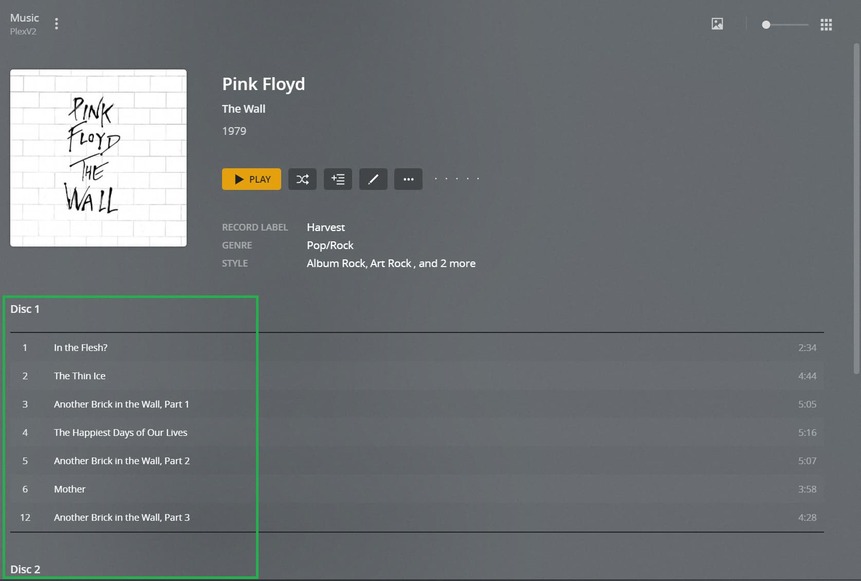
Here another webbased sorting on artist screenshot.

Don’t ask me to show you something out of plexamp, because that program is sooooo confusing that I can not even find my way around it, it seems to play my music and then it seems to lack the buttons to do anything like going to look at my folders, searching in my folders and all the other things I want to be able to do to control what I want to hear, so plexamp is not for me at all!!!

Oh, and eventually we find it, trial and error way, but then listing in the library? it is as if you have a telephone with very big buttons for the visually impaired and then need a needle to tap on the letter you want to go fast… Why is that?


See? Not normal, if I may say so bluntly, and this is recommended for smartphones too???
OMG… That is impossible to use… Who authorised that? Who made it this way? Please tell me that this is another so called beta, because lacking the feedback we can give you people at plex, this is not usable…
Well, enough about that plexamp, not gonna dive into that anymore, so forget what I mentioned.

Ok, so I don’t think Plex has recognized your songs in the same order that you have them named. Can you show me the screenshot of the album in Plex Web.

Make sure it is in grid view (top right) and that it’s set to Artist view (top left).

Find Pick Floyd and click on it. Do not click in the middle, that will start okaying. Click on the top right of the poster. That will take you to the Artist page. Scroll down to the bottom, it should show you the album.

Click on the album. Again, don’t click on the play button. You should see the songs in the order Plex has recognized. Does the order match?

This topic was automatically closed 90 days after the last reply. New replies are no longer allowed.