4K Quick Sync Transcoding Buffering - Core Ultra 265K

Server Version#: 1.41.4.9463
Web Player Version#: 4.143.0
MacOS Client Player Version#: 1.103.1.238-223cbba6

Hardware:
CPU: Core Ultra 7 - 265K
Motherboard: MAG Z890 TOMAHAWK WIFI (Updated to latest BIOS)
Memory: 93GB
Storage: SAS3 ZPool Setup
OS: Debian Trixie (Updated to latest packages and kernel)

I need help troubleshooting or tweaking settings or understanding if this is not going to work.
My issue is that 4K content is buffering during transcoding playback.
It is using HW Accel of the CPU (Quick Sync)
Web Player starts off in direct play and switches to 1080p HW Transcoding, it will play for a minute and then buffer and then play for 30 seconds to 90 seconds or so and buffer, and will keep doing this.
MacOS Client direct plays, but if I force transcoding 1080p it buffers like every 30 seconds to 60 seconds.

Tested Files:
2x [Remux-2160p][DV_HDR10][TrueHD_Atmos-7.1][HEVC]
1x [Remux-2160p][HDR10][TrueHD_Atmos-7.1][HEVC]

Network:
Testing is on LAN, hardwired
iperf:

[ ID] Interval           Transfer     Bitrate         Retr
[  5]   0.00-10.00  sec  2.74 GBytes  2.35 Gbits/sec  1011             sender
[  5]   0.00-10.00  sec  2.74 GBytes  2.35 Gbits/sec                  receiver

Podman Quadlet:

[Unit]
Description=Plex Media Server

[Container]
Image=lscr.io/linuxserver/plex:latest
AutoUpdate=registry

Environment=TZ=America/New_York
User=1000:1000

#UserNS=keep-id
GroupAdd=keep-groups
ShmSize=8gb
Network=host

# Config volumes
Volume=plex-transcode:/transcode
Volume=/media/alpha:/media/alpha
Volume=/media/beta:/media/beta
Volume=/opt/plex:/config

 # Add video device
AddDevice=/dev/dri:/dev/dri
 
[Install]
# Start by default on boot
WantedBy=default.target

Trascoding Settings Plex:

  • Transcoder Quality = Automatic
  • Transcoder Temporary Directory = /dev/shm
  • Transcoder Default Throttle Buffer = 60
  • Background transcoding x264 preset = medium
  • Enable HRD tone mapping = true
  • Tonemapping Algorithm = hable
  • disable video stream transcoding = false
  • Use hardware acceleration when available = true
  • Use hardware-accelerated video encoding = true
  • Enable HEVC video encoding (experimental) = Tried both true and false
  • Hardware transcoding device = Intel Arrow Lake-U [Intel Graphics]
  • Maximum Simultaneous video transcode = unlimited

You are using UID:GID = 1000:1000 in the container.

Look at the GID which owns the nodes in /dev/dri (renderD128)

Make certain to add UID 1000 to that group

Example:

[chuck@lizum ~.2001]$ ls -la /dev/dri
total 0
drwxr-xr-x   3 root root        160 Feb 14 00:10 ./
drwxr-xr-x  22 root root       5860 Feb 15 12:59 ../
drwxr-xr-x   2 root root        140 Feb 17 12:20 by-path/
crw-rw----+  1 root render 226,   0 Feb 14 18:04 card0
crw-rw----+  1 root render 226,   1 Feb 14 18:04 card1
crw-rw----+  1 root render 226,   2 Feb 17 12:20 card2
crw-rw----+  1 root render 226, 128 Feb 14 18:04 renderD128
crw-rw----+  1 root render 226, 129 Feb 14 18:04 renderD129
[chuck@lizum ~.2002]$ sudo usermod -aG render chuck
[chuck@lizum ~.2003]$ 

Log-out/in to make it effective for the active login session.

Also confirm you’re on a kernel newer than 6.8 (Proper ArrowLake support)

I don’t think the issue is that its not using quick sync, because before when I was having issues with it not using HW Accel, it would show on my CPU usage, when its using HW accel now there is almost no CPU usage. It also has the (hw) in the dashboard.

➜  ~ uname -srm
Linux 6.12.12-amd64 x86_64
➜  ~ ls -la /dev/dri
total 0
drwxr-xr-x  3 root root        100 Feb 17 17:32 .
drwxr-xr-x 21 root root       5080 Feb 17 17:56 ..
drwxr-xr-x  2 root root         80 Feb 17 17:32 by-path
crw-rw----  1 root video  226,   0 Feb 17 17:56 card0
crw-rw----  1 root render 226, 128 Feb 17 17:32 renderD128
➜  ~ id 
uid=1000(seion) gid=1000(seion) groups=1000(seion),24(cdrom),25(floppy),29(audio),30(dip),44(video),46(plugdev),100(users),101(netdev),993(render),994(kvm),1002(media) 

please do the following:

  1. Verify server DEBUG logging is enabled
    – Settings - [server] - General - Show Advanced
    – SAVE if changed
  2. Restart PMS
  3. Wait 30-60 seconds after start
  4. Start Playback of an item which requires transcoding and exhibits ‘buffering’
  5. Play 20 seconds
  6. Stop Playback
  7. Settings - Server - Troubleshooting - Download Logs
  8. Attach the ZIP file it gives you with your next reply

MOD edit
Attached logs downloaded and removed

Let me know after you downloaded the attached log

Thank you for the logs.
The CPU and transcode are 100% correct.

Looking deeper into the logs, I see a couple networking hits.

The network is “flopping” (adapter reset)

Feb 17, 2025 15:27:25.609 [140009167956792] DEBUG - [Req#3d4/Transcode/m2u4x8zt4emd8jdam5d14rb8] Asked for segment 533 from session.
Feb 17, 2025 15:27:26.045 [140009138191160] DEBUG - NetworkInterface: received Netlink message len=68, type=RTM_NEWLINK, flags=0x0
Feb 17, 2025 15:27:26.045 [140009138191160] DEBUG - NetworkInterface: Netlink information message family=0, type=1, index=4, flags=0x1003, change=0x0
Feb 17, 2025 15:27:26.045 [140009138191160] DEBUG - Network change.
Feb 17, 2025 15:27:26.045 [140009138191160] DEBUG - NetworkInterface: Notified of network changed (force=0)
Feb 17, 2025 15:27:26.045 [140009138191160] DEBUG - Network change notification but nothing changed.
Feb 17, 2025 15:27:26.794 [140009136081720] DEBUG - [Req#3d1/Transcode/m2u4x8zt4emd8jdam5d14rb8/3ea6a036-f89a-4a60-bd22-98c3c8e105fa] Transcoder segment range: 443 - 533 (533)
Feb 17, 2025 15:27:26.811 [140009167956792] DEBUG - [Req#3d4/Transcode/m2u4x8zt4emd8jdam5d14rb8] Returning segment 533 from session
Feb 17, 2025 15:27:26.812 [140009167956792] DEBUG - Content-Length of /dev/shm/Transcode/Sessions/plex-transcode-m2u4x8zt4emd8jdam5d14rb8-3ea6a036-f89a-4a60-bd22-98c3c8e105fa/init-stream0.m4s,/dev/shm/Transcode/Sessions/plex-transcode-m2u4x8zt4emd8jdam5d14rb8-3ea6a036-f89a-4a60-bd22-98c3c8e105fa/chunk-stream0-00534.m4s is 3388725 (of total: 3388725).
Feb 17, 2025 15:27:26.821 [140009185299256] DEBUG - Completed: [10.0.0.75:57772] 200 GET /video/:/transcode/universal/session/m2u4x8zt4emd8jdam5d14rb8/0/533.m4s (6 live) #3d4 TLS GZIP 1212ms 3388725 bytes (pipelined: 93)
Feb 17, 2025 15:27:26.839 [140009046788920] DEBUG - Request: [10.0.0.75:57772 (Subnet)] GET /video/:/transcode/universal/session/m2u4x8zt4emd8jdam5d14rb8/0/534.m4s (6 live) #3d9 TLS GZIP Signed-in
Feb 17, 2025 15:27:26.839 [140009046788920] DEBUG - [Req#3d9/Transcode/m2u4x8zt4emd8jdam5d14rb8] Asked for segment 534 from session.
Feb 17, 2025 15:27:26.851 [140009087564600] DEBUG - [Req#3d3/Transcode/m2u4x8zt4emd8jdam5d14rb8] Returning segment 533 from session
Feb 17, 2025 15:27:26.851 [140009087564600] DEBUG - Content-Length of /dev/shm/Transcode/Sessions/plex-transcode-m2u4x8zt4emd8jdam5d14rb8-3ea6a036-f89a-4a60-bd22-98c3c8e105fa/init-stream1.m4s,/dev/shm/Transcode/Sessions/plex-transcode-m2u4x8zt4emd8jdam5d14rb8-3ea6a036-f89a-4a60-bd22-98c3c8e105fa/chunk-stream1-00534.m4s is 32409 (of total: 32409).
Feb 17, 2025 15:27:26.851 [140009187408696] DEBUG - Completed: [10.0.0.75:57767] 200 GET /video/:/transcode/universal/session/m2u4x8zt4emd8jdam5d14rb8/1/533.m4s (6 live) #3d3 TLS GZIP 1302ms 32409 bytes (pipelined: 100)
Feb 17, 2025 15:27:26.855 [140009167956792] DEBUG - Request: [10.0.0.75:57767 (Subnet)] GET /video/:/transcode/universal/session/m2u4x8zt4emd8jdam5d14rb8/1/534.m4s (6 live) #3db TLS GZIP Signed-in
Feb 17, 2025 15:27:26.855 [140009167956792] DEBUG - [Req#3db/Transcode/m2u4x8zt4emd8jdam5d14rb8] Asked for segment 534 from session.

The IP didn’t change but something else caused it to reset .
This will make PMS reset connections.

The segment of the log I posted shows the retransmit request occurring at 433 and 434 (it asked for 434 twice)

Does the server have a static IP address?

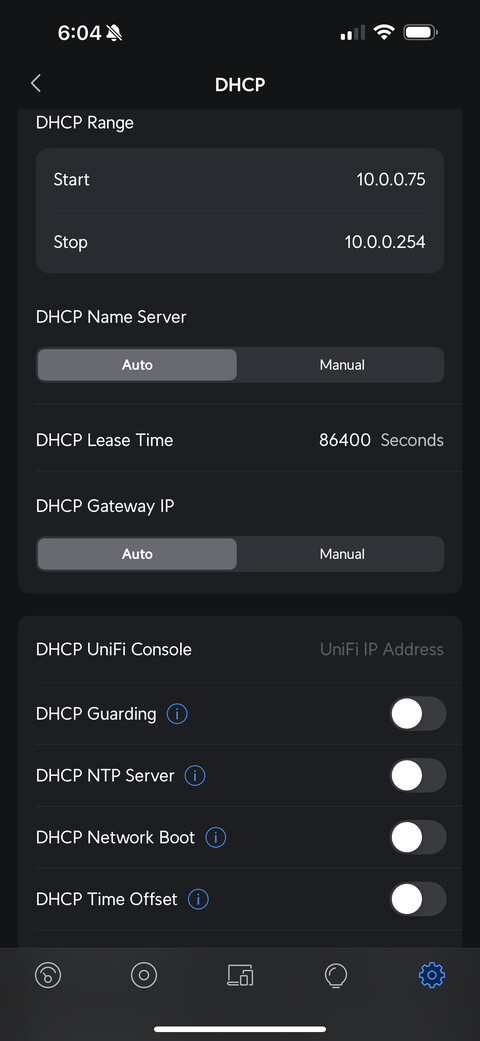
I have it set in my Unifi Gateway as a fixed IP

I was having another issue that I posted on discord about.

"
I have 2 linux servers
One of them is running my original plex server @ x.x.x.3
One of them is running my new plex server @ x.x.x.4

When I go to x.x.x.4:32400 it lets me login and if the plex service was just started, I can see the server and its config. I can also see x.x.x.3 plex also. If later in the day I check back and go to x.x.x.4:32400 I can still login but it only shows the x.x.x.3 server and not the x.x.x.4 server. But if I restart the x.x.x.4 plex service it shows back up.
"

I will be turning down the 10.0.0.3 eventually for this new server

DHCP reservations (which you show me here) have a duration.
In your Unify settings, what is the DHCP address duration ?

The default should be 86400 seconds.
It can be set to longer periods if desired.

You mentioned WiFi when you shared the spec for your server.
You showed wired performance stats.

Of those stats from iperf, I am VERY concerned.
1011 retries ?

My server’s iperf stats (entire network wired with static IP)

[chuck@lizum media.2007]$ iperf3 -c 192.168.0.20 -R
Connecting to host 192.168.0.20, port 5201
Reverse mode, remote host 192.168.0.20 is sending
[  5] local 192.168.0.13 port 33786 connected to 192.168.0.20 port 5201
[ ID] Interval           Transfer     Bitrate
[  5]   0.00-1.00   sec  1.09 GBytes  9.39 Gbits/sec                  
[  5]   1.00-2.00   sec  1.10 GBytes  9.41 Gbits/sec                  
[  5]   2.00-3.00   sec  1.10 GBytes  9.41 Gbits/sec                  
[  5]   3.00-4.00   sec  1.10 GBytes  9.41 Gbits/sec                  
[  5]   4.00-5.00   sec  1.09 GBytes  9.40 Gbits/sec                  
[  5]   5.00-6.00   sec  1.10 GBytes  9.41 Gbits/sec                  
[  5]   6.00-7.00   sec  1.10 GBytes  9.41 Gbits/sec                  
[  5]   7.00-8.00   sec  1.10 GBytes  9.41 Gbits/sec                  
[  5]   8.00-9.00   sec  1.10 GBytes  9.41 Gbits/sec                  
[  5]   9.00-10.00  sec  1.10 GBytes  9.41 Gbits/sec                  
- - - - - - - - - - - - - - - - - - - - - - - - -
[ ID] Interval           Transfer     Bitrate         Retr
[  5]   0.00-10.00  sec  11.0 GBytes  9.41 Gbits/sec    0             sender
[  5]   0.00-10.00  sec  11.0 GBytes  9.41 Gbits/sec                  receiver

iperf Done.
[chuck@lizum media.2008]$

Is the server on WiFi or wired ?

I am asking this because I’m trying to determine if the problem is the server or the player.

At this time, I don’t have any definitive data for either way.
The server logs don’t appear to be a problem other than having caught the server during DHCP refresh

I’ll do some network troubleshooting tonight or tomorrow and report back. Thanks for the help so far.

So my laptop that I ran iperf from in the first post might of been on Wifi. But if I do a iperf between the old server and new server (both hardwired) there is no retries.

➜  ~ iperf3 -c 10.0.0.3
Connecting to host 10.0.0.3, port 5201
[  5] local 10.0.0.4 port 51712 connected to 10.0.0.3 port 5201
[ ID] Interval           Transfer     Bitrate         Retr  Cwnd
[  5]   0.00-1.00   sec   284 MBytes  2.38 Gbits/sec    0    880 KBytes       
[  5]   1.00-2.00   sec   281 MBytes  2.36 Gbits/sec    0    880 KBytes       
[  5]   2.00-3.00   sec   280 MBytes  2.35 Gbits/sec    0    971 KBytes       
[  5]   3.00-4.00   sec   281 MBytes  2.36 Gbits/sec    0   1022 KBytes       
[  5]   4.00-5.00   sec   281 MBytes  2.36 Gbits/sec    0   1022 KBytes       
[  5]   5.00-6.00   sec   281 MBytes  2.35 Gbits/sec    0   1022 KBytes       
[  5]   6.00-7.00   sec   280 MBytes  2.35 Gbits/sec    0   1022 KBytes       
[  5]   7.00-8.00   sec   281 MBytes  2.36 Gbits/sec    0   1022 KBytes       
[  5]   8.00-9.00   sec   280 MBytes  2.35 Gbits/sec    0   1022 KBytes       
[  5]   9.00-10.00  sec   281 MBytes  2.35 Gbits/sec    0   1022 KBytes       
- - - - - - - - - - - - - - - - - - - - - - - - -
[ ID] Interval           Transfer     Bitrate         Retr
[  5]   0.00-10.00  sec  2.75 GBytes  2.36 Gbits/sec    0            sender
[  5]   0.00-10.00  sec  2.74 GBytes  2.36 Gbits/sec                  receiver

I guess I need to figure out why this is happening


Feb 18, 2025 07:45:09.001 [140485858085688] DEBUG - NetworkInterface: received Netlink message len=68, type=RTM_NEWLINK, flags=0x0
Feb 18, 2025 07:45:09.001 [140485858085688] DEBUG - NetworkInterface: Netlink information message family=0, type=1, index=4, flags=0x1003, change=0x0
Feb 18, 2025 07:45:09.001 [140485858085688] DEBUG - Network change.
Feb 18, 2025 07:45:09.001 [140485858085688] DEBUG - NetworkInterface: Notified of network changed (force=0)
Feb 18, 2025 07:45:09.001 [140485858085688] DEBUG - Network change notification but nothing changed.
Feb 18, 2025 07:45:37.996 [140485858085688] DEBUG - NetworkInterface: received Netlink message len=68, type=RTM_NEWLINK, flags=0x0
Feb 18, 2025 07:45:37.996 [140485858085688] DEBUG - NetworkInterface: Netlink information message family=0, type=1, index=4, flags=0x1003, change=0x0
Feb 18, 2025 07:45:37.996 [140485858085688] DEBUG - Network change.
Feb 18, 2025 07:45:37.996 [140485858085688] DEBUG - NetworkInterface: Notified of network changed (force=0)
Feb 18, 2025 07:45:37.997 [140485858085688] DEBUG - Network change notification but nothing changed.
Feb 18, 2025 07:46:21.020 [140485858085688] DEBUG - NetworkInterface: received Netlink message len=68, type=RTM_NEWLINK, flags=0x0
Feb 18, 2025 07:46:21.020 [140485858085688] DEBUG - NetworkInterface: Netlink information message family=0, type=1, index=4, flags=0x1003, change=0x0
Feb 18, 2025 07:46:21.020 [140485858085688] DEBUG - Network change.
Feb 18, 2025 07:46:21.020 [140485858085688] DEBUG - NetworkInterface: Notified of network changed (force=0)
Feb 18, 2025 07:46:21.020 [140485858085688] DEBUG - Network change notification but nothing changed.

Ok found some reddit posts with people with similar issues for the network change stuff. Only thing people figured out was that it was related to Docker using Network Host mode. So I switched the container to Bridged and no more Network Change in the logs so far.

I tried a movie out again and its still doing the buffering issue.

Does this mean it asked for the same segment 4 times?

Feb 18, 2025 08:21:05.655 [140566770592568] DEBUG - [Req#2bf/Transcode/tikpg745vs5a8rsjm7apcl3d] Returning segment 578 from session
Feb 18, 2025 08:21:05.655 [140566770592568] DEBUG - Content-Length of /dev/shm/Transcode/Sessions/plex-transcode-tikpg745vs5a8rsjm7apcl3d-ad8e332c-580f-46b7-9a02-b95e86e1ef31/init-stream0.m4s,/dev/shm/Transcode/Sessions/plex-transcode-tikpg745vs5a8rsjm7apcl3d-ad8e332c-580f-46b7-9a02-b95e86e1ef31/chunk-stream0-00579.m4s is 3989810 (of total: 3989810).
Feb 18, 2025 08:21:05.666 [140566706359096] DEBUG - Request: [10.0.0.78:59220 (Subnet)] GET /video/:/transcode/universal/session/tikpg745vs5a8rsjm7apcl3d/1/579.m4s (8 live) #2c5 TLS GZIP Signed-in
Feb 18, 2025 08:21:05.666 [140566706359096] DEBUG - [Req#2c5/Transcode/tikpg745vs5a8rsjm7apcl3d] Asked for segment 579 from session.
Feb 18, 2025 08:21:05.821 [140566807636792] DEBUG - Completed: [10.0.0.78:59231] 200 GET /video/:/transcode/universal/session/tikpg745vs5a8rsjm7apcl3d/0/578.m4s (8 live) #2bf TLS GZIP 1168ms 3989810 bytes (pipelined: 53)
Feb 18, 2025 08:21:05.901 [140566751386424] DEBUG - Request: [10.0.0.78:59231 (Subnet)] GET /video/:/transcode/universal/session/tikpg745vs5a8rsjm7apcl3d/0/579.m4s (8 live) #2c6 TLS GZIP Signed-in
Feb 18, 2025 08:21:05.901 [140566751386424] DEBUG - [Req#2c6/Transcode/tikpg745vs5a8rsjm7apcl3d] Asked for segment 579 from session.
Feb 18, 2025 08:21:06.340 [140566747015992] DEBUG - Request: [10.0.0.78:59270 (Subnet)] GET /statistics/bandwidth?timespan=6 (7 live) #2c1 TLS GZIP Signed-in Token (seion) (Firefox)
Feb 18, 2025 08:21:06.342 [140566807636792] DEBUG - Completed: [10.0.0.78:59270] 200 GET /statistics/bandwidth?timespan=6 (7 live) #2c1 TLS GZIP 1ms 1487 bytes (pipelined: 53)
Feb 18, 2025 08:21:06.870 [140566734326584] DEBUG - [Req#2c3/Transcode/tikpg745vs5a8rsjm7apcl3d/ad8e332c-580f-46b7-9a02-b95e86e1ef31] Transcoder segment range: 532 - 579 (579)
Feb 18, 2025 08:21:06.903 [140566751386424] DEBUG - [Req#2c6/Transcode/tikpg745vs5a8rsjm7apcl3d] Returning segment 579 from session
Feb 18, 2025 08:21:06.903 [140566751386424] DEBUG - Content-Length of /dev/shm/Transcode/Sessions/plex-transcode-tikpg745vs5a8rsjm7apcl3d-ad8e332c-580f-46b7-9a02-b95e86e1ef31/init-stream0.m4s,/dev/shm/Transcode/Sessions/plex-transcode-tikpg745vs5a8rsjm7apcl3d-ad8e332c-580f-46b7-9a02-b95e86e1ef31/chunk-stream0-00580.m4s is 4248096 (of total: 4248096).
Feb 18, 2025 08:21:06.969 [140566706359096] DEBUG - [Req#2c5/Transcode/tikpg745vs5a8rsjm7apcl3d] Returning segment 579 from session
Feb 18, 2025 08:21:06.969 [140566706359096] DEBUG - Content-Length of /dev/shm/Transcode/Sessions/plex-transcode-tikpg745vs5a8rsjm7apcl3d-ad8e332c-580f-46b7-9a02-b95e86e1ef31/init-stream1.m4s,/dev/shm/Transcode/Sessions/plex-transcode-tikpg745vs5a8rsjm7apcl3d-ad8e332c-580f-46b7-9a02-b95e86e1ef31/chunk-stream1-00580.m4s is 31534 (of total: 31534).
Feb 18, 2025 08:21:06.969 [140566805527352] DEBUG - Completed: [10.0.0.78:59220] 200 GET /video/:/transcode/universal/session/tikpg745vs5a8rsjm7apcl3d/1/579.m4s (7 live) #2c5 TLS GZIP 1303ms 31534 bytes (pipelined: 69)

So I disabled Tone Mapping and it went from buffering every 30to60 seconds to maybe every 2 or 3 minutes


The above screenshot is one 4k Video transcoding to 1080p.

It says Intel Meteorlake though not arrow lake, might be an issue with the intel-gpu-top software though.

I hope I’m not showing bias but Docker gives me hives.

The native public package is always updated the same time docker image is.

With native package, you have the freedom to use beta and revert easily

I find docker to be “too much tinfoil”.
Yes, it has its place — Use it when there is no native package for a distro

Perhaps you can consider native and be done with it?

Native package = “Host mode” 
 less the tinfoil.

I was thinking about trying native today. I will try it out tomorrow and report back.

I am also investigating if the following is supposed to be using the xe driver if there is one and if because it’s using i915 that maybe it’s not working as well as it should.

➜ ~ lspci -knn


00:02.0 VGA compatible controller [0300]: Intel Corporation Arrow Lake-S [Intel Graphics] [8086:7d67] (rev 06)
DeviceName: Onboard - Video
Subsystem: Micro-Star International Co., Ltd. [MSI] Device [1462:7e32]
Kernel driver in use: i915
Kernel modules: i915, xe


You need the i915 to get to the xe gpu just as you would to get to the (old) i965 gpu.

Given you’re in docker, you have to make certain the group membership ID inside the container is such that it aligns with the GID of /dev/dri on the real host
-OR-
the assigned UID is a member of the group which owns /dev/dri


With the native package, I take care of all the udev rules for GPU access
( I put ‘plex’ in the group ; video or render or whatever it might be – except root)

Regarding ‘root’ group. If your /dev/dri is owned by root GROUP, that’s a problem. udev rules should exist to remap it to a non-privileged group. (Root group is too dangerous to use for non-system applications)

With the native package, you can change the UID/GID as you wish but now you’re back to docker-style , with one exception.

When you write an override.conf (config customization), I read that at package installation and adjust group memberships as needed.

I do my best to reduce installation and configuration to minimal user loading.

For reference, here’s what you can do