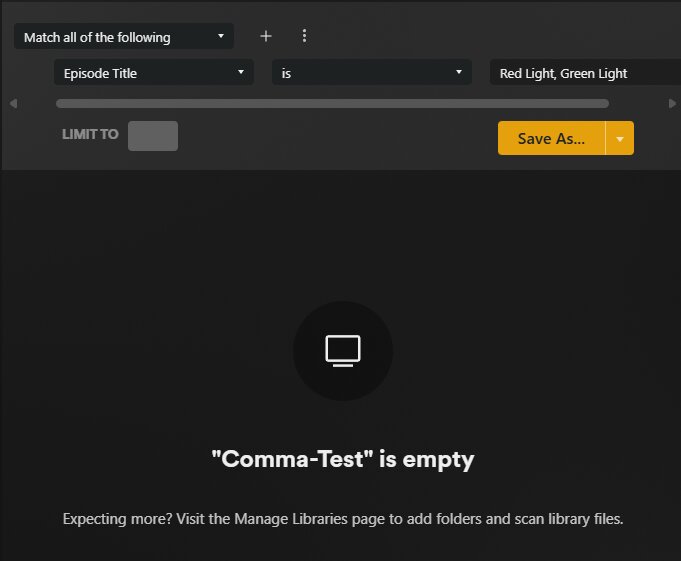
When using Advanced Filters for titles containing commas, the filter treats the comma as a separator (like a list delimiter) instead of part of the actual search text.
For example, my library contains the following two episodes:
This also happens if I rename my show to “The Good, The Bad, and the Ugly”, and then do an Advanced Filter for:
Match all of the following:
Show Title is The Good, The Bad, and the Ugly
Additionally, if a search with a comma does return results, navigating into the item and then back causes the filter input to split into multiple criteria instead of preserving the original single search term. This behavior is shown in the below gif.
I can recreate the issue. However, why are you using “is” for a search? Don’t wait for a fix, use “contains” without the commas and you’ll still get the result you want.
BUT… trying to use ‘….’ breaks something completely… typing the first ‘ character at the beginning breaks the live preview of the advanced filter… getting out of the filter view completely.
For those with insights on the internal database query… there may be an escape sequence which gets interpreted by the internal database query parameter as “this is part of the query string”, no logical operator of mine… but for this - I am out of the game. Maybe a reverse engineering may work…
how does the internal db query request must look like that an episode title could have a comma included?
URL-encode this properly, then you might or might not have the URL (and therefore you would have the advanced filter which is a URL with query parameters defined).