Advice for DIY NAS and Plex Server Build

Hoping for some advice, feedback and recommendations from folks who have done the same, or are knowledgeable about such things. Many thanks in advance. I am admittedly feeling a little overwhelmed by options and choices regarding things I don’t really have a strong working knowledge about, and where there seems to be divided opinion online.

TL;DR I was caught unawares regarding the demise of Google Workspace as a means for library storage. After researching potential solutions and alternatives I arrived at building and hosting my own.

Rejected were:

  • Staying with Google.
  • Moving elsewhere in the cloud (Dropbox etc.) Don’t want to risk having to go through the same again at some point. Plus increased cost, or account sharing for cost splitting.
  • Buying off-the-shelf NAS. Based on what I am looking at the cost is rather eye-watering.
  • Buying basic off-the-shelf NAS combined with NUC/SFF/etc. No real cost savings to above, and I’d prefer a single unit.

So it seemed that the best solution would be to build my own. I’d end up with something more capable and future proof that should be scalable and upgradable should the need arise. Bonus if the cost comes in lower than the off-the-shelf options.

Since then I have done a lot of reading and viewing: Of posts asking similar (including here); build guides and videos. After this I was able to arrive at my basic build based around a micro-ATX sized case with sufficient storage bays to house everything, and a modern Intel CPU so that I could utilize Quick Sync for hardware transcoding. I decided against mini ITX as it seemed for most the compromise was either reduced storage bays or really cramped layout and/or bad airflow.

This is now where I’m stuck though:
- ECC RAM. Yes or No?

There seems to be very divided opinion on whether ECC RAM is a must-have regardless of the use case, or if for this type of project then it’s really not a concern.

ECC RAM support has a somewhat significant impact on the remaining choices and prices. Motherboards with ECC support are expensive and limited in choice. As is ECC RAM itself.
If yes to ECC am I better then staying with a consumer CPU, or looking at a Xeon that has Quick Sync? Or instead going with AMD and getting a GPU?
If no to ECC then it’s much simpler.

I also have to decide on what to actually install and what filesystem to use. Given I’m looking to use it as a NAS but also run Plex and all the -arrs etc.
- It seems like Unraid is the contender here? (Or Ubuntu, Debian or…??)
- But then XFS, ZFS or BRTFS?

Anyway, if you’ve read this far, thank you. And if you have any insight to offer, thank you again. I’m sure it will probably work out no matter what I end up choosing, but since it is a lot of time, effort and money involved, I’m trying to make the best choice from the options available and I don’t know enough yet to have confidence to choose myself.

I can share my BYO project BoM with you but your eyes will probably still water and your wallet will sting in a lot of ways. (depending on how you scale, this isn’t easy or inexpensive)

Since building it 18 months ago, HDD prices have dropped ; so there is that.

In a nutshell;

  1. Ubuntu server 22.04.2 LTS
  2. Xeon E5-2690 v4
  3. 256 GB ECC
  4. 12x 12TB Enterprise HDDs (RAID 6) - XFS
  5. 10 GbE (x2)
  6. A bunch of SSDs in critical functions (11)
  7. Nvidia P2200

It’s a file server with one ‘appliace’ type function in LXC/LXD.
Array throughput sustains 1.2 GB/sec

1 Like

Appreciate the response @ChuckPa . I have already previously been in awe of your behemoth of a build. With such an undertaking, and outlay, I can understand why you wouldn’t skimp on specs, but I considered yours to be on the more extreme side of builds which unfortunately didn’t help me with my humbler aspirations and deciding if the added associated expenses of ECC is worth it.

However, the longer I mull it over, the more I think I’m coming to the realization that I’m going to have to make the investment myself. Otherwise if I don’t, and something does happen to go wrong, I’ll be forever berating myself. If I do it properly from the outset then hopefully I’ll have a solid foundation and the increased initial costs will balance out over the life of the system.

So I think the ECC decision is made, and I’m now researching and pricing CPU/motherboard combos. It seems for 12th/13th gen I need a W680 board, so selection is very limited there. So I’m also exploring Xeon options, which apparently means I need to confirm the motherboard will support the igpu. They have been available for longer though, so at least there is a bit more of a selection, and more people who have shared their real world experiences.

Once I’ve gotten all the hardware ordered I can turn my attention to what/how to install and config.

With regards to ECC memory, I’ve built lots of systems over the years and never once knowingly had an issue caused by using non ECC memory.

My present system runs unRAID and is very stable using non ECC, it was relatively cheap using motherboard and CPU from eBay and clocks around 25w when idle (electricity is expensive in UK).

2 Likes

ECC is mostly relevant if you want to use raids with ZFS. I’ve been running FreeNAS and now TrueNAS Core since 2014 with non-ECC memory and never had a problem. But that’s my case.

I swear for these two pieces of software, they are both rock solid and super easy to install and maintain (my priority is low maintenance) :

  • TrueNAS
  • Proxmox with LXC (containers)

If you want to go for just one system, I would recommend TrueNAS Scale, which is the version of TrueNAS based on Linux. I myself run TrueNAS Core (based on FreeBSD) but Plex abandoned the support for hardware transcoding under FreeBSD. Since recently I run Plex on a N100 “MiniPC” with Proxmox and Plex run on an LXC. There is a popular LXC script that installs Plex with QuickSync working out of the box. It takes literally 5 minutes to have Plex up and running.

P.S., I have as requirement to have low electricity consume because I live in Europe and it is expensive here.

1 Like

Appreciate the input. Lots of people seem to be of the same opinion and experience, that non ECC is just fine. And then there are also those on the flipside of the coin, and all the guides that recommend ECC.

I think since I am buying everything (and not upgrading or recycling anything existing that I have) that I’ll cover my bases and just spend the extra upfront so that it’s one less thing to potentially worry about, and consider it an investment in a setup that I hope to use for quite some time (at least long enough to break even haha).

Thanks for adding your experience. I recall reading that about ZFS in the many things I have read in the past few weeks. I believe TrueNAS actually uses ZFS. IIRC TrueNAS also meant that adding drives to expand your pool was not very straightforward, which is one of the reasons why it fell off from being considered.

I am uncertain if I’ll be purchasing a full compliment of HDDs initially, so potentially looking at adding more once I’ve taken care of the most immediate need which is just moving everything off Google.

Unraid seems the simplest for accomplishing this.

If I decide to go for a traditional RAID configuration instead, I’m coming to the realization that I will also need to accept buying as many drives as I require so I can set up the array from the onset. I don’t want to have the downtime needed to expand or rebuild to add additional drives in the future. Which at this stage is another vote in favour of Unraid.

How many drives are you going to be running? I have a lot of leftover drives from previous upgrades that are all different sizes so I’m thinking about the same motherboard and Unraid

Pricing out parts, I don’t see saving that much money if I go with non-ECC. I’m not going to be rebooting this thing very often and I just don’t feel like worrying about it

I don’t really need a powerhouse but I don’t see spending $1,200-2,000 dollars for an 8 bay prebuild with such a lackluster CPU

Even paying a little more for a motherboard and the ECC, I still figure I’m getting a way better deal given performance and capacity

There’s anecdotal evidence on both sides for using ECC. Primarily this is useful for confusing you or making you doubt yourself, like a review on an Amazon product

Maybe it’s unnecessary and make it’s not. I don’t want 70TB of data to give me the answer to that question

1 Like

If you use any type of drive pool, whether it be RAID or ZFS, go with ECC. The last thing you want is a massive drive array going corrupt just because you skimped on the proper hardware for the use case.

1 Like

I want to start with around 50TB of available storage, so I’m looking at probably 4x 18TB drives if I go with Unraid or Raid 5, 5x if I decide to go with Raid 6.

Currently still researching between Exos, Ironwolf Pro, Ultrastar and WD Red Pro. Trying to balance between cost, noise and warranty (and need to buy from a ‘trusted partner’ in order to have a usable warranty. Unfortunately none of them seem to have the most competitive pricing.) Maybe another instance of me needlessly splitting hairs, since many recommendations seem to be just go for the best $/TB and everything else is much of a muchness.

A more recent wrinkle is that ASUS just announced their Pro WS W680M-ACE SE mATX motherboard for a purported Q3 release. Prior to that it seemed to be the AsRock Rack W680D4U-2L2T/G5 was the only viable mATX option, and it is expensive. Leaning towards waiting for the ASUS to release, so now also researching an interim solution to move the data off Google in time. Not seeing that as too much of an issue, other than likely having to eventually copy the data twice, but that’s just time.

Overall the increased cost for a W680 motherboard and DDR5 ECC RAM will add ~$500+ to the build, so not insignificant, but also not a huge premium. Especially for the added piece of mind.

Agreed. Decided that it wasn’t something I want to roll the dice on for the sake of some upfront costs vs the longevity of everything once it’s up and running.

What case are you looking at?

I have to go with something large because I have so many drives, so I can use the ATX board for $330. If I need a bigger cooler, GPU or more fans I don’t have to worry about what’ll fit
https://www.amazon.com/ASUS-W680-ACE-IPMI-workstation-THUNDERBOLT4/dp/B0BZGKKCWC

The other motherboards that have the features I want without ECC were in the 230-ish range so only about 100 bucks more

The ram I found here is pretty reasonable

Looking around, it seems as though the i5-13500 is a very popular choice for this setup
It has Intel UHD 770 graphics which is good for transcoding

I have to think though…if you only need space for 4 drives you can get a prebuilt for 300 to 450. I have an Asustor 3S5304T right now and it’s really not that bad (for my use case) I don’t do a lot of transcoding which I know isn’t exactly typical

The only reason I’m thinking about building one is because I need space for more drives

If you don’t have at least one mirrored backup, I wouldn’t trust a Raid 5. I had a drive fail recently and during the rebuild a 2nd one went. Without my backup I would have been screwed

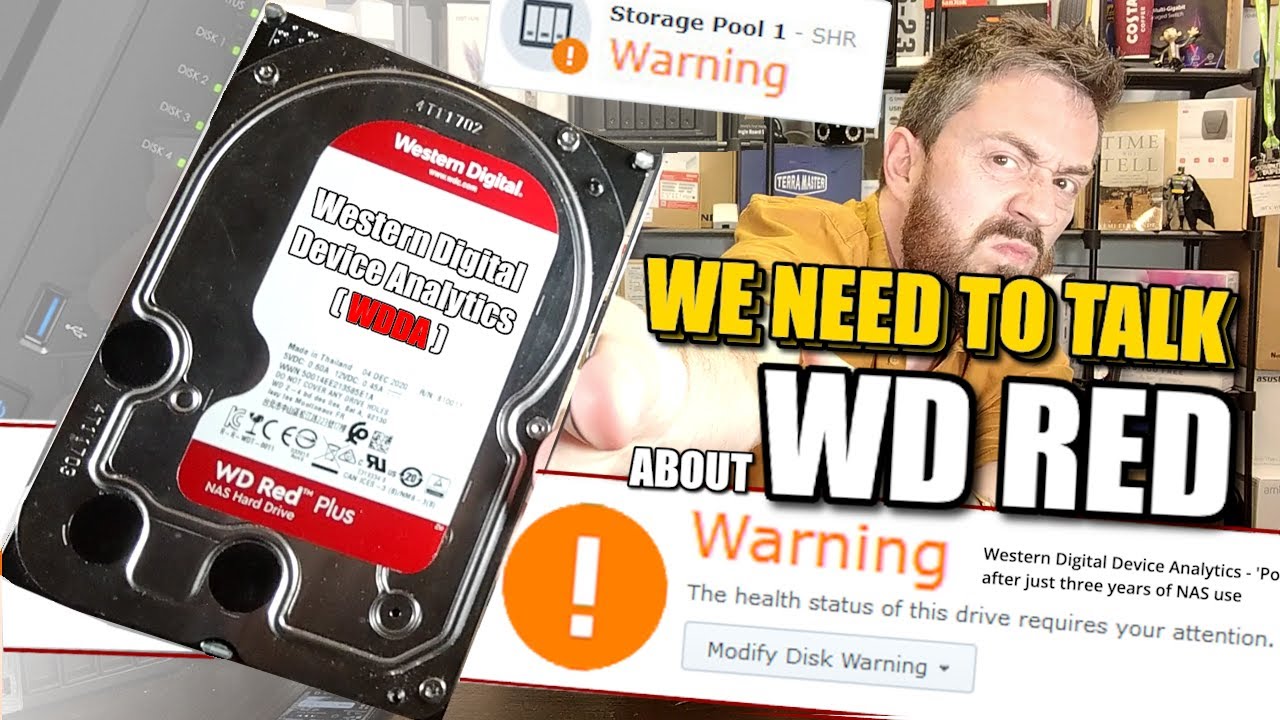
About hard drives, at the moment I would stay away from the NAS line from WD. Wester Digital had recently decided that three years is enough life of a NAS drive and after that they are automatically marked as in warning state with the implications that that creates. At the moment I am not sure how exactly that happens, but the most affected people are running Synology systems. This is outrageous and pretty anti-consumer.

And that’s forgetting the previous drama in the past when they sold cheap SRM drives as NAS drives.

I’ve gone with the Fractal Design Node 804. I already have two towers and didn’t want to add a third. I like the design and layout of the case, and there’s enough space to allow for the addition of future drives as required. I also looked at the Node 304 mITX version, but it seemed a little cramped overall and had less drive capacity.

What are you considering? The Fractal Design Define 7 or 7 XL are ATX cases that have a lot drive capacity (I think 12+). I believe ChuckPa has the 7 XL for their mammoth rig, so you know you’d be in good company.

Yes, that ASUS is the original ATX version of the newly announced one I am waiting on. It seems like a solid choice. Unfortunately the gap in price in the mATX sizes seems to be much larger between the W680 and other chipsets.

Kingston make good RAM. I was looking at them myself, but currently going with Crucial for better local pricing.

Yes, I landed on the same CPU as the bang-for-buck sweet spot. Practically the same price as the 13400 but more cores and threads. And no discernible benefit for the planned use case in paying the premium for the 13600K.

Good to know. Wasn’t planning for mirrored backup, but do intend to end up with dual parity.

I had come across the recent WDDA controversy, and also aware of their previous SMR shenanigans, both of which had admittedly bumped them down the list in consideration. Didn’t eliminate them completely since I’m not planning on getting a Syno or QNAP so wouldn’t be directly affected, but certainly didn’t paint them in a positive light, given there are other brands and choices.