Amazon finally updated their app to where it’s not broken anymore (registers to Android that it’s playing music, so the Shield won’t go to sleep while playing music) and it now finally supports HD. But I wasn’t happy when I saw that it said my device was only capable of playing 16-bit 48Khz, when I’m pretty positive that I’ve been able to get 24-bit 96Khz out of the few Hi-Res albums I have on Plex. So before I flamed Amazon, I tried to play a few of those tracks, and sure enough they only play at 48Khz now. I’ve played around with settings (nothing really on Shield, as everything is grayed out, doing HDMI to receiver) and Receiver, but nothing seems to work.
Then I found this post confirming that I’m not losing my mind, and that it used to work just fine. I’m wondering if this was an Android update (can’t remember if I’d seen 96Khz prior to last Experience update) or Plex (as people are suggesting here), since Amazon is stating the same. I did have a Tidal trial (which has lapsed), I could sign up for another one to see if it’ll play higher than 48.
Hello, fellow Plex users. I just stumbled across this topic. Is this conversion to 48khz happening on all Plex server apps or just Nvidia? I run the server on a Windows 10 PC and typically stream to a Cambridge Audio Minx Xi (all in one amp/streamer). The Minx and the related app are telling me the audio format it is receiving is 16/44.1 ALAC which the files are encoded as. If I assume the accuracy of the Minx device readout, presumably the Plex server isn’t converting it?? I used to see the stream on the Plex app as direct play with format information but it doesn’t even show the stream anymore, at all.
Yep, add me as another interested/concerned Plex user. It’s particularly frustrating that this is an introduced downgrade (whether that’s Plex, Android or Nvidia), but becomes infuriating when there is no official response on why or potential resolution from Plex.
Hey all,
As mentioned, there is an official Plex response to this issue in this forum post
I am in the process of adding my music to my existing network server. My setup is:
Server: Intel NUC running PMS with USB RAID drive bays
Network: Ethernet LAN
Playback: NVIDIA Shield running Plex client
AVR: I am looking to buy an audio video receiver but haven’t yet
TV: Sony wifi-equipped Smart TV
Speakers: Currently have SONOS but will be upgrading soon
I have a large cache of SACD’s and other top quality music files such as 5.1 FLAC.
From what I read, I cannot use PMS for high quality audio playback without reducing quality.
I appreciate that Plex has come a long way, and I am very happy with it improving.
While I agree it would be GREAT for Plex to allow passthrough for audio files just like it can for video files, I acknowledge this is for a small but passionate group.
Can people let me know what they use in stead of Plex to stream things like 5.1 audio FLAC files? Do you skip android boxes like the SHIELD and go straight from your NAS/Server to an AVR?
This would be valuable for Plex users to know.
Part of a great product is knowing where the limits are and helping your customers find their solutions.
Kodi with “plex connect” plugin is the only thing I know of to playback audio files at original quality from a Plex server. FLAC 5.1 files work properly when attached to an HDMI surround receiver.
I think the native Plex for Kodi plugin also works, as it seems to also use the native Kodi player.
Of course Kodi does all of this anyway with or without plex.
Bump and +1 to keep the thread open. I could care less about gimmicks like sweet fades etc. Please allow me the option of playing my music in its original, lossless format. Very annoying that, as a premium user I wasn’t even informed about this…
The resolution of 24/192 is hundreds of times greater than 16/44 (yes, that’s HUNDREDS), yet in a double-blind test it’s always a crapshoot as to which format will “win”. Think about that for a moment. This is due to a few reasons, one being that most of the high bit rate and high sample rate music on streaming platforms, ‘hi-res’ music stores, and even physical media, comes from upsampled 16/44 masters, the other being psychological because out of all our senses, the ear is by far, the most easily fooled. Actually, let me rephrase that: in isolation, the ear is actually quite accurate, but it’s very easily manipulated by our brains. Anyway, I’m off track but you know where I’m going…
If you’ve convinced yourself that 16/44 just doesn’t cut it, then 24/88 would make way more sense. If you think about it, 24/96, 24/192, and 32/384 are just jokes on us (a.k.a, the consumer).
Speaking of jokes, I’ve got one for ya: an MQA walks into a bar…
Am I going to be able to tell the difference between 24/96 and it’s down-sampled 24/48 (16/48?) counterpart? No. Hell, I’m not even convinced I can tell the difference between a 16/44 FLAC and a 320kbps MP3 most of the time!
I just think most users just want Plex to play their media as-is, if they have the equipment to do so.
Now, MQA is an absolute joke, and the quicker it dies, the better!
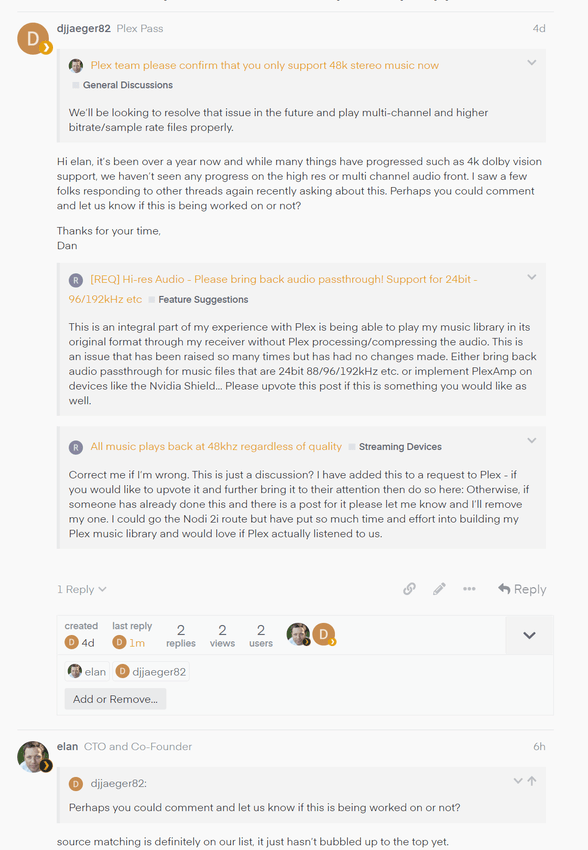
Correct me if I’m wrong. This is just a discussion? I have added this to a request to Plex - if you would like to upvote it and further bring it to their attention then do so here:
Otherwise, if someone has already done this and there is a post for it please let me know and I’ll remove my one. I could go the Nodi 2i route but have put so much time and effort into building my Plex music library and would love if Plex actually listened to us.
FYI I sent a message to Elan again (who did comment on this issue in a previous thread)… He says its on their list of things to do, but not at the top of the list yet…
I’m hoping @elan will comment here directly for the rest of the community, and potentially lay out a timeline to get this fixed (since it was working previously, albeit in builds from over a year ago)
I only use Plex for my music library and have been a PLEX PASS user for many years, I’ve brought so many friends/family and work colleagues to PLEX. Most of which are audiophiles like myself. With the ho hum attitude toward removing an important audiophile feature with no notice, I’m contemplating a move. I need to start the rip of my 8000 CD and 1000 SACD collection and planned to use Plex to enjoy and share with others. Since this audiophile feature isn’t fixed, again I’ll begin the search for a better long term plan. I need to understand quickly what the dates are to fix this. Not its on the list. Don’t have time wait beyond the year I’ve already waited. So disappointed in you PLEX. You’ve lost your way like so many other great companies have done over time.
Saddened to see that the THX Onyx I just received (to playback high res FLAC/ALAC library via Plexamp) was only indicating PCM 44/48. Really hope this gets resolved soon. As sweet as the fades may be, I’d be fine with having a toggle to bypass all enhancements for true original quality playback, if that’s how it needs to be.
 definitely on the list.
