Probably in the distant future that’s where they’re going to, but I doubt they going to totally kill the server portion of Plex because that’s what Plex is created for…a personal mediaserver.
They could integret Crackles, Hulu service or even Netflix-alike service or provide cable TV for free like Pluto tv or paid like YouTube tv or Sling tv, hulu tv in their Plex ecosystem in the future because thats the only I think they could push more features to plex and earn something for themselves.
However, I doubt theyre going to kill personal server of Plex if those features I mention above would be integrated in the future.
I’m getting limited connection warning when I connect to https://app.plex.tv/desktop from my home network. Is there a way to access the web desktop locally?
No you can’t, it DOES NOT DISABLE for normal users. I already had my friend test this. It shows your stuff first. I already did this. Forcing this on people is going to piss a lot of people off.
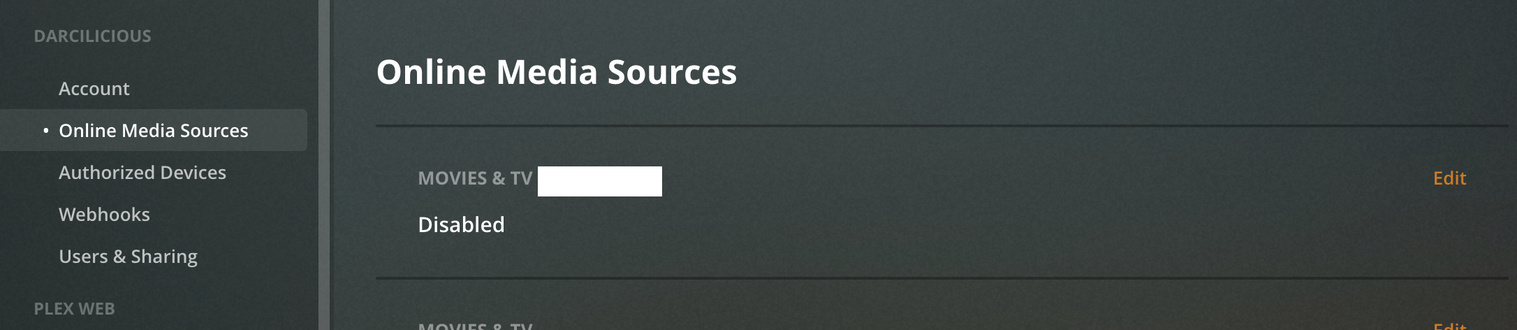
Because it is managed by the individual user. Each user can enable or disable it through their own account. You can not disable online services for other users. It is completely independent of the Plex Media Server.
Online services have never been managed through the Plex server. This enables any Plex user to access online services without having a Plex server installed.
Respectfully disagree. I welcome this. As a user who already consumes from PlutoTV, the Roku app, and STIRR, I believe this is a positive add. While I wasn’t a huge fan of News, WebShows, PodCasts, and the like, this move makes sense.
It’s similar enough to the material that I already present to my users… and it looks like it’s moving toward becoming a standalone media delivery app that doesn’t require shared material from a server. I firmly believe that now, more than ever we’ll start seeing more users coming to Plex because it’s free, and it finally offers a decent enough selection of its own media.
I also don’t see them moving away from the core business of being a media server as we’ve always known it. Added content that fits in the ecosystem is a bonus. As others have mentioned, if you don’t like it, disable it… but let your users decide for themselves. If they find something interesting in there that you don’t have, it’s a bonus for them too.